Locating Individual Wire Pairs with the MT-7071 Analog
Function
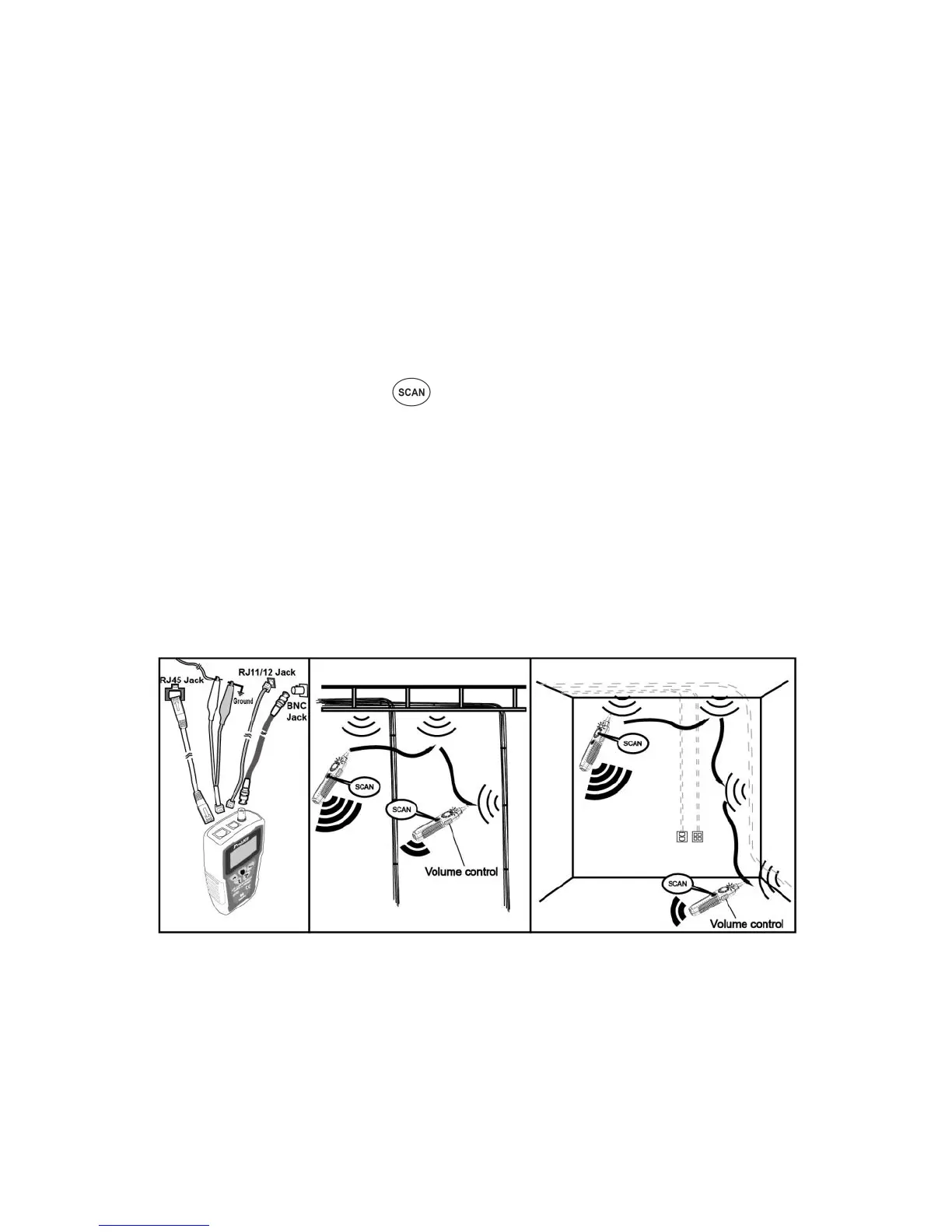
To locate cables, do the following steps (Figure 8):
1. Please connect tested cable with MT-7071 properly, as figure 8. If you
want to test single conductor / twin conductor cable , please select
「Tel」 cable type then plug the alligator clip patch cord into RJ11 jack.
2. Please refer to page30 「Operating process chart B.(Type:)」, to
select cable type that you want to test.
3. Please refer to page30「Operating process chart E.」, perform the wire
tracing function to find out the target cable.
4. As figure 8 shows, slide the ”switch” of receiver to SCAN or LED
position, then push on receiver to operate cable tracing function.
The tracing sound will be output from speaker. When put on earphone,
there will be no sound from speaker, but from the earphone.
5. Use the Receiver to find the general location of the tone at a cable
rack, patch panel, or behind a wall. In locating mode, the Receiver’s
LEDs light up in red from 1 to 8, then wrap back and light up from 1 to
8 again as the signal strength increases.
6. Adjust the Volume Control on the Receiver to locate the wire pairs
from 10cm to 30cm.
Figure 8 Locating cables



 To Next Page