SHIELDED LAN CABLE & CONTINUITY TEST
DANGER:Before testing, please make sure the power of receiver is
OFF.
If you want to confirm the cable is shielded or unshielded, or is continuity or open,
please follow the step as below:
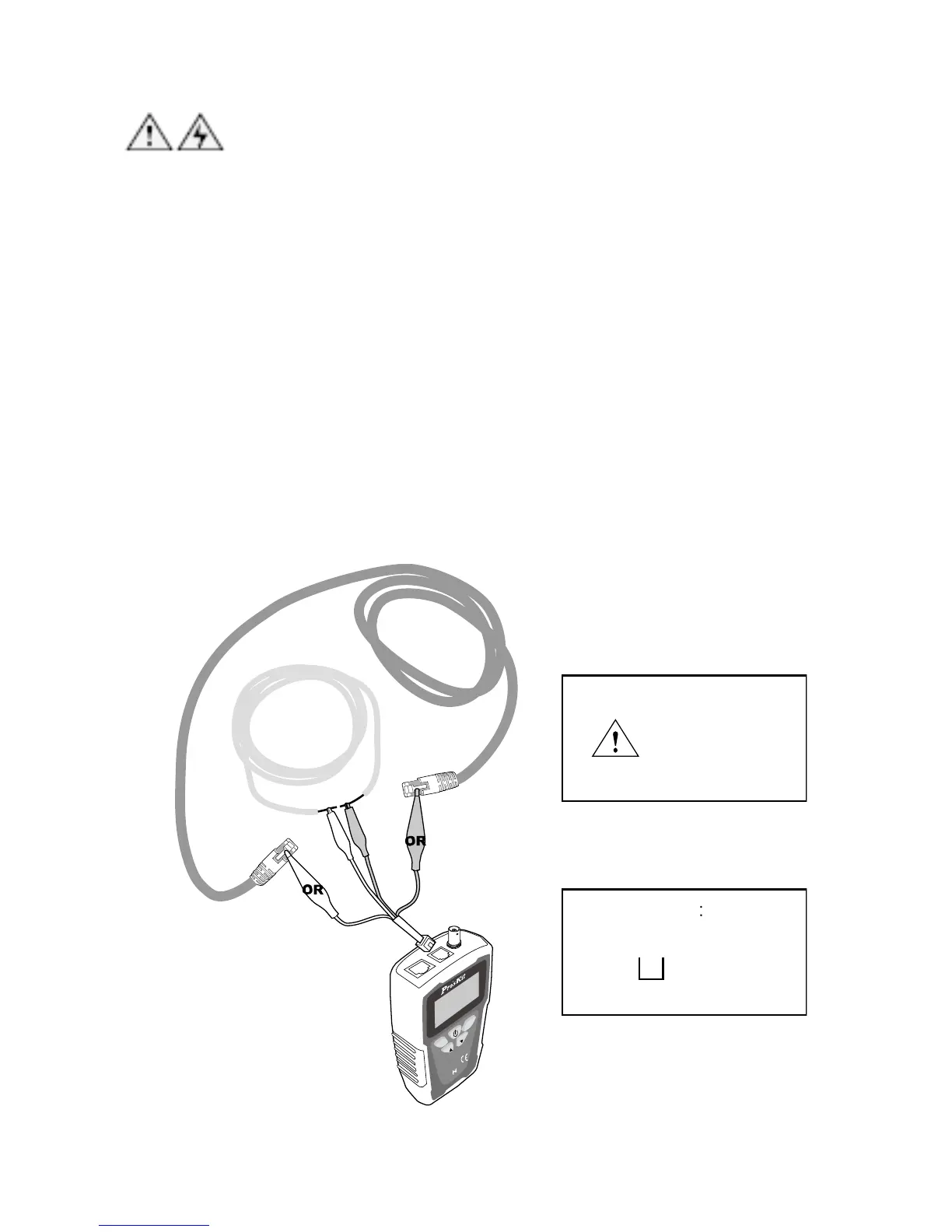
1. Refer to figure 11, plug alligator clip patch cord into RJ11 jack, and
another terminal connect with tested cable.
2. Select cable type, please refer to page30「Operating process chart
B.(Type:)」to select cable type (TEL)
3. Perform cable mapping, please follow the steps as page30
「Operating process chart C.(Cable Mapping)」.
4. The test result is as figure 11.
5. If the tested result shows “Short mapping” with wire 3 and 4 that
indicates wire status is continuity (resistance<500Ω ±100Ω ). If the
tested result shows “Cable Open or too short!” indicates the wire is
open circuit or poor connectivity or shielding bad (resistance>500Ω±
100Ω ).



 To Next Page