BATTERY LIFE AND REPLACEMENT
Caution
• To avoid unreliable test results, replace the battery as soon as the low
battery indication appears.
Warning
• To avoid possible electric shock or personal injury, turn off the
Transmitter or Receiver and disconnect all test leads before replacing
the battery.
To avoid unreliable test results, replace the battery as soon as the low
battery indication appears.
Battery Status: Low battery Icon「 」is flashing, it indicates transmitter
voltage is lower than DC 7.0 V, please replace the battery.
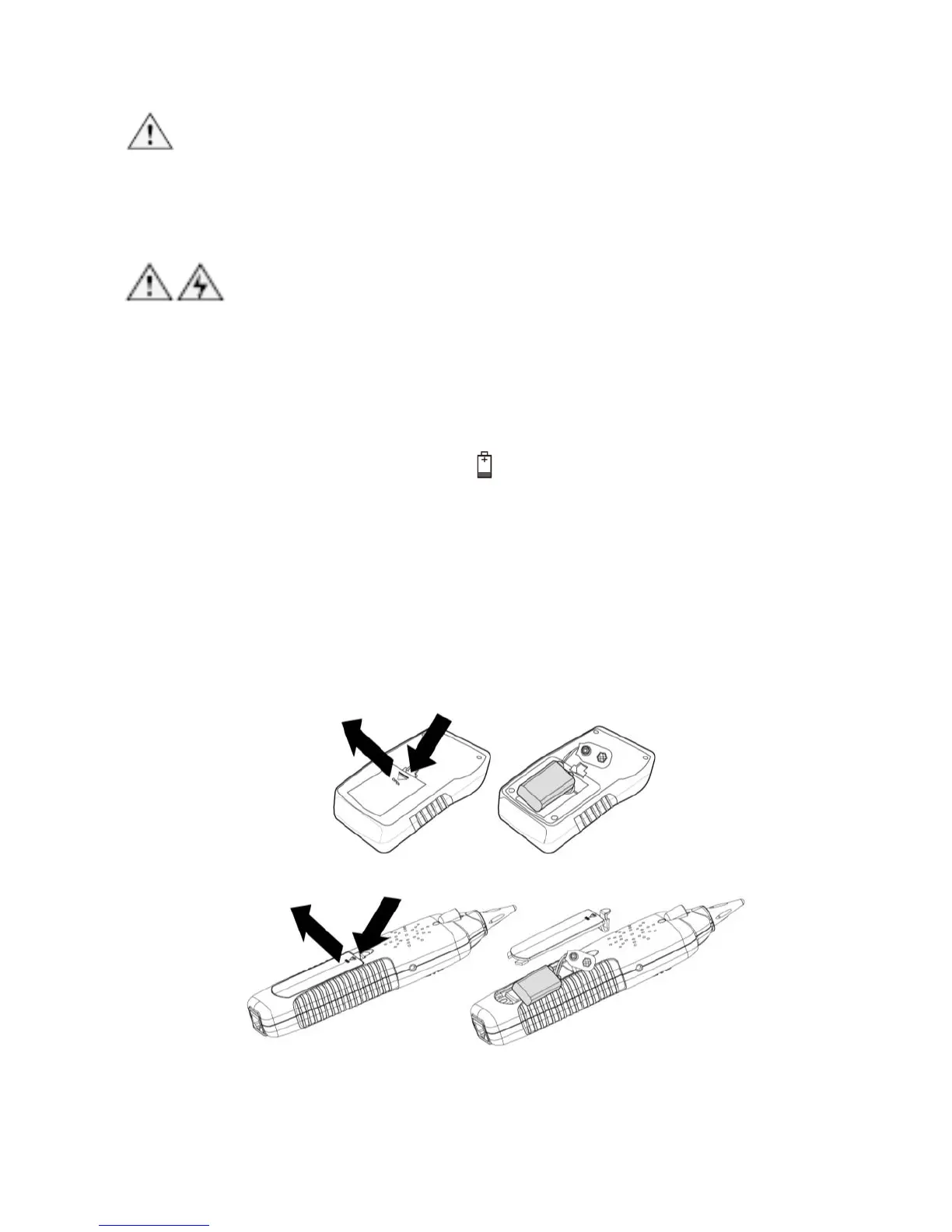
To replace the battery, do the following (Fig 13):
1. Turn off the Transmitter or Receiver and disconnect all test leads
before replacing the battery.
2. Properly install in the case to power the Transmitter and Receiver.
3. Use only a 9V (6FF22) battery.
Figure 13 Replacement of the Battery



 To Next Page