Pi
n
Designation Color Description
6 Terminal 31 / ground Green -
7 CAN1-High White-green CAN, bidirectional
8 not assigned - -
9 Terminal 30 / VCC White Power supply
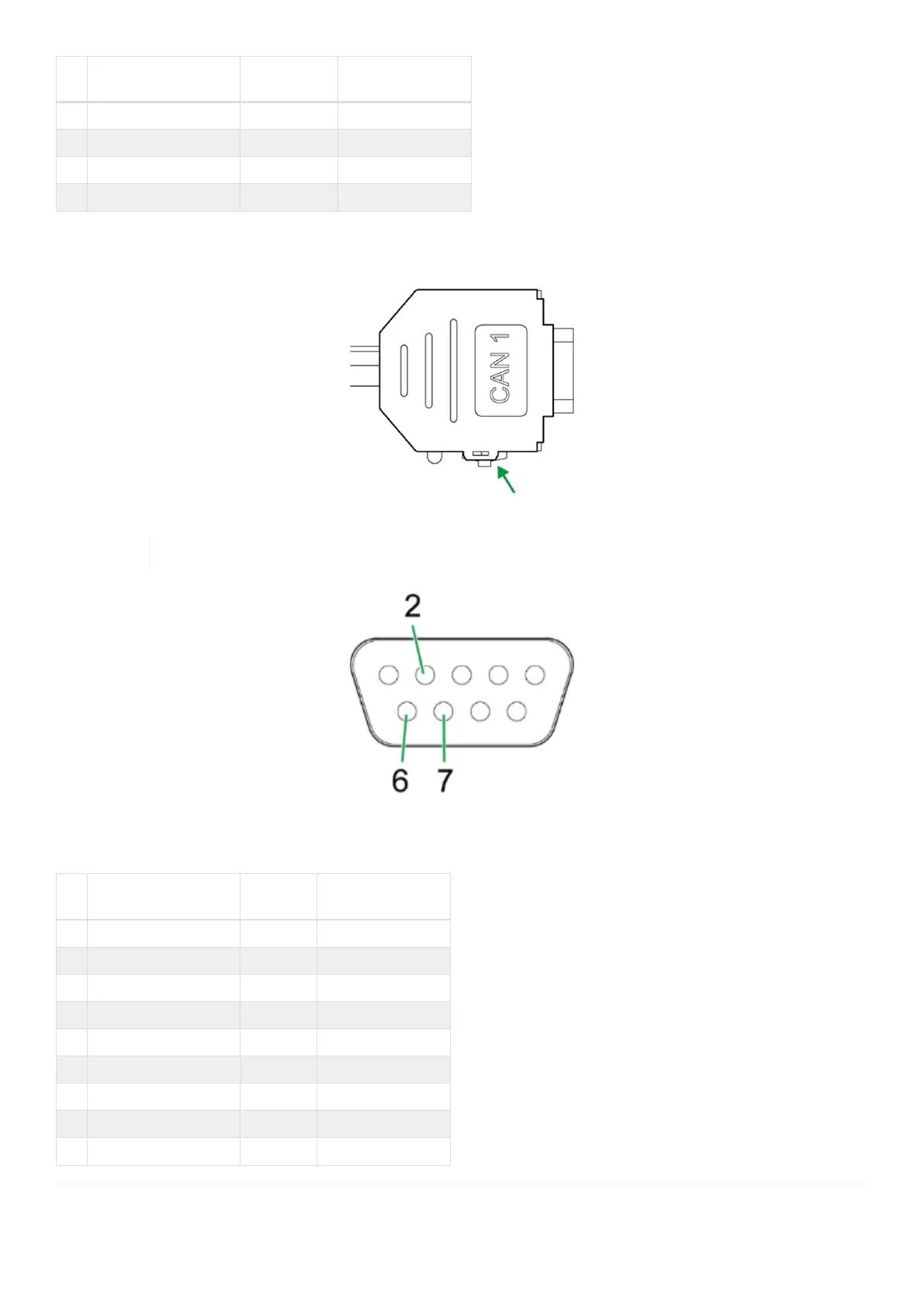
The D-Sub connector (CAN1) connection is also equipped with a slide switch to complete a reset to the factory
settings.
Figure 17. D-Sub connector (CAN1)
For more information on how to perform a factory reset, see Reset device (repair mode).
Figure 18. D-Sub connector, female, 9-pin (CAN2)
Table 20. Start cable for main plug connector, D-sub connector (CAN2)
Pi
n
Designation Color Description
1 not assigned - -
2 CAN2-Low Red-blue CAN, bidirectional
3 not assigned - -
4 not assigned - -
5 not assigned - -
6 Terminal 31 / ground Violet -
7 CAN2-High Gray-pink CAN, bidirectional
8 not assigned - -
9 not assigned - -
CANlink wireless 4000 Device Manual



 To Next Page