6.1.2. Tooltips
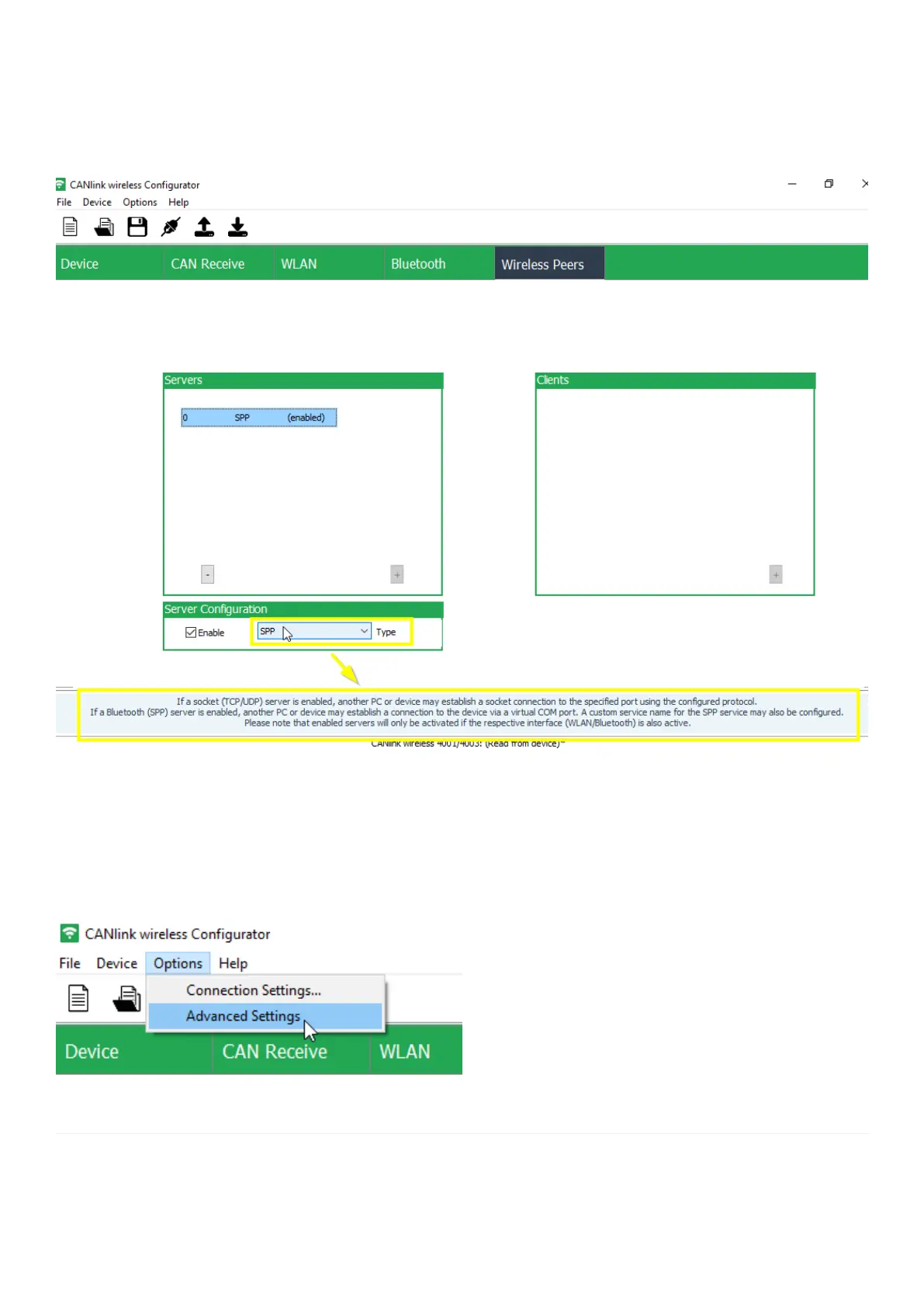
Additional information regarding individual configuration options in CANlink wireless configurator software can be
found within the Tooltips. Always use the latest version of CANlink wireless configurator software with the updated
tool tips.
Figure 37. CANlink wireless configurator Tooltip - Example SPP Server
6.1.3. Enable Advanced Settings
The CANlink wireless configurator software starts by default with the basic configuration options. This allows the user
to focus onto the essential settings to get a new device configured. In some cases it may necessary to enable the
Advanced Settings, therefore please click on Options ¬ Advanced Settings.
Figure 38. CANlink wireless configurator - enable Advanced Settings
CANlink wireless 4000 Device Manual



 To Next Page