► Description of Datalogger screens
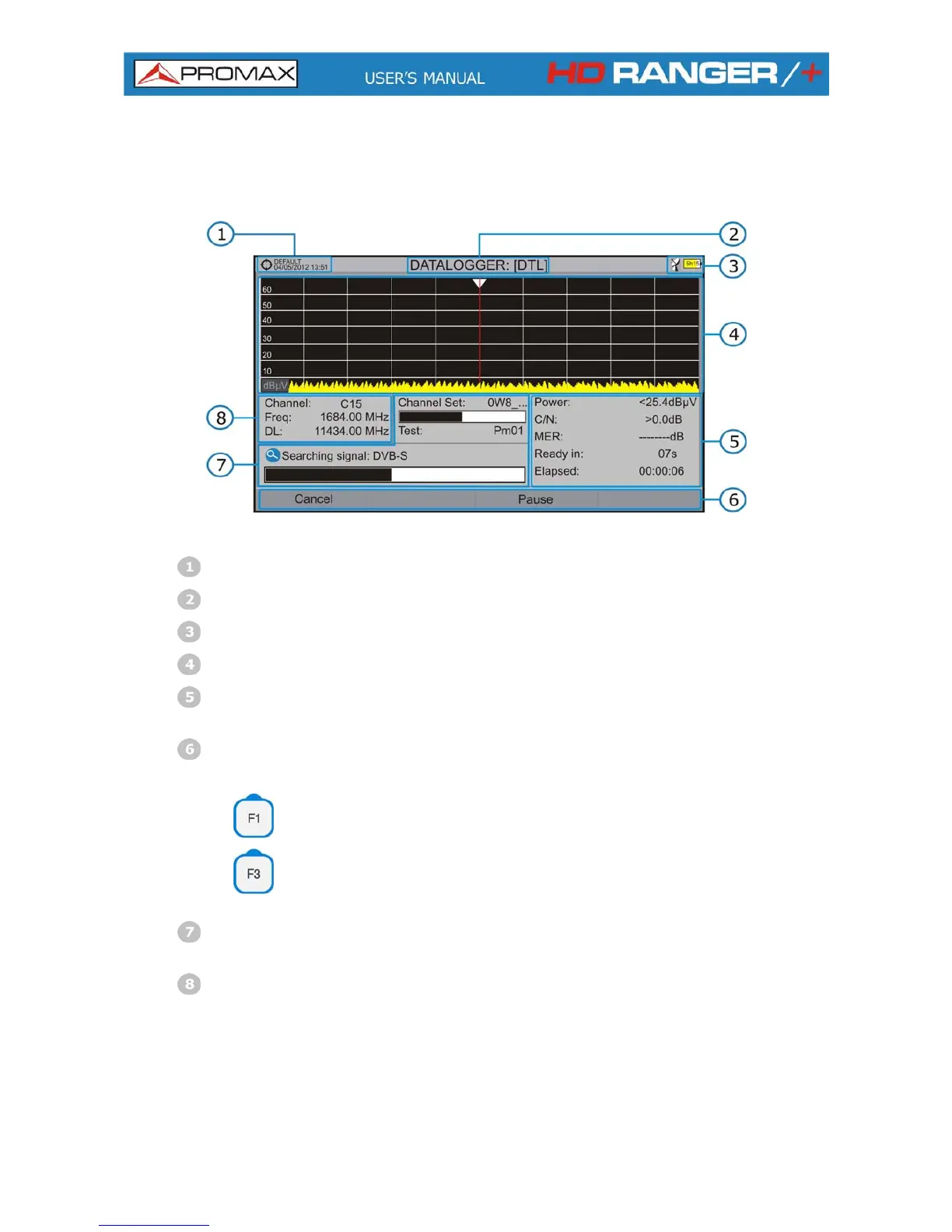
The following describes the datalogger screen:
Figure 46.
Selected installation; date and time.
Cur nt re datalogger name.
Selected band; battery level.
Exploring the spectrum in real time.
e remaining to identify a channel, Level/Power, C/N ratio, MER, tim
elapsed time since the start of the channel identification.
Softkey menus.
Cancel
It cancels the datalogger.
Pause
It pauses datalogger until the user resumes by
pressing again.
Current channel set, progress bar in the current channel set, selected
test point.
Channel, frequency and Downlink.
6-74
April 2013



 To Next Page