EasyManua.ls Logo

PROTRON PD-DVR100 - User Manual

PROTRON PD-DVR100
52 pages
Print Icon
To Next Page IconTo Next Page
Loading...
OPEN/CLOSE
STANDBY/ON
R
E
C
S
O
U
R
C
E
P
L
A
Y
/
P
A
U
S
E
P
R
E
V
N
E
X
T
S
T
O
P
DVD+ReWritable
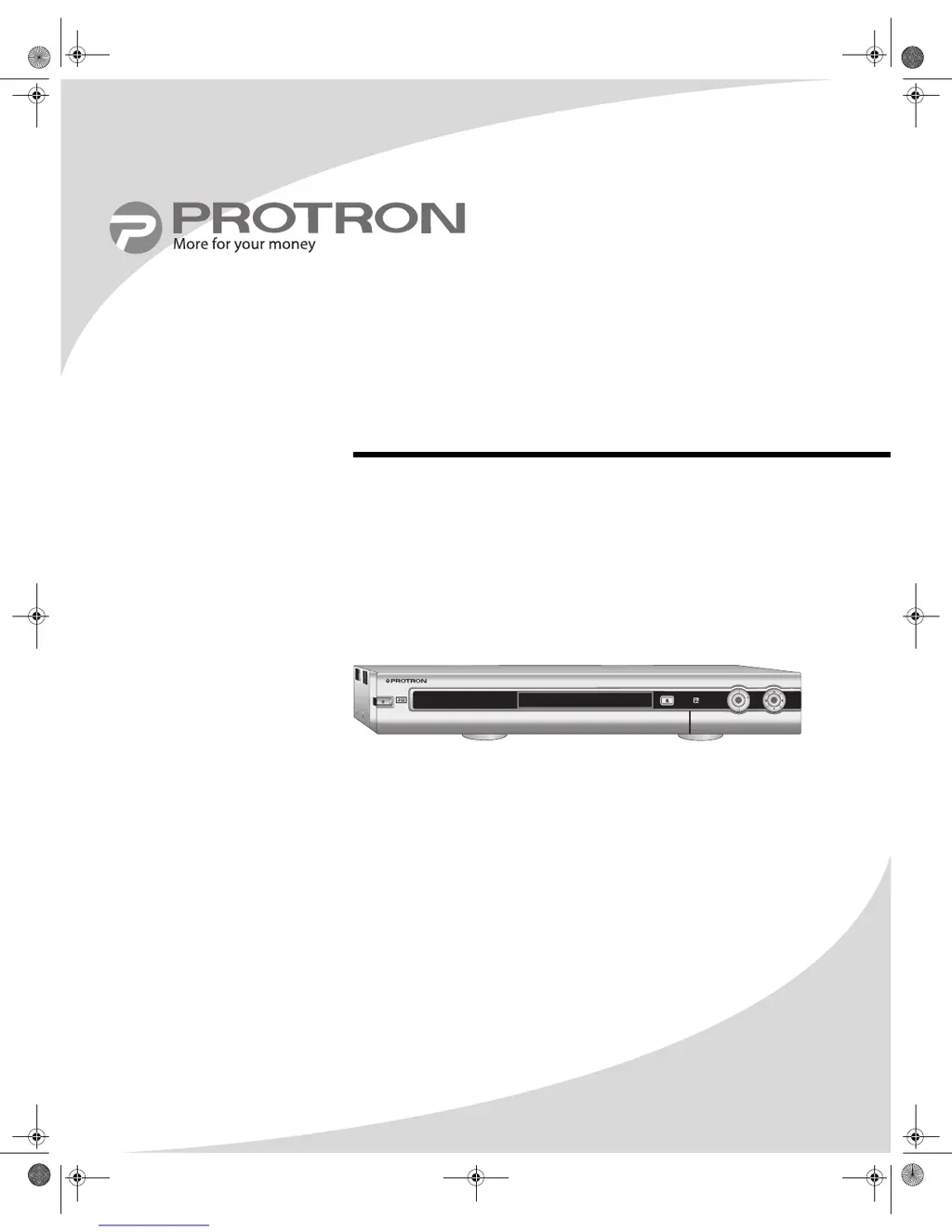
PD-DVR100
DVD Recorder
User’s Manual
OMPDDVR100.book Page i Monday, September 19, 2005 8:35 AM

Table of Contents

Questions and Answers

  • J
    Jonathan MartinezJul 26, 2025
    Why is there no sound coming from my PROTRON DVD Recorder?
    • S
      Scott BushJul 26, 2025
      If your PROTRON DVD Recorder isn't producing any sound, first, check that the audio signal cables are firmly connected. Then, ensure the audio cables are connected to the same input as the video. After that, select the correct audio output format in the Setup menu. Finally, make sure the audio isn't muted by pressing the MUTE button on the remote.
  • D
    david69Jul 31, 2025
    How to fix PROTRON DVD Recorder when the power does not come on?
    • M
      Melissa SteinJul 31, 2025
      If your PROTRON DVD Recorder's power does not come on, make sure the power cable is securely connected to a wall outlet. Also, try plugging a different device into the outlet to see if it turns on; if it doesn't, check that the outlet is on or try a different outlet.
  • W
    wallacewilliamAug 4, 2025
    What to do if the image is distorted on PROTRON PD-DVR100 DVD Recorder?
    • S
      Scott RodriguezAug 5, 2025
      If you're experiencing a distorted image with your PROTRON DVD Recorder, check that the correct TV Aspect Ratio is selected under the Playback sub-menu in the Setup menu. Also, verify that Progressive/Interlace and Video Output Format are set correctly in the Setup menu under the General sub-menu.
  • S
    Samuel HendersonAug 10, 2025
    How to improve poor television signal on PROTRON DVD Recorder?
    • D
      Daniel MurrayAug 10, 2025
      If your PROTRON DVD Recorder shows a poor television signal, try these solutions: * If you are using an antenna, move the antenna to a position with better reception, or obtain and use a more powerful antenna. * If the recorder is connected to a cable TV signal, ensure the cable is connected securely. Otherwise, contact your cable service provider.
  • M
    michael93Aug 15, 2025
    What to do if PROTRON PD-DVR100 disc fails to load?
    • S
      Sandra MooreAug 15, 2025
      If a disc fails to load in your PROTRON DVD Recorder, ensure the disc is not scratched or dirty; clean and re-insert it as necessary. Also, ensure the disc has a format compatible with the recorder.
  • E
    Eduardo White IIAug 20, 2025
    Why recorded disc from PROTRON DVD Recorder fails to play on other players?
    • D
      Dr. Christian GilmoreAug 20, 2025
      If a recorded disc fails to play on other players from your PROTRON DVD Recorder: * If you are using a DVD+R disc, ensure it is finalized before using it with other players. * If you are using a DVD+RW disc, ensure you have made it compatible. * Not all players support DVD+R/RW discs. Ensure your player supports these formats.

Summary

Product Cautions

Using the Recorder for the First Time

Setting the Clock

Step-by-step instructions for setting the recorder's internal clock and date.

Scanning Television Signal Spectrum

Guides on scanning for television channels to optimize signal reception.

Recording DVDs

Supported Media Types

Lists compatible DVD media types (DVD+R/RW) and formats the recorder supports.

Recording Video Manually

Instructions for starting and stopping manual video recording using the REC button.

Scheduling Recordings

How to use the TIMER button to schedule future recordings.

Finalizing the Disc

Explains the process of finalizing a DVD+R disc for compatibility with other players.

Editing Recorded DVDs

Disc Management

Covers Disc Edit Menu, renaming, erasing discs, and creating new titles.

Playing DVDs

Configuring the Recorder

General Settings

Configure screen saver, progressive/interlace, video output format, and factory defaults.

Playback Settings

Adjust TV aspect ratio, rating level, digital/analog audio output, and speaker settings.

Record and Language Settings

Configure auto chapter markers, default source, default quality, and language options.

Channel Scan and Modification

Configure tuner input source, scan channels, and modify channel information.

Clock Settings

Set the current date and time for the recorder.

Troubleshooting

Power and Remote Issues

Solutions for problems related to the recorder not powering on or remote control malfunctions.

Picture and Signal Issues

Troubleshooting for no picture, unclear/noisy picture, and radio interference.

Sound and Disc Issues

Solutions for no sound, distorted images, and disc loading/playback problems.

Specifications

PROTRON PD-DVR100 Specifications

General IconGeneral
TypeDVD Recorder
Video OutputComposite, S-Video, Component
Video Recording FormatMPEG-2
Audio Recording FormatDolby Digital
InputsComposite, S-Video
Hard DriveNo
USB PortNo
Remote ControlYes
Recording FormatsDVD-R, DVD-RW
Playback FormatsDVD, CD, MP3, JPEG
TV TunerAnalog
Disc CompatibilityCD-R, CD-RW