11
Operating the Recorder
Turning the Recorder On and Off
Once the recorder is attached to a power outlet, you can turn it on and off by pressing the
button on the front of the recorder or on the remote.
Inserting a Disc
The receptacle for DVDs and CDs is located on the front of the player.
To insert a disc:
1. Press the button on the front of the player or on the remote to open the receptacle.
2. Place the disc on the tray.
3. Press the button again to close the receptacle.
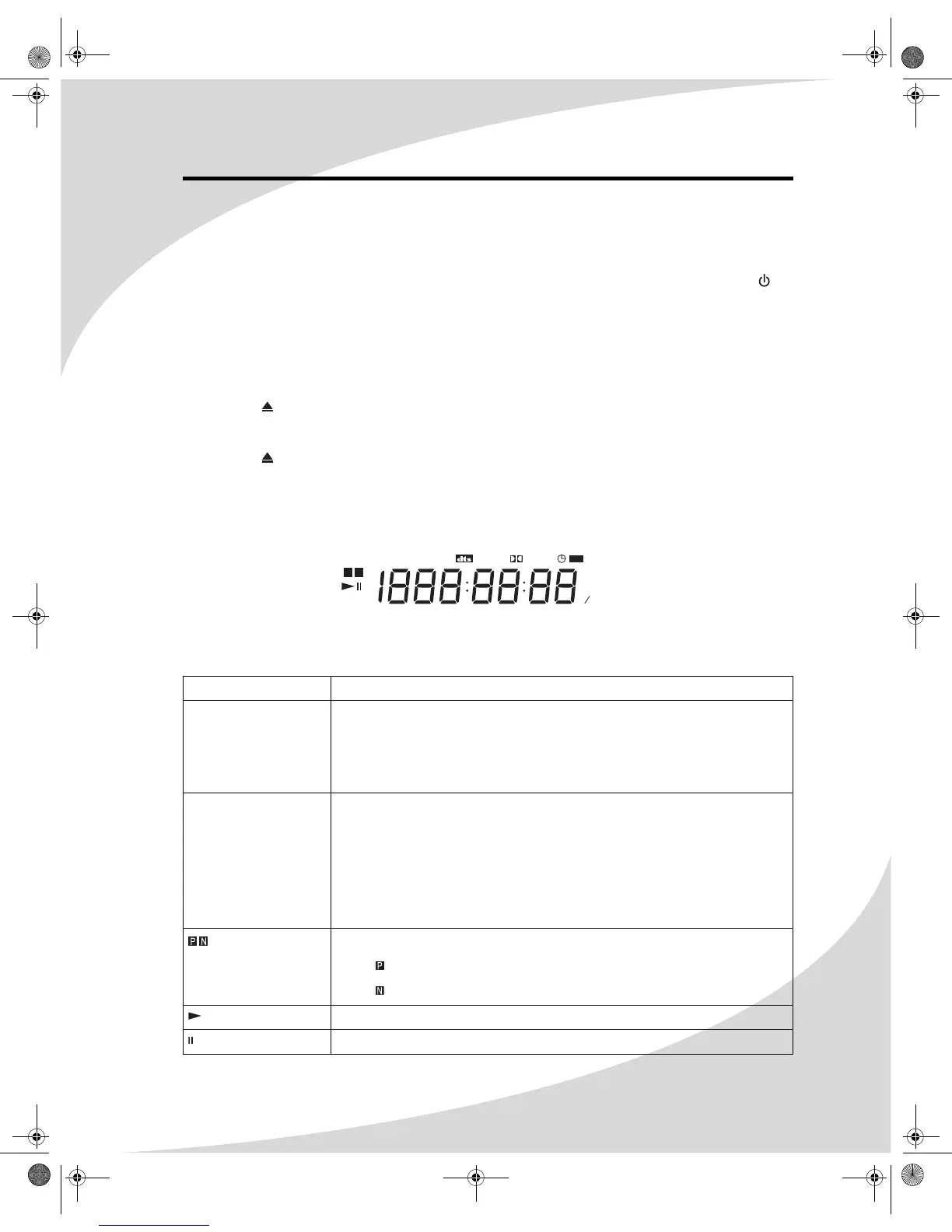
Understanding the LCD Readout
The LCD readout on the front of the recorder displays information about the current disc,
playback, and recording. When the recorder is off, the readout shows the current time.
The following is a brief description of each of the indicators on the LCD readout. Consult the
sections in this manual on disc playback and recording for more detailed information.
Indicator Indication
REPEAT ALL/A-B The recorder is in a repeat mode:
• REPEAT—Repeating a chapter/track/file
• REPEAT ALL—Repeating all chapters/tracks/files on the disc
• REPEAT A-B—Repeating an arbitrary section of the audio/video
MP3/SVCD/DVD The current disc type:
• MP3—MP3 CD
• SVCD—Super Video CD
• VCD—Video CD
• CD—Audio CD or CD-ROM
• DVD—DVD or DVD-R/RW or DVD+R/RW
The current video output format:
•—PAL
•—NTSC
The recorder is playing the current disc.
The current disc is paused.
REPEAT
MP3 P N
DVD
S
ANGLE
D
REC
AM
PROGRAM
RANDOM
PM Su MoTu WeVCD
ALL
PBC L RThFrSa
A- B CHANNEL
OMPDDVR100.book Page 11 Monday, September 19, 2005 8:35 AM


 To Next Page