3 of 54
Commissioning Manual PD 400 CNC
1. Some generalities in advance…..................................................................................... 5
2. The technology of your PD 400 CNC at a glance ....................................................... 6
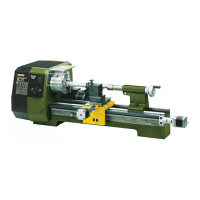
3. View of the machine with its elements .......................................................................... 8
4. CNC control MCS with operating elements .................................................................. 9
5. Technical data .................................................................................................................10
5.1. Lathe :........................................................................................................................10
5.2. Drives of the tool axes............................................................................................11
5.3. Software and stepping motor controllers ............................................................11
5.4. General data............................................................................................................12
6. Scope of delivery............................................................................................................13
7. Unpacking and setting up the machine .......................................................................13
8. Basic tips on setting up and assembling the machine ..............................................14
8.3. Connecting the cabling ..........................................................................................15
8.4. Additional connection options ...............................................................................16
9. Installing the software ....................................................................................................17
9.3. Minimum hardware requirements.........................................................................17
9.4. Installation procedure .............................................................................................17
9.5. Starting the software nccad7.5 .............................................................................18
9.6. Parameter settings..................................................................................................18
9.7. The status display at the CNC control MCS.......................................................18
9.8. EMERGENCY stop / lock ......................................................................................19
10. The program nccad 7.5 ..................................................................................................20
10.3. The integrated manual with the help system......................................................20
10.4. The structure of the "Help Topics" window.........................................................21
10.5. Search methods......................................................................................................21
10.5.1. Contents ...............................................................................................................21
10.5.2. Index.....................................................................................................................21
10.5.3. Search..................................................................................................................21
10.5.4. Explanation of the icons.....................................................................................22
10.6. Online support .........................................................................................................22
11. Important note for working in practice .........................................................................23
11.3. Simple stopping of the machine and the Emergency-Off switch.....................23
11.4. Safety stop, lock......................................................................................................23
11.5. Direction of rotation switch....................................................................................23
11.6. Room EMERGENCY Off .......................................................................................23
12. First steps.........................................................................................................................24
12.3. Simple test of the machine....................................................................................24
13. Fundamentals on working with the machine ..............................................................26
13.3. Fundamentals on turning and the PD 400 CNC lathe ......................................27
13.3.1. Straight turning....................................................................................................27
13.3.2. Grooving and parting ..........................................................................................27
13.4. Various cutting tools and their properties ...........................................................28
13.4.1. Roughing tools (1) ..............................................................................................28
13.4.2. Finishing or pointed tools (2).............................................................................28
13.4.3. Right (3) or left cutters........................................................................................28


 To Next Page
 Loading...