2. Unpacking the printer
10 Prusa CORE One (assembled)
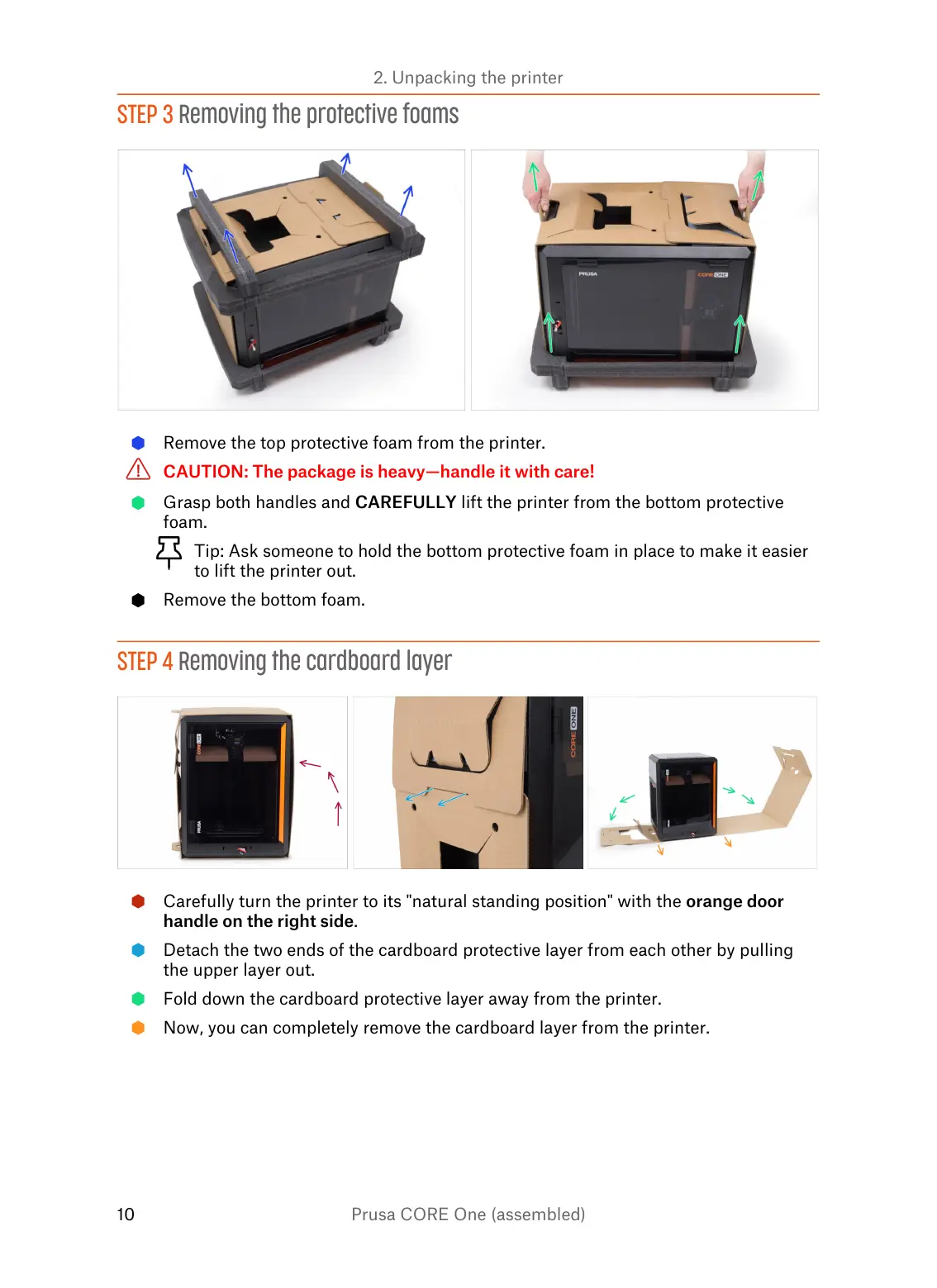
STEP 3 Removing the protective foams
Remove the top protective foam from the printer.
CAUTION: The package is heavy—handle it with care!
Grasp both handles and CAREFULLY lift the printer from the bottom protective
foam.
Tip: Ask someone to hold the bottom protective foam in place to make it easier
to lift the printer out.
Remove the bottom foam.
STEP 4 Removing the cardboard layer
Carefully turn the printer to its "natural standing position" with the orange door
handle on the right side.
Detach the two ends of the cardboard protective layer from each other by pulling
the upper layer out.
Fold down the cardboard protective layer away from the printer.
Now, you can completely remove the cardboard layer from the printer.















 To Next Page