3. Mounting the xLCD
14 Prusa CORE One (assembled)
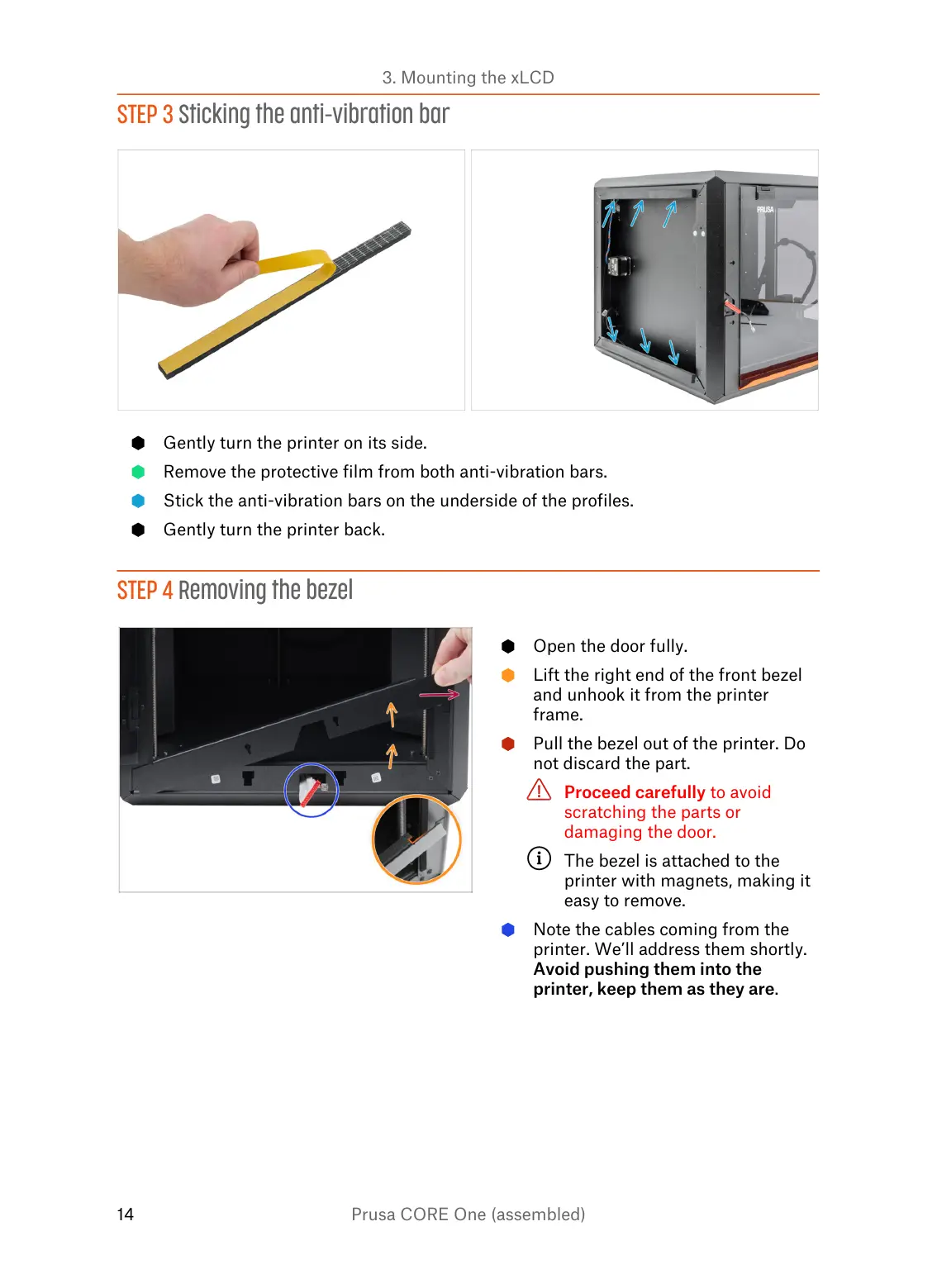
STEP 3 Sticking the anti-vibration bar
Gently turn the printer on its side.
Remove the protective film from both anti-vibration bars.
Stick the anti-vibration bars on the underside of the profiles.
Gently turn the printer back.
STEP 4 Removing the bezel
Open the door fully.
Lift the right end of the front bezel
and unhook it from the printer
frame.
Pull the bezel out of the printer. Do
not discard the part.
Proceed carefully to avoid
scratching the parts or
damaging the door.
The bezel is attached to the
printer with magnets, making it
easy to remove.
Note the cables coming from the
printer. We’ll address them shortly.
Avoid pushing them into the
printer, keep them as they are.















 To Next Page