3. Mounting the xLCD
16 Prusa CORE One (assembled)
STEP 7 Mounting the xLCD
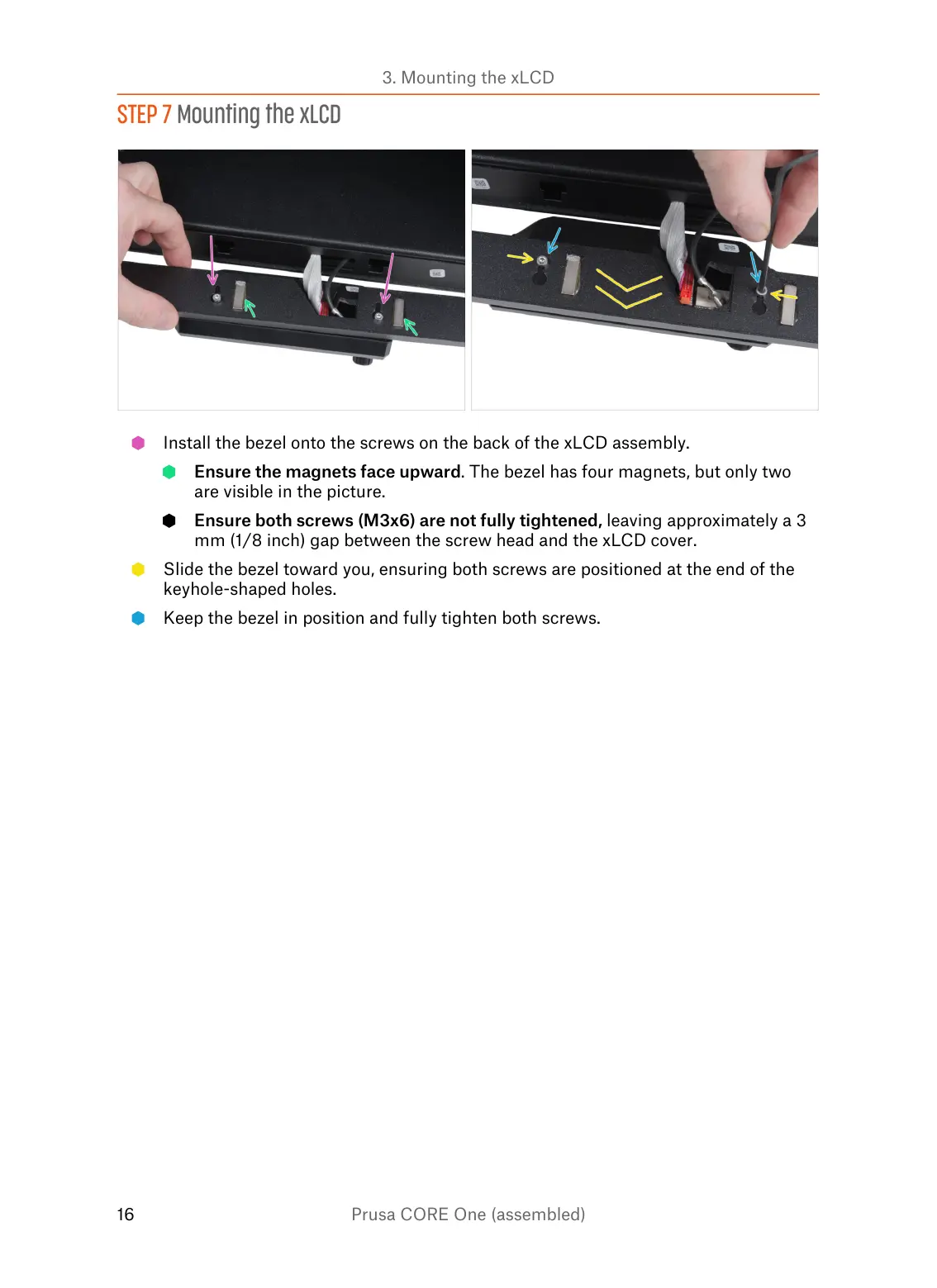
Install the bezel onto the screws on the back of the xLCD assembly.
Ensure the magnets face upward. The bezel has four magnets, but only two
are visible in the picture.
Ensure both screws (M3x6) are not fully tightened, leaving approximately a 3
mm (1/8 inch) gap between the screw head and the xLCD cover.
Slide the bezel toward you, ensuring both screws are positioned at the end of the
keyhole-shaped holes.
Keep the bezel in position and fully tighten both screws.















 To Next Page