4. Calibration & First run
20 Prusa CORE One (assembled)
STEP 3 Setting up the printer: Intro
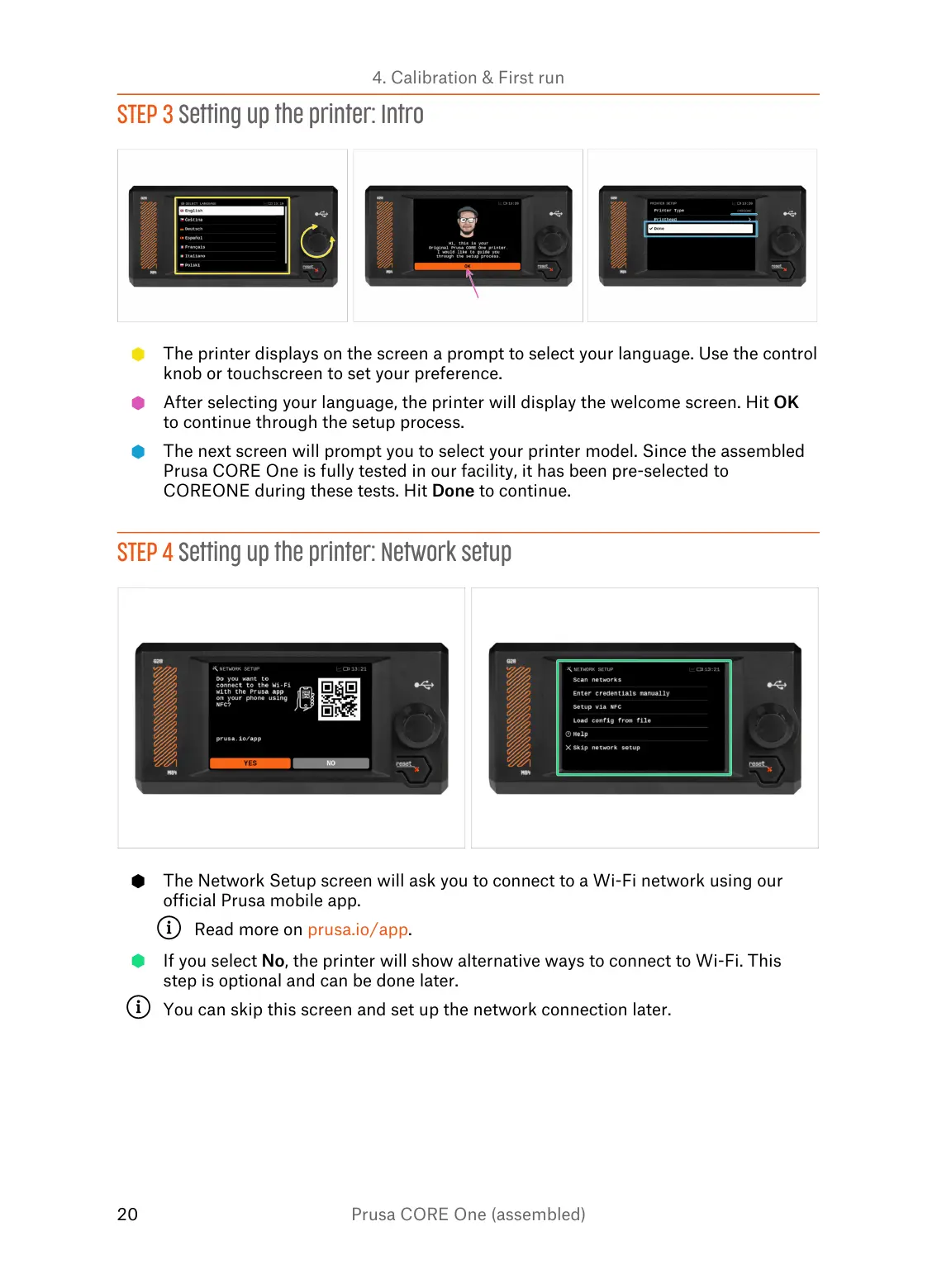
The printer displays on the screen a prompt to select your language. Use the control
knob or touchscreen to set your preference.
After selecting your language, the printer will display the welcome screen. Hit OK
to continue through the setup process.
The next screen will prompt you to select your printer model. Since the assembled
Prusa CORE One is fully tested in our facility, it has been pre-selected to
COREONE during these tests. Hit Done to continue.
STEP 4 Setting up the printer: Network setup
The Network Setup screen will ask you to connect to a Wi-Fi network using our
official Prusa mobile app.
Read more on prusa.io/app.
If you select No, the printer will show alternative ways to connect to Wi-Fi. This
step is optional and can be done later.
You can skip this screen and set up the network connection later.















 To Next Page