2. Unpacking the printer
Prusa CORE One (assembled) 9
STEP 1 Preparing the package
CAUTION: The package is heavy—handle it with care!
The package fixations and foam inserts may vary.
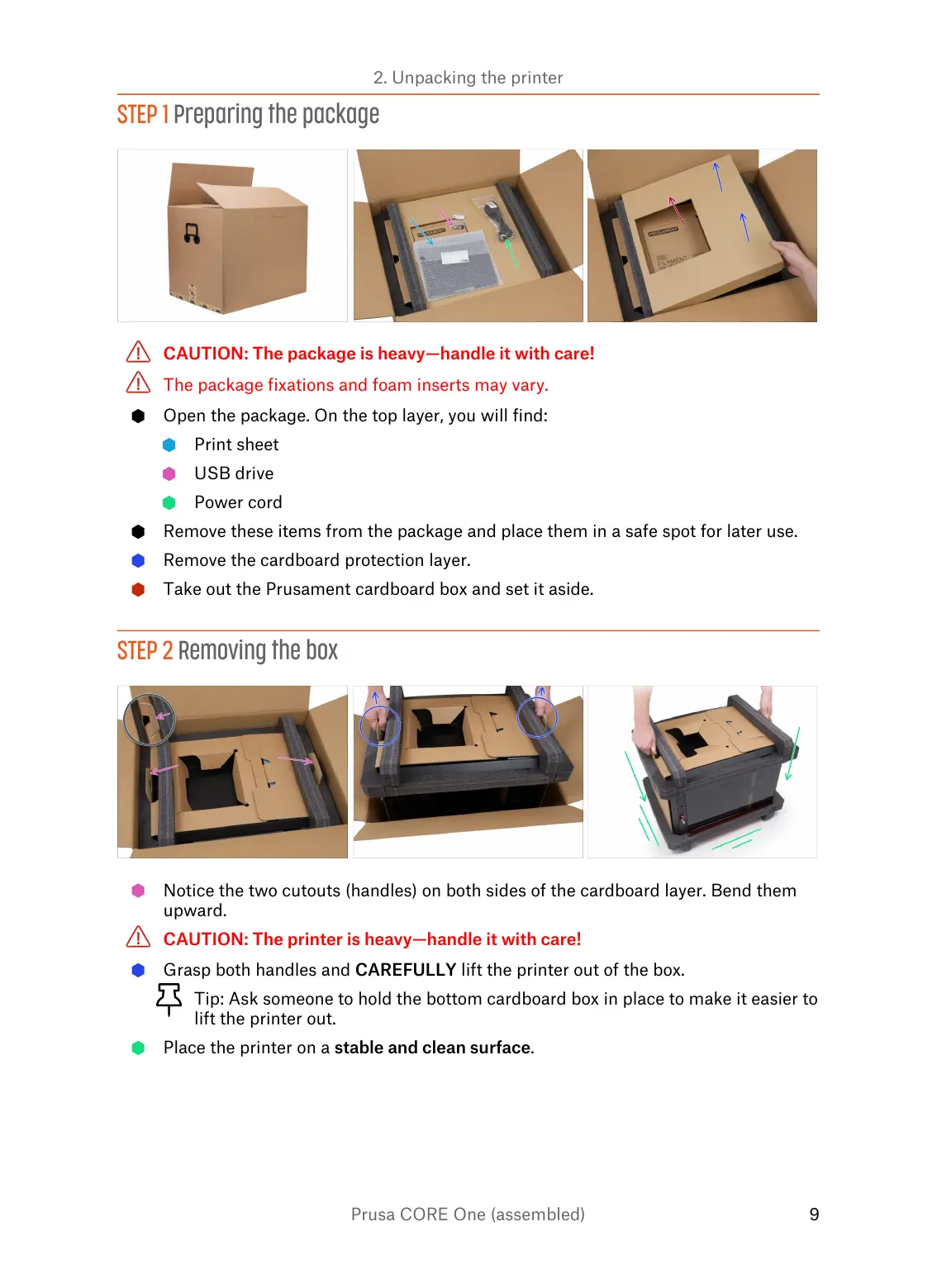
Open the package. On the top layer, you will find:
Print sheet
USB drive
Power cord
Remove these items from the package and place them in a safe spot for later use.
Remove the cardboard protection layer.
Take out the Prusament cardboard box and set it aside.
STEP 2 Removing the box
Notice the two cutouts (handles) on both sides of the cardboard layer. Bend them
upward.
CAUTION: The printer is heavy—handle it with care!
Grasp both handles and CAREFULLY lift the printer out of the box.
Tip: Ask someone to hold the bottom cardboard box in place to make it easier to
lift the printer out.
Place the printer on a stable and clean surface.















 To Next Page