VOCALISER INSTALLATION MANUAL
Page: 10 RINS119-5
CHAPTER 4: ENGINEERS MENU
4.1 Entering the Engineering Menu
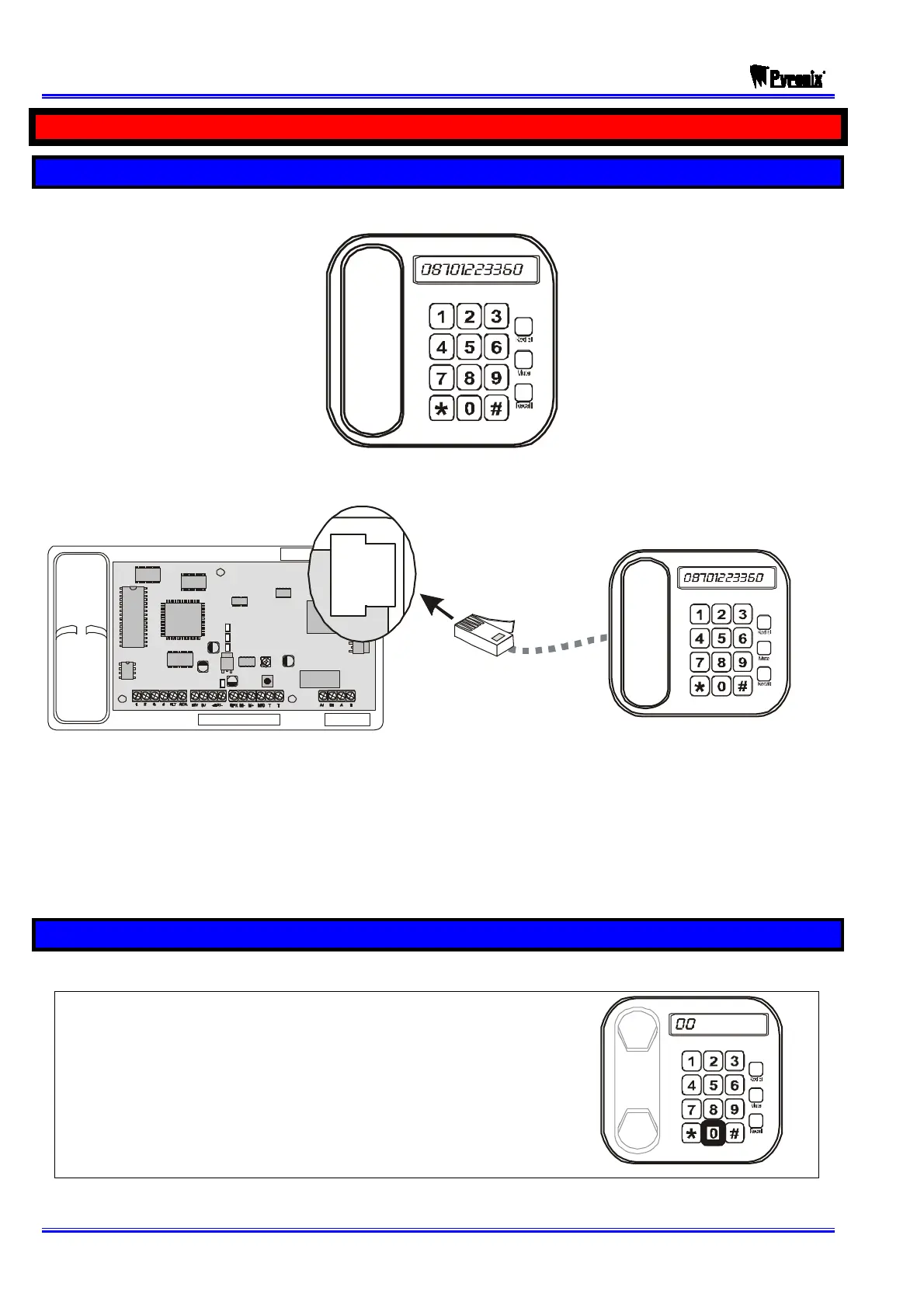
¾ To program the Vocaliser you will need a DTMF tone telephone:
¾ Connect the telephone socket directly into the side of the Vocaliser:
¾ Lift the telephone handset and press .
¾ “PLEASE ENTER SECURITY CODE” will be heard.
¾ Enter OO and then the engineers code (default 5678).
¾ If the code was entered correctly “ENGINEERS MENU, PLEASE ENTER
COMMAND” will be heard. You may now start to program the Vocaliser.
4.2 Exiting the Vocaliser User Menu
Once you hear the prompt: “PLEASE ENTER COMMAND”:
¾ Dial . “GOODBYE” will be heard.
PLEASE NOTE: IN ORDER FOR THE VOCALISER TO
SAVE THE DATA CORRECTLY YOU MUST EXIT THE
MENU PROPERLY AFTER PROGRAMMING.









 To Next Page