VOCALISER INSTALLATION MANUAL
Page: 6 RINS119-5
3.2 Initial Power Up
On initial power up the GREEN and ORANGE LEDs will be illuminated, and “Please Wait” will
be heard though the speaker (if connected). After ten seconds both LED’s will flash for a further
three seconds and “On” will be heard through the speaker (if connected).
The ORANGE LED will then flash quickly for another twenty seconds after which you may
access the engineers menu.
If the ORANGE LED stays illuminated the Vocaliser has recognised a line fault. Programming
can still take place at this point though.
3.3 Status LEDs
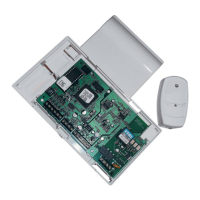
The Vocaliser has three status LEDs:
There is also a RED LED near the battery terminals, this will only illuminate if a battery is
connected.
RED LED: Indicates that the Vocaliser is dialling a programmed telephone number
GREEN LED: Indicates that a dialling in procedure is being made (remote dial in)
ORANGE LED: Indicates that there is a line fault










 To Next Page