64
N et w or k Ex pa nsion Card Com patibilit y
Bracket A
SP- BRACKET- 10G-T
( X520-T2)
I nt el
®
Et hernet Server Adapt er X520-T2( E10G42B)
Bracket B
SP- BRACKET- 10G-X520SR2
( X520-SR2/ X520-DA2)
1. I nt el
®
Et hernet Server Adapt er
X520-SR2( E10G42BFSR)
2. I nt el
®
Et hernet Server Adapt er
X520- DA2( E10G42BTDA)
Bracket C
SP- BRACKET- 10G- EMU
( Em ulex)
1. Em ulex OneConnect 10GbE Network Adapters, SFP+
Direct att ach copper (OCe11102-NX, OCe14102- NX)
2. Em ulex OneConnect 10GbE Network Adapt ers, Short
reach opt ical ( OCe11102- NM)
3. Em ulex OneConnect 10GbE Network Adapters, SFP+
Direct att ach copper (OCe11102-I X)
4. Em ulex OneConnect 10GbE Network Adapters, Short
reach opt ical ( OCe11102-I M)
1. Turn off t he NAS. Disconnect t he power adapt or, net work cable( s) , and any other
connectors or cables from the NAS.
2. Before installing t he network expansion card, put on an ant istatic wrist strap t o prevent
elect rostatic discharge. The crocodile clip should be connected to t he ground.
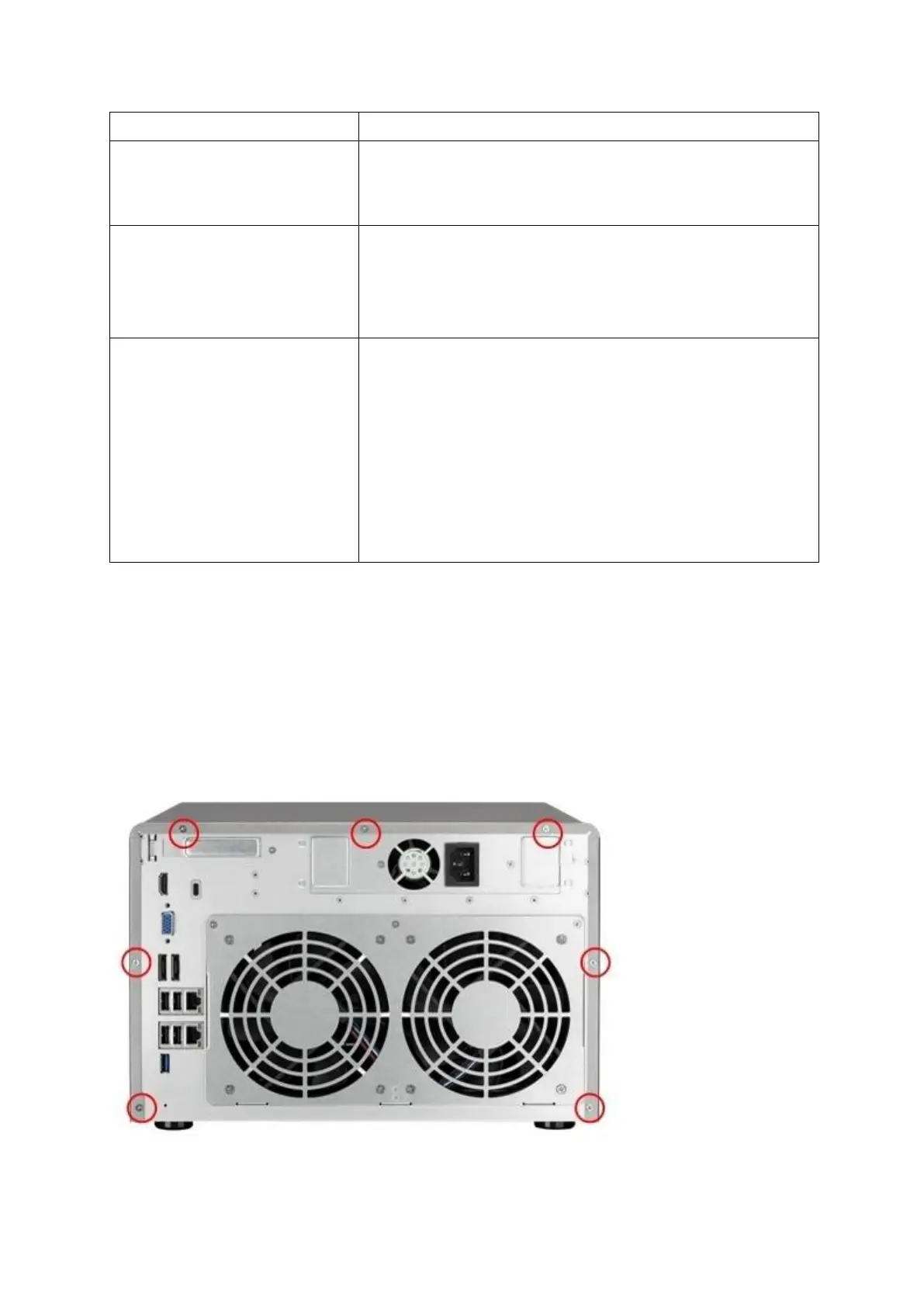
3. Loosen t he screws on t he rear of t he NAS.



 To Next Page