81
Chapter 7 . I nst a ll a nd Hot - sw a p H a rd Drives
Caution:
Before start ing, please ensure that you turn off t he NAS, disconnect t he power
adapt or, net work cable( s) , and also rem ove any other device/ cable t hat is att ached t o
the NAS.
Please ensure t hat you wear an antist at ic wrist st rap during t he ent ire process to
prevent elect rostatic discharge. The crocodile clip should be connect ed t o t he ground.
7 .1 I nst all Hard Dr ives
Follow t he below steps t o inst all hard drives on t he NAS.
7 .1 .1 . TS- x 5 1 , TS- x5 1 A, TVS- x6 3 , TS- 5 6 3 , TS- x5 3 Pro, TS- 6 5 1 , TS- 8 3 1 X,
TS- 8 5 1 , TS- 5 3 1 X, TS- 5 3 1 P, TS- x5 3 A, TS- x 3 1 , TS- x 3 1 + , TS- x3 1 P, TS- 4 3 1 U,
TS- x3 1 XU, TS- 4 5 1 U, TS- x5 3 U, TS- x6 3 U
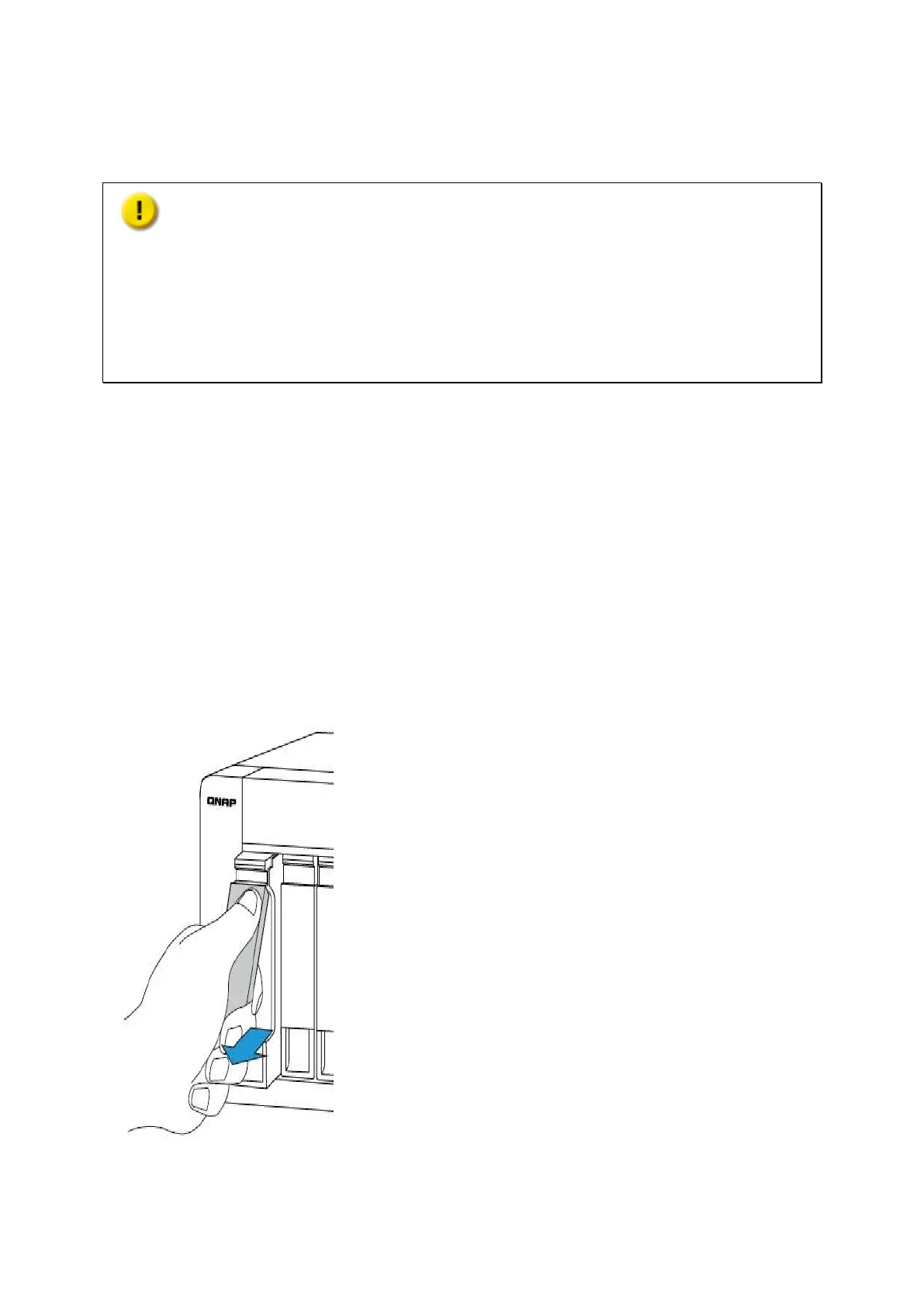
1. Lift t he hard drive lever and pull t he tray out .



 To Next Page