82
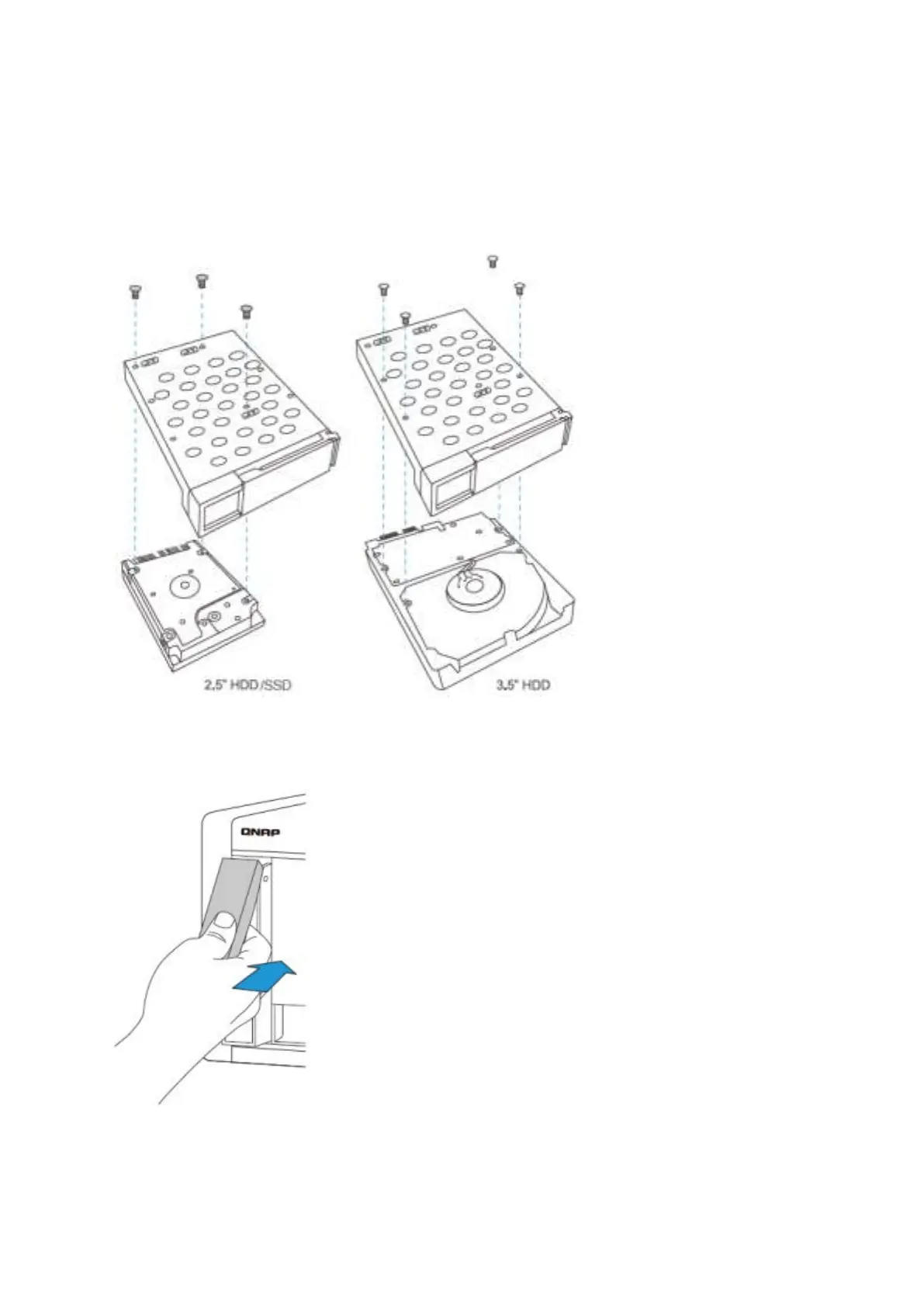
2. I nst all t he HDDs
a. For 3.5” HDDs, secure the four screws in t he back of t he hard drive t ray.
b. For 2.5” HDDs, follow t he signs which are m arked on t he t ray t hen secure t he
three screws in t he back of t he hard drive t ray
3. I nsert t he hard drive trays int o t he NAS all t he way t o t he rear and push the lever back
unt il you hear a click .



 To Next Page