89
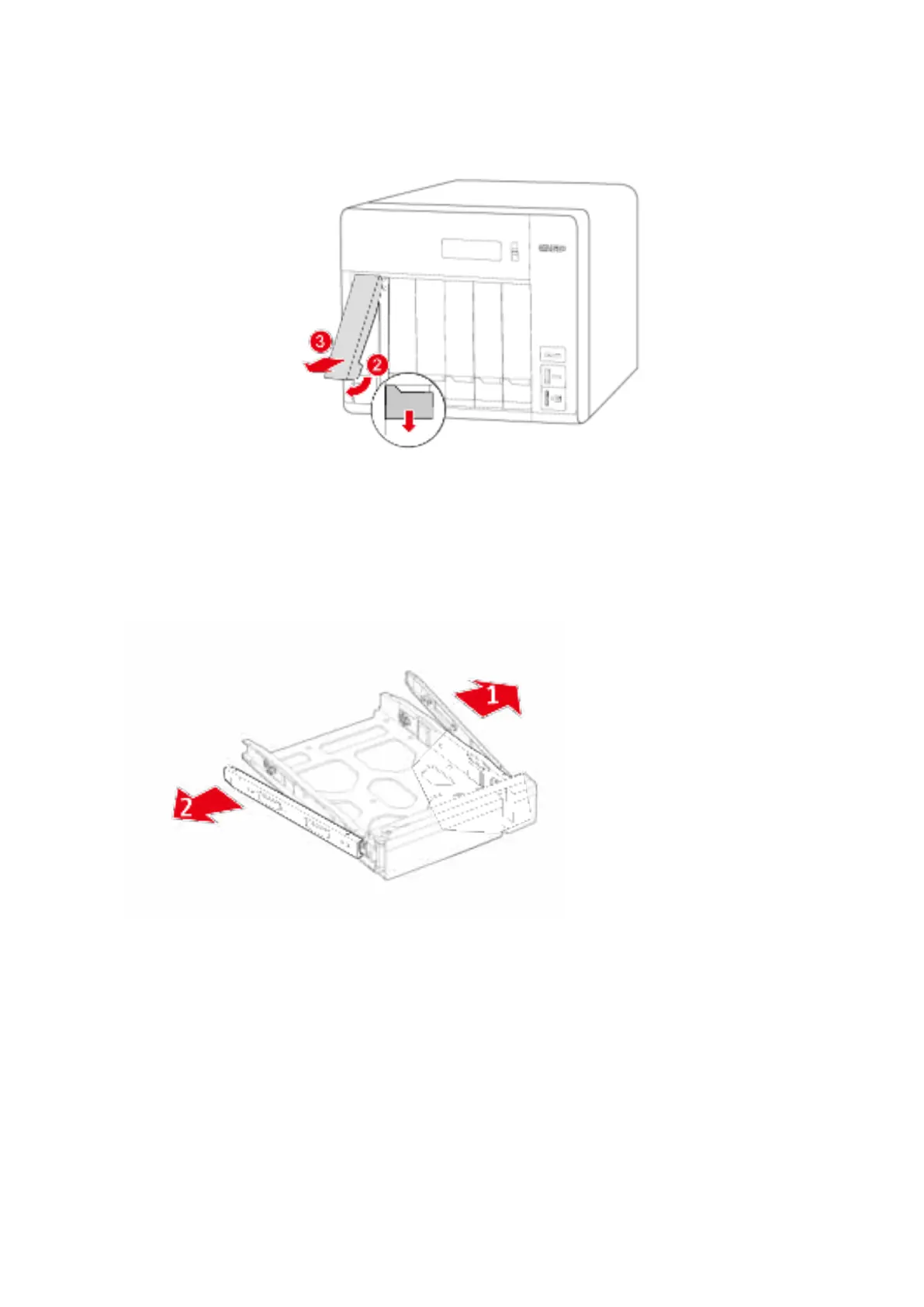
ii. Push the but t on below t he blue sw it ch t o release t he lever.
iii. Pull out t ray using lever.
2. I nst all HDD/ SDD ont o tray.
a. 3.5” HDD:
i. Rem ove t he fast ening panels from the sides of t he drive t ray.
ii. Place hard drive onto tray so t hat t he bot t om holes of the t ray are aligned wit h
the bott om holes of t he harddrive.
iii. Reinsert fastening panels to lock drive t o t ray.



 To Next Page