79
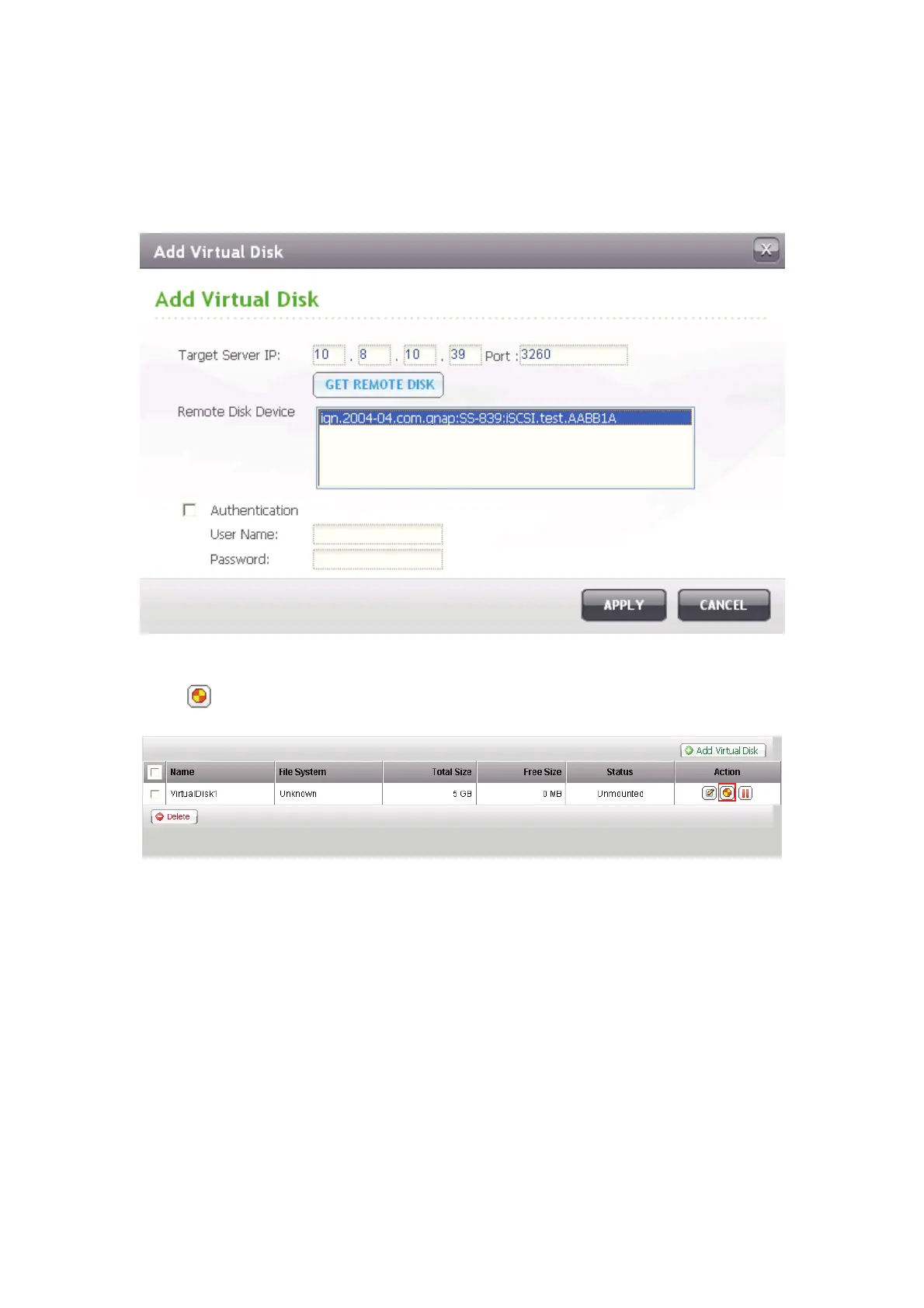
Enter the target server IP and port number (default: 3260). Click “Get Remote
Disk”. If authentication is required, enter the user name and the password. Then,
click “Apply”.
Click
to format the virtual disk.
When the status of the virtual disk is “Ready”, you can start to use the virtual disk
as a disk volume of the NAS. The NAS supports maximum 8 virtual disks.



 To Next Page
 Loading...