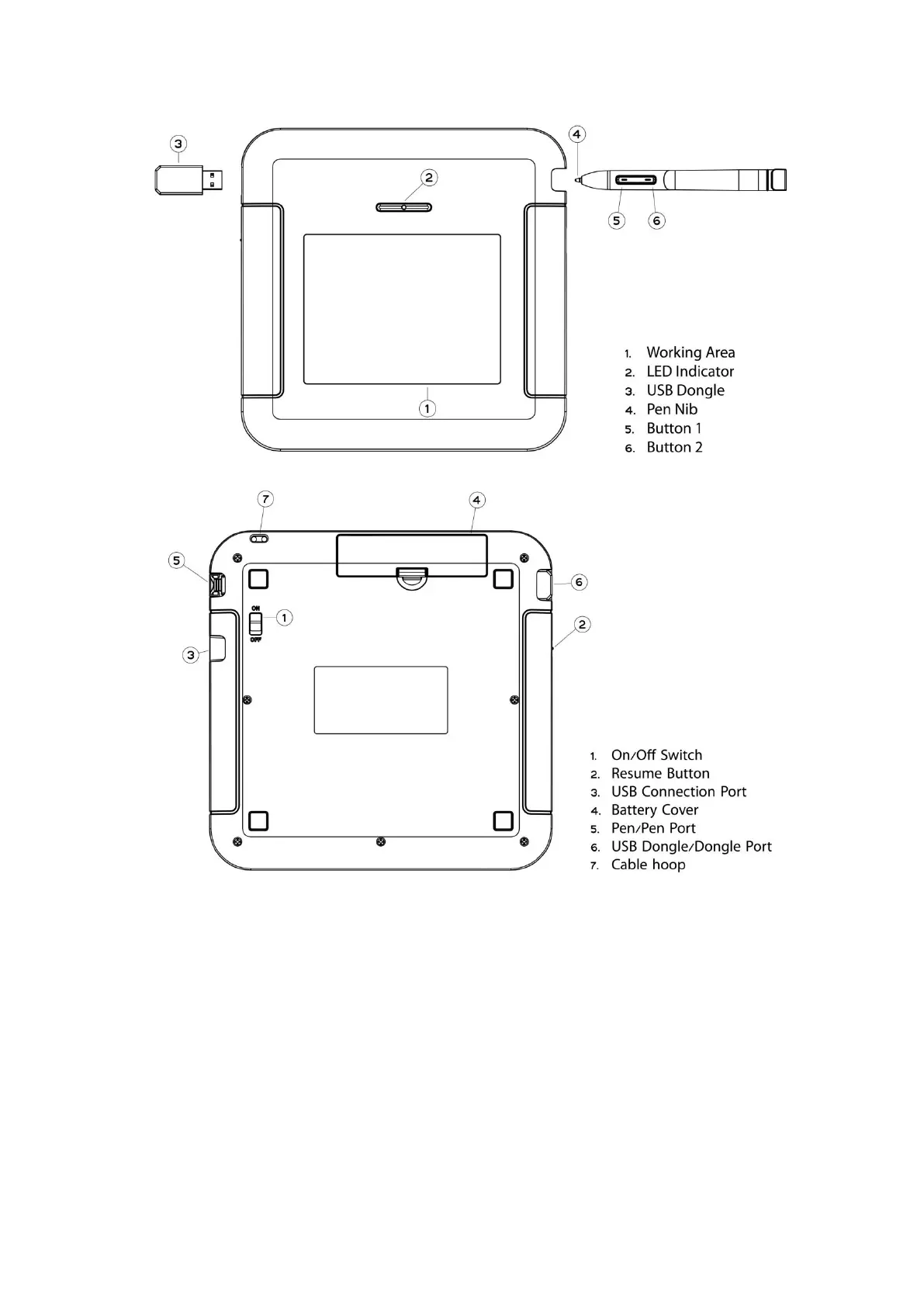
The green LED light on the Wireless Tablet is the main indicator for
hardware operation and depending on your Wireless Tablet model
may be located at a different place that shown in the above diagram.
This LED normally stays off, and will only turn it on or off in response
to various conditions. Watch the state of the LED on the wireless
Tablet as you go through these test steps:
1. Tap on any surface with the tip of the pen, or press the left button of the
mouse, to “wake it up” if it has gone into standby mode. A built-in power
saving function may have forced the pen or mouse into the standby mode if
either of them is not used for a period of time.



 To Next Page