9.9 Audio Projection
1) When you are doing the full screen projection or project to split #1 screen,
you can also choose to project the audio to TWP-1500 receiver for the
multimedia or video scenario.
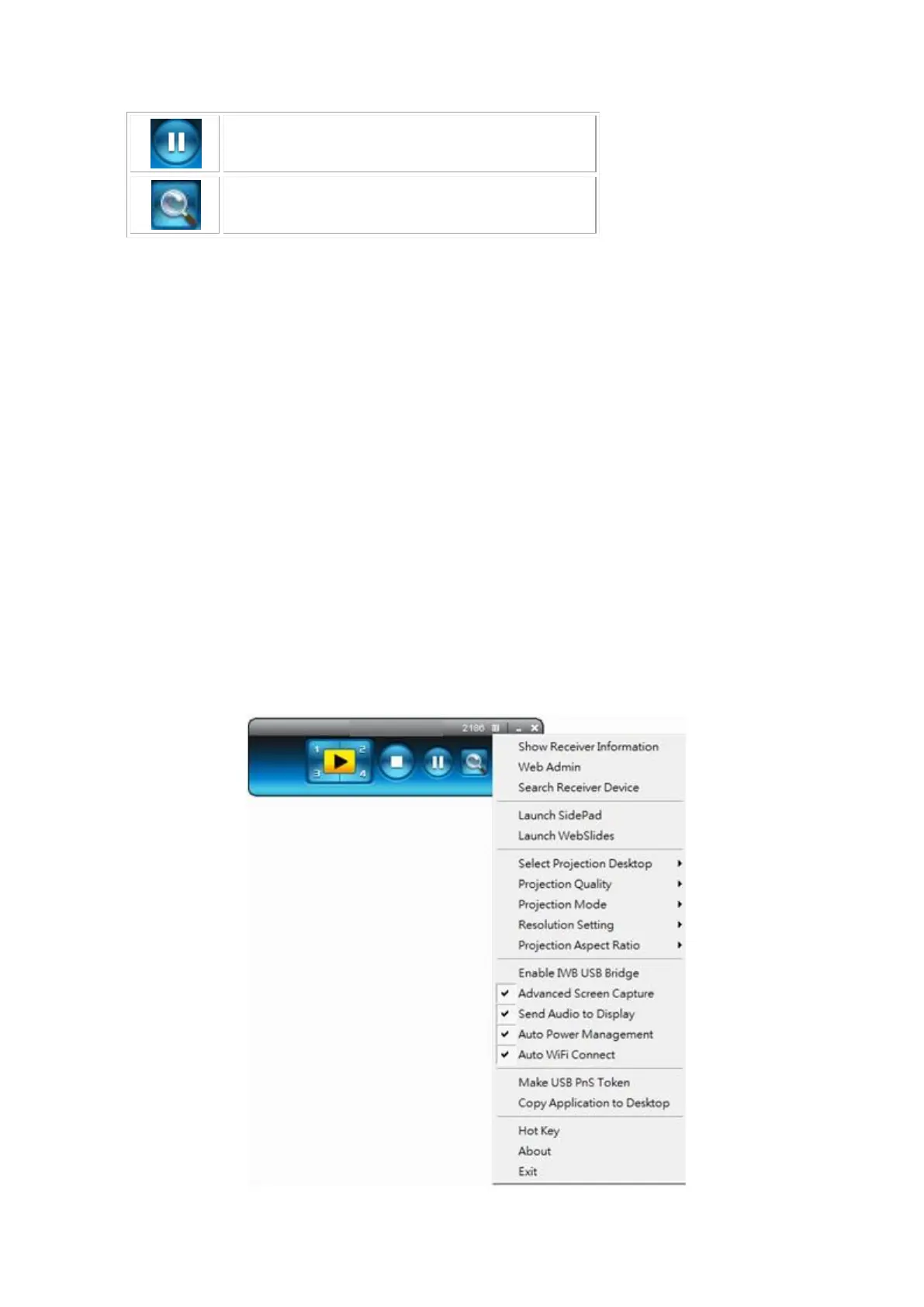
2) To enable or disable the audio projection feature, please change the setting
from TWP-1500 menu. (Menu -> Send audio to display)
Note: For Windows XP system, please install the Audio driver (“VAC.exe”,
Virtual Audio Control Driver) on your computer first, you can find the
software from USB Token. (Windows Vista and Win7 is not necessary to
install VAC)
9.10 Menu
1) Press “Menu” button from the main UI, you will find the menu to enable the
additional feature or to change the application options.



 To Next Page