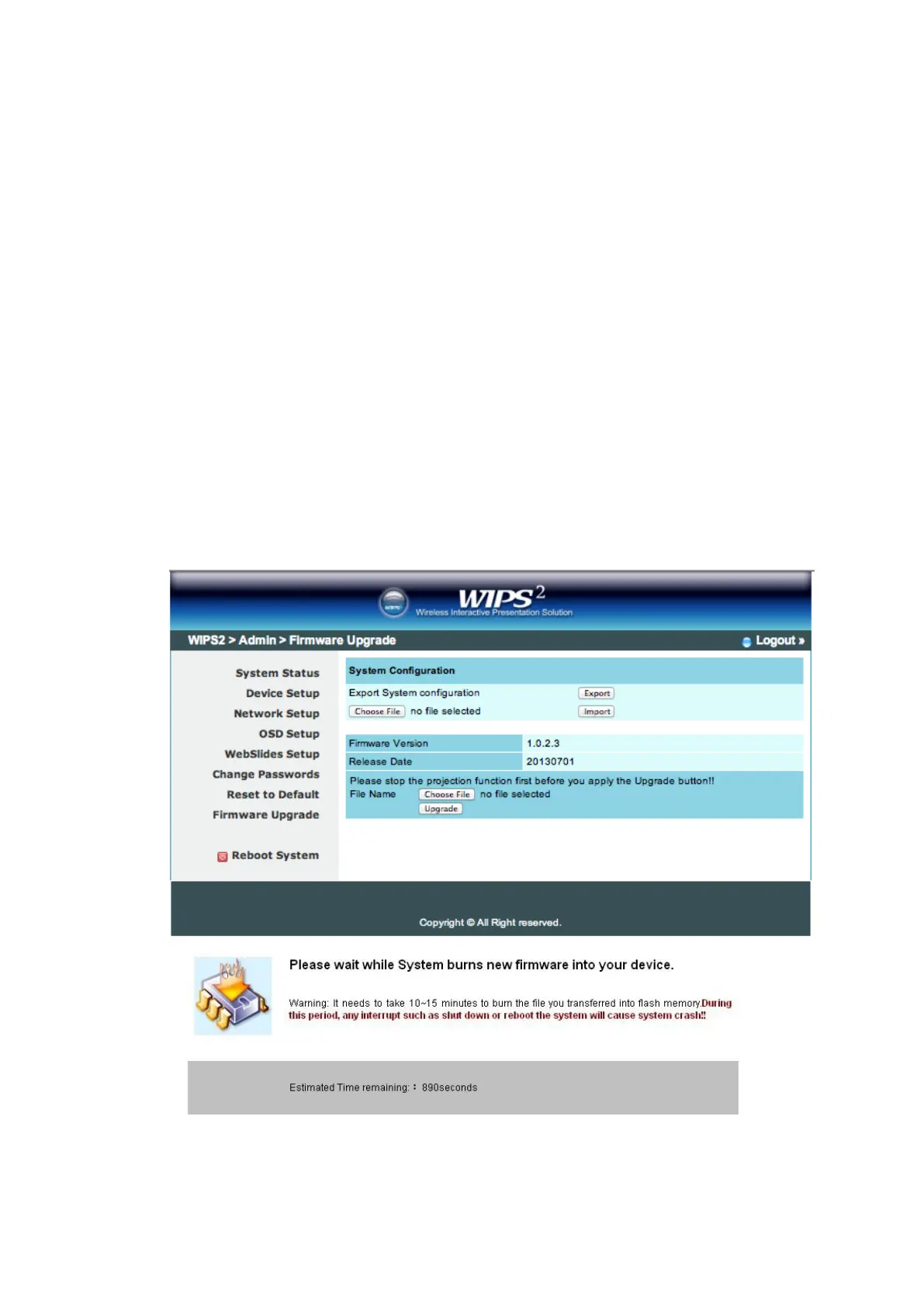
11.5.7 Firmware Upgrade
1) Click [Firmware Upgrade] button to import/export system configuration and
upgrade firmware.
2) System Configuration Import and Export
Export: Export the system configuration to a configuration file
Import: Import the system configuration file to TWP-1500
3) Firmware Upgrade
A. Firstly, you have to get latest firmware image file from your vendor.
B. Click <Browse> to specify file name you want to upgrade.
C. Click <Upgrade> to start.
D. A warning message shown and count down counter on the screen.
E. After a few minutes, a complete message shown on the screen.
F. Restart WIPS
2
TWP-1500 box to take effect.



 To Next Page