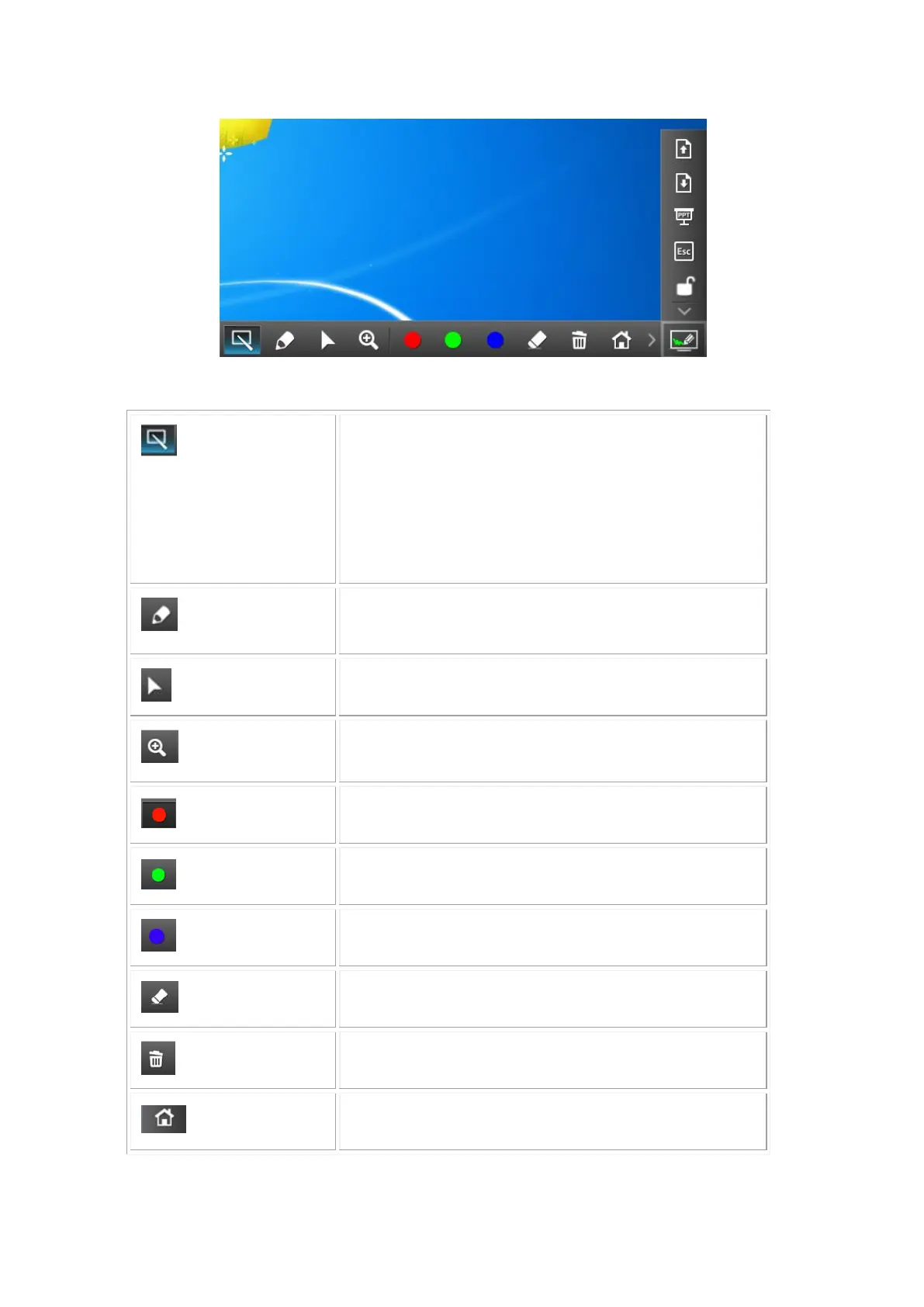
Change to Pointer mode.
Smart pointer: Long press for over 1 second, it will
Change to Pen Mode automatically. After releasing
the finger, it will change back to Pointer mode. And it
will clear all annotation first when it start the Smart
Pointer.
Click the button to enable pen drawing function.
Click the button to enable mouse mode for remote
control function.
Click the button to enable 2X magnifier function.
Red color pen: click cyclically to change the size of
pen wide. There are three different type of pen size.
Green color pen, click cyclically to change the size of
pen wide. There are three different type of pen size.
Blue color pen, click cyclically to change the size of
pen wide. There are three different type of pen size.
Erase part of the pen drawing.
Clean the entire pen drawing on the screen.
Click to go back to WIPS2 Standby Screen.



 To Next Page