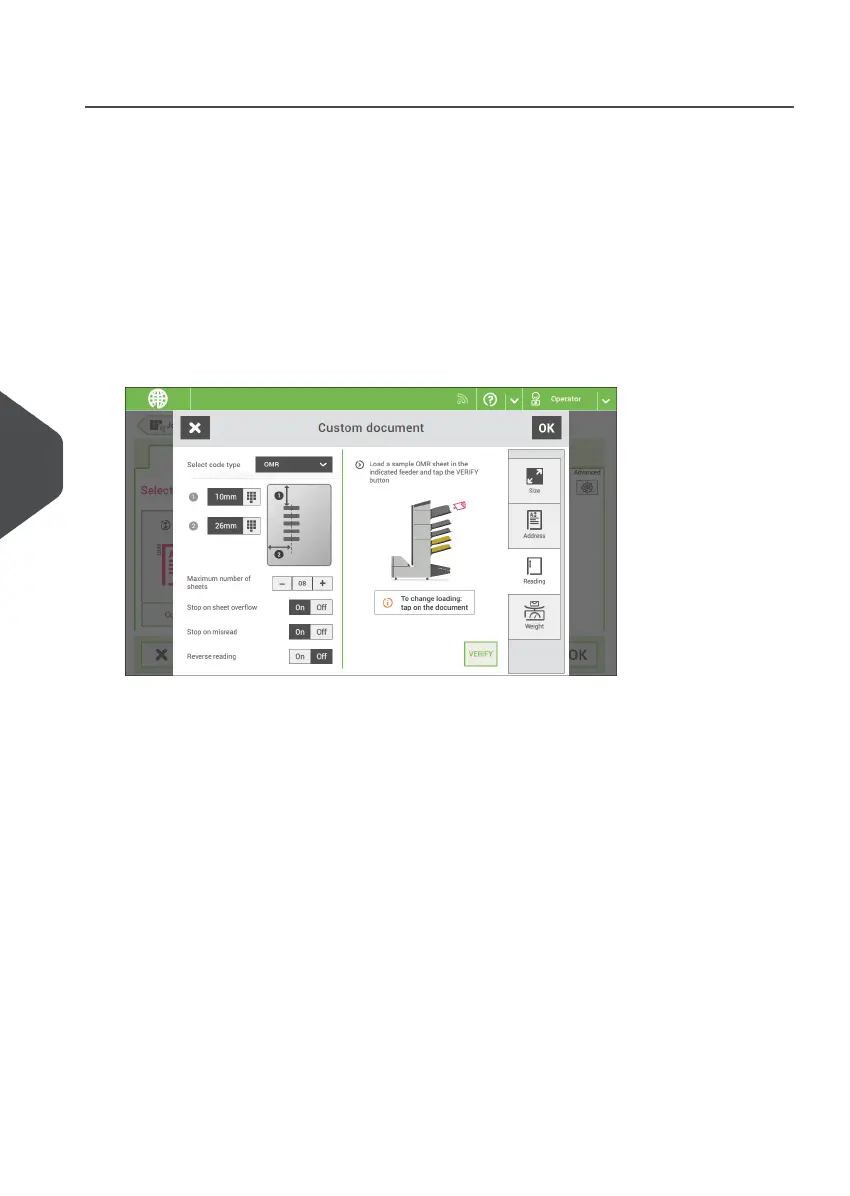
Create an OMR Job
To create a job with OMR:
From the Job list menu, tap [New job].1.
2. Choose [Manual] to define the job settings.
3. Select an envelope.
4. Tap [Main document].
5. Tap [Custom].
6. Enter the document size or select a standard type.
7. Tap the [Reading] tab.
8. Select the code type [OMR].
9. Configure the location of the OMR marks by setting the offset of the top and left side
of the sheet.
10. Load a sample document in the feeder tray as indicated.
11. Tap [Verify] to read an example sheet to check the correct reading of the OMR marks.
12. If necessary adjust the position from top and from left side. Verify again with a sample
sheet.
114
| Page 114 | Nov-25-2020 04:16 | Reading
8
English



 To Next Page