Page17of86
d. Insertthepaperedgeunderthepaperroller(platen)untilitfirmlyseatsorresistanceisfelt.
e. Pressthekeytwice,paperwillfeedthroughtheprinterandextendoutthemeter.
f. Placetherollofpaperintothepapercompartment.
g. Replacetheprintercoverandcontinue
operation.
InsertSupervisorCodeChipModule
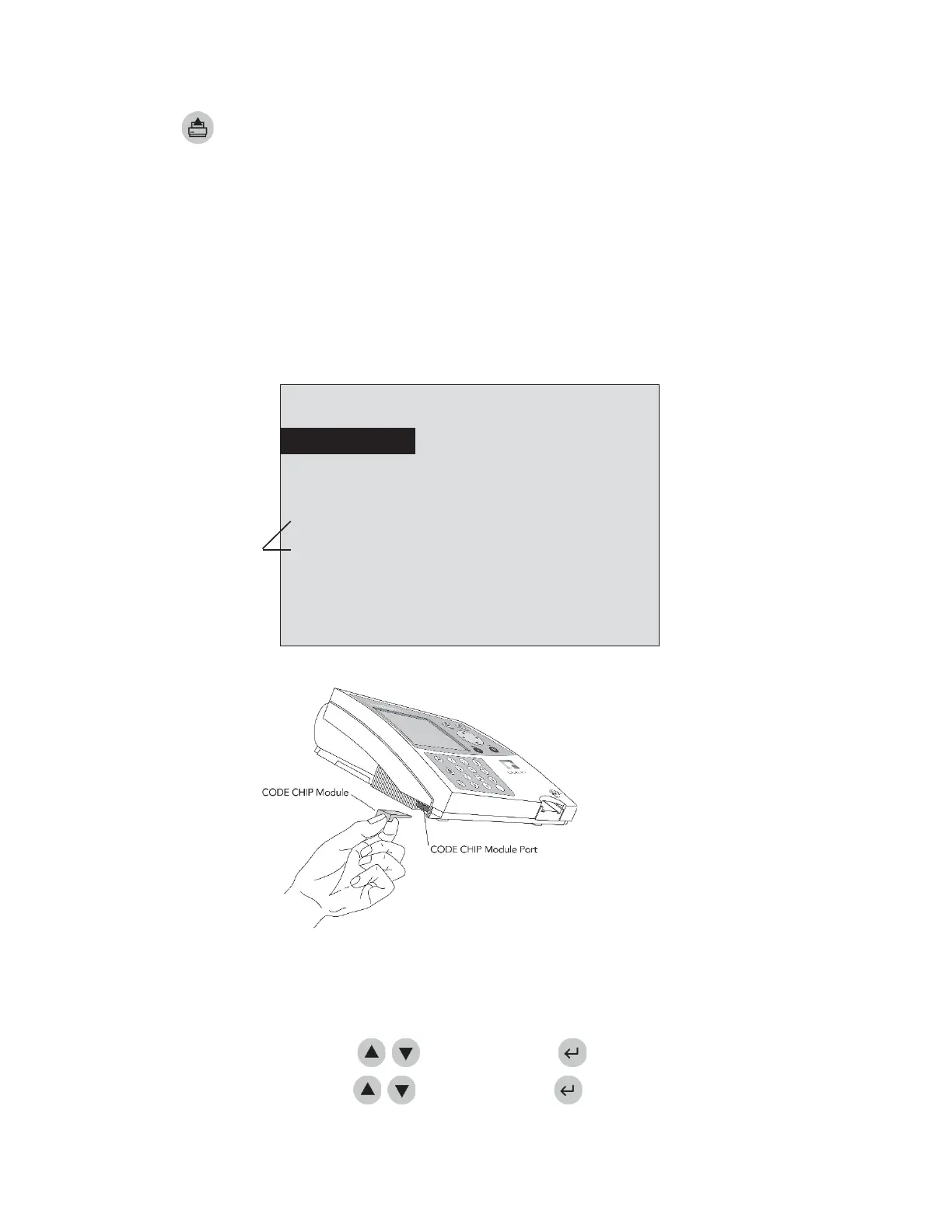
a. RemovetheSupervisorCODECHIPmoduleBoxfromthemeterbox.
b. RemovetheSupervisorCODECHIPmodulefromitsbox.
c. InserttheSupervisorCODECHIPmoduleintotheCODECHIPmodulePort.Theportislocatedontheleft
sideofthemeter,towardsthebottomfrontcorner.
NotetheorientationoftheCODECHIPmodule in
thedrawingbelow.
d. OncetheSupervisorCODECHIPmoduleisinstalled,verifythattwoadditionalmenuitemsappearonthe
displayscreen.
8:23AM01•20•18
RUNTEST
RECALLRESULTS
INSTALLNEWCODECHIP
Twoadditionalmenuoptions
accessiblewhenSupervisor
SETPARAMETERS
CODECHIPmoduleisinserted.
DELETERESULTS
SELECTWITHvOR^ANDPRESSENTER
PRESSEXITTOEJECTDEVICE
TheSupervisor’sMainMenu
FormoredetailsaboutCODECHIPmoduleseepage22.
ToChangeMeterSettings
a. SelectSETPARAMETERSusingthe
keysandpressthekey.
b. SelectMETERSETTINGSusingthekeysandpressthekey.



 To Next Page