Page68of86
ServiceandMaintenanceProcedures
Ifanyserviceormaintenanceisrequired,theQuidelTriageMeterProshouldbesenttothemanufactur er.
Nomaintenanceotherthanpaper/batteryreplacementandperiodicexternalcleaningisrequiredofthe
operator.
PaperReplacement
ChangingPaperBetweenFunctions
1. TearoffanyexcesspaperstickingoutoftheQuidelTriageMeterPro.
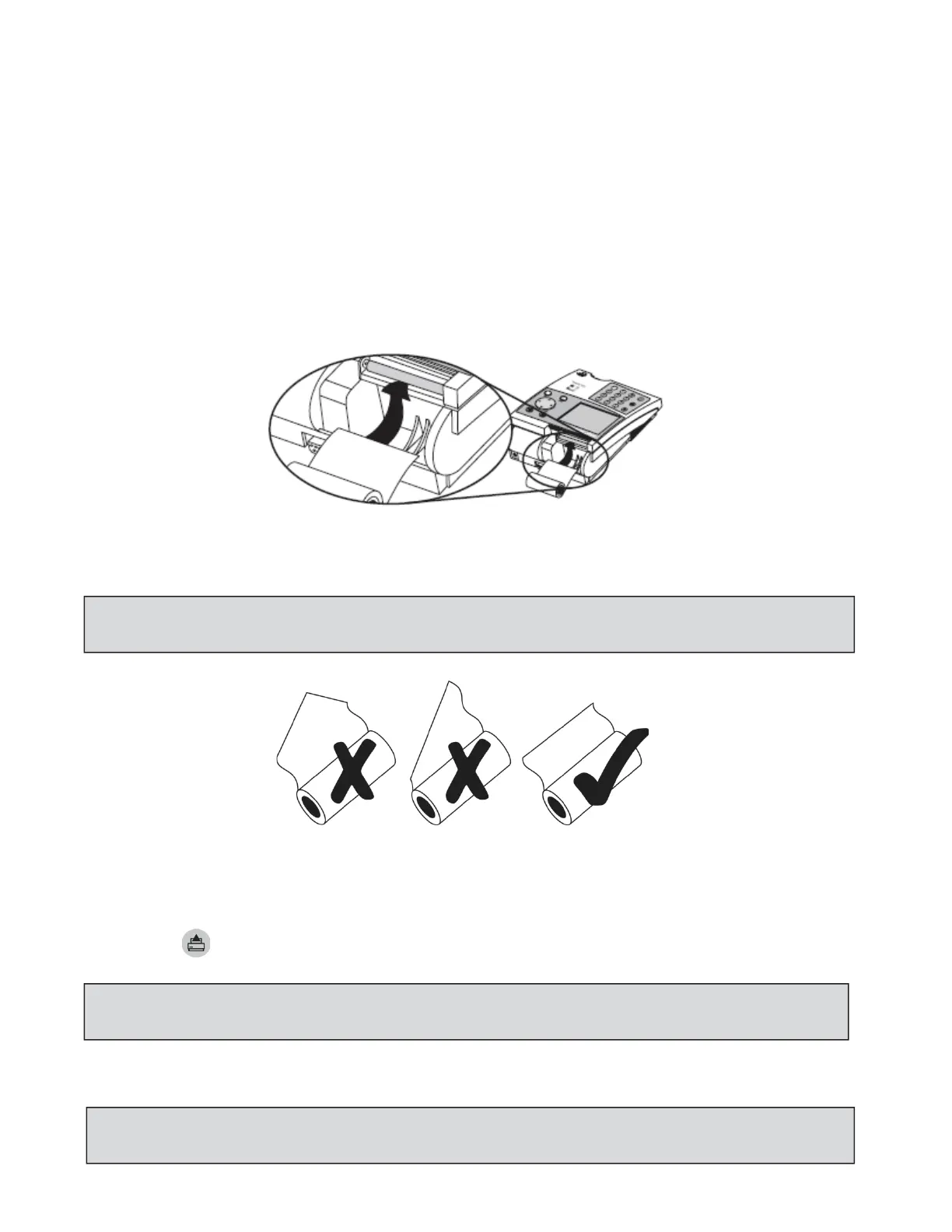
2. Removethepapercompartmentcoverbypullinguponthecoverasindicatebythearrowontheback
ofthecover.
3. Removeunusedpaperortheemptypaperspindlefrompapercompartment.
4. Tearorcutaclean,straightedgetofeedintotheprinter.Donotcutpaperatanangle,astheprinter
mustsensetheedgeofthepaperalongthefeedpath.
5. Insertthenewrollofpaperintothepapercompartment.
6. Positionthepapersuchthatthepaperwillfeedfromundertheroll(asopposedtooverthetopofthe
roll,seepicture,above).
7. Insertthepaperedgeunderthepaperroller(platen)untilitfirmlyseatsorresistanceisfelt.
8. Pressthekey.
9.
Replacethecoveroftheprinterandcontinueoperation.
NOTE:Theprintercontainsapapersensorandwillfeedthenewpaperrollonlywhenpaperwithaclean
straightlineispressedintothepaperroller.
NOTE:IfPAPERFEEDbuttonispressedbeforetheprintersensesthepaper,theprinterwillnotrespond
tothecommand.
NOTE:Theprinterutilizesthermalpaper,iftheprintedpaperisblankafterreplacingaroll,verifythatthe
paperrollisnotupsidedown.



 To Next Page