Page15of86
Installation
UnpackMeter
a. Removethemeterfromtheboxandprotectiveplasticbag.
PowerMeterOn
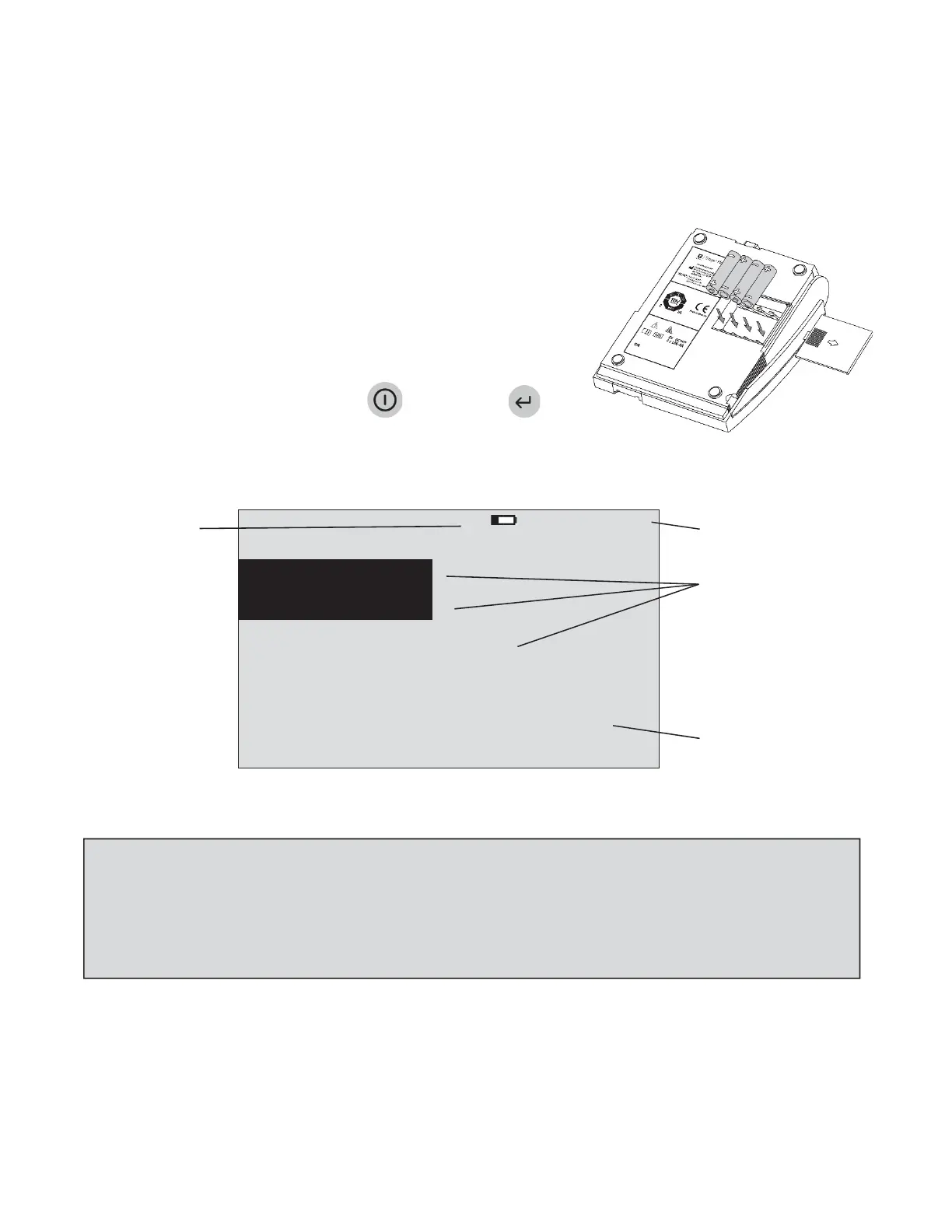
Batteries
a. Turnthemeterover.
b. Removebatterycover.
c. Install4AAbatteries,payingattentiontobatteryorientationinthe
batterycompartment.
d. Replacebatterycoverandturnmeterrightsideup.
e. Powerthemeteronbypressingthekey.Pressthekey
torunselfͲtest.Whenthe
testiscompleted,thescreenmeter
displaywillcometorestatthemainmenu.
LowPowerIndicator
8:23AM01•20•18
Timeanddate
Menuitems
UserInstructions
RUN
TEST
RECALLRESULTS
INSTALLNEWCODECHIP
SELECTWITHvOR^ANDPRESSENTER
PRESSEXITTOEJECTDEVICE
TheMainMenu
NOTE:TheLowPowerIndicatormonitorstheactivepowersource.Toverifyadequatebatterpower:
NavigatetotheMainMenu
RemovetheACpowersupply
PresstheEXITkey(themeterattemptstoejectthedevice)
ObservetheMainMenuonthemeter’sdisplay.
Replacethebatteriesifthepowericonisvisible.



 To Next Page