Page66of86
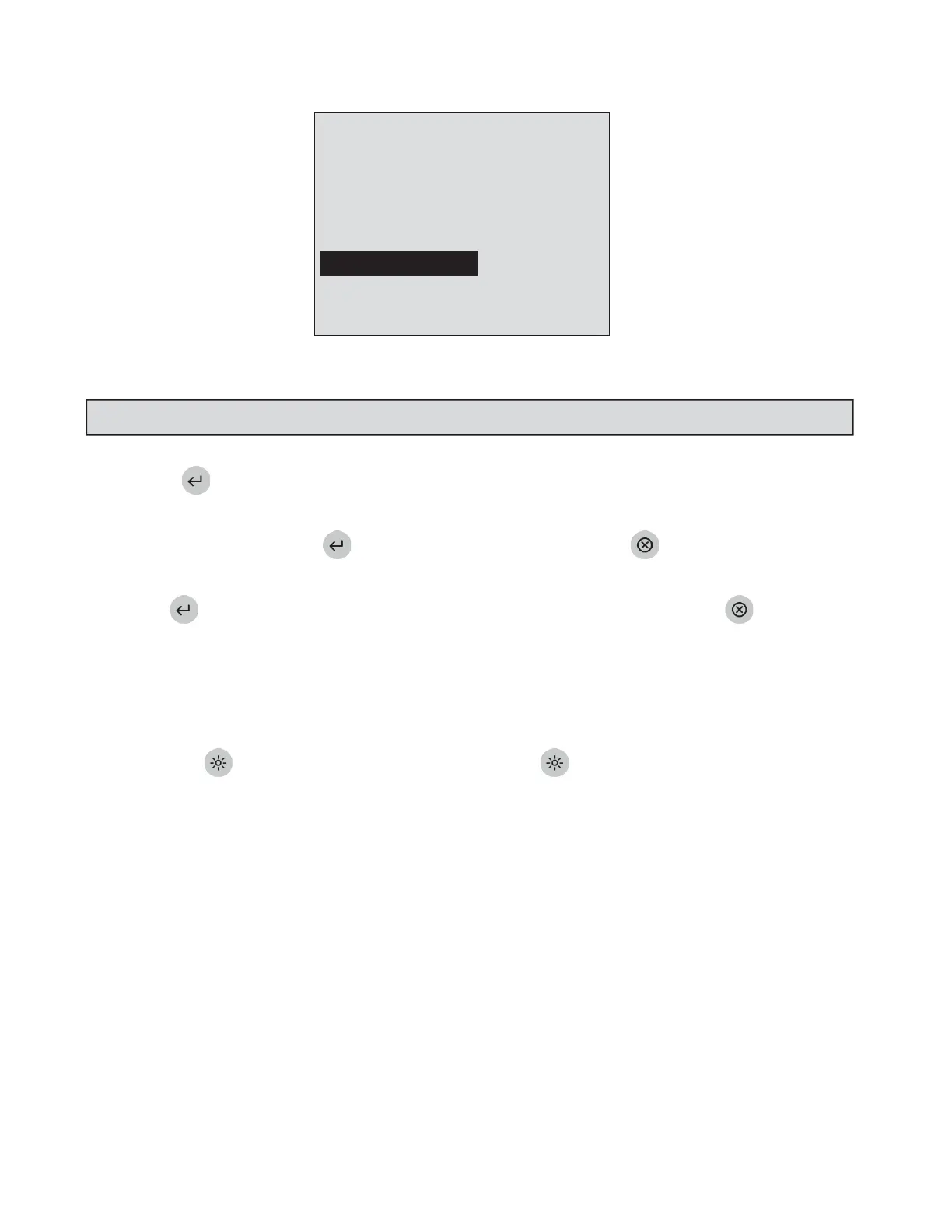
8:23AM01•20•18
RUNTEST
RECALLRESULTS
INSTALLNEWCODECHIP
SETPARAMETERS
DELETERESULTS
SELECTWITHvOR^ANDPRESSENTER
PRESSEXITTOEJECTDEVICE
TheSupervisor’sMainMenu
3. Pressthekey.
4. Awarningmessageonthescreenstates:DELETEPATIENTRESULT.
5. Ifthisisacceptable,pressthekey.(Ifthisisnotacceptable,pressthekey).
6. Amessageonthescreenstates:ALLPATIENTRESULTSWILLBEDELETED.
7. Pressthekeytodeleteallpatientresults.(Ifyoudonotwanttodeleteallpatientresults,
pressthekey).
DisplayBacklight
TheQuidelTriageMeterProhasthecapabilityfortheoperatortobacklightthedisplayforproviding
improvedclaritydependingonambientlightingconditions.Thebacklightfeaturecanbecontrolledbythe
backlightbuttononthekeypad.Whenthebacklightbuttonispressed,thebacklightinitially
comesonatmaximumbrightness.Subsequent
pressescyclethebacklightfrombrighttodimandthento
off.Tosavepower,thebacklightturnsoffifnokeyshavebeenpressedfor15seconds.Pressinganykeywill
restorethebacklighttothepreviouslevel.
NOTE:PresstheEXITkeytocancelatanytimebeforestep7.



 To Next Page