Page38of86
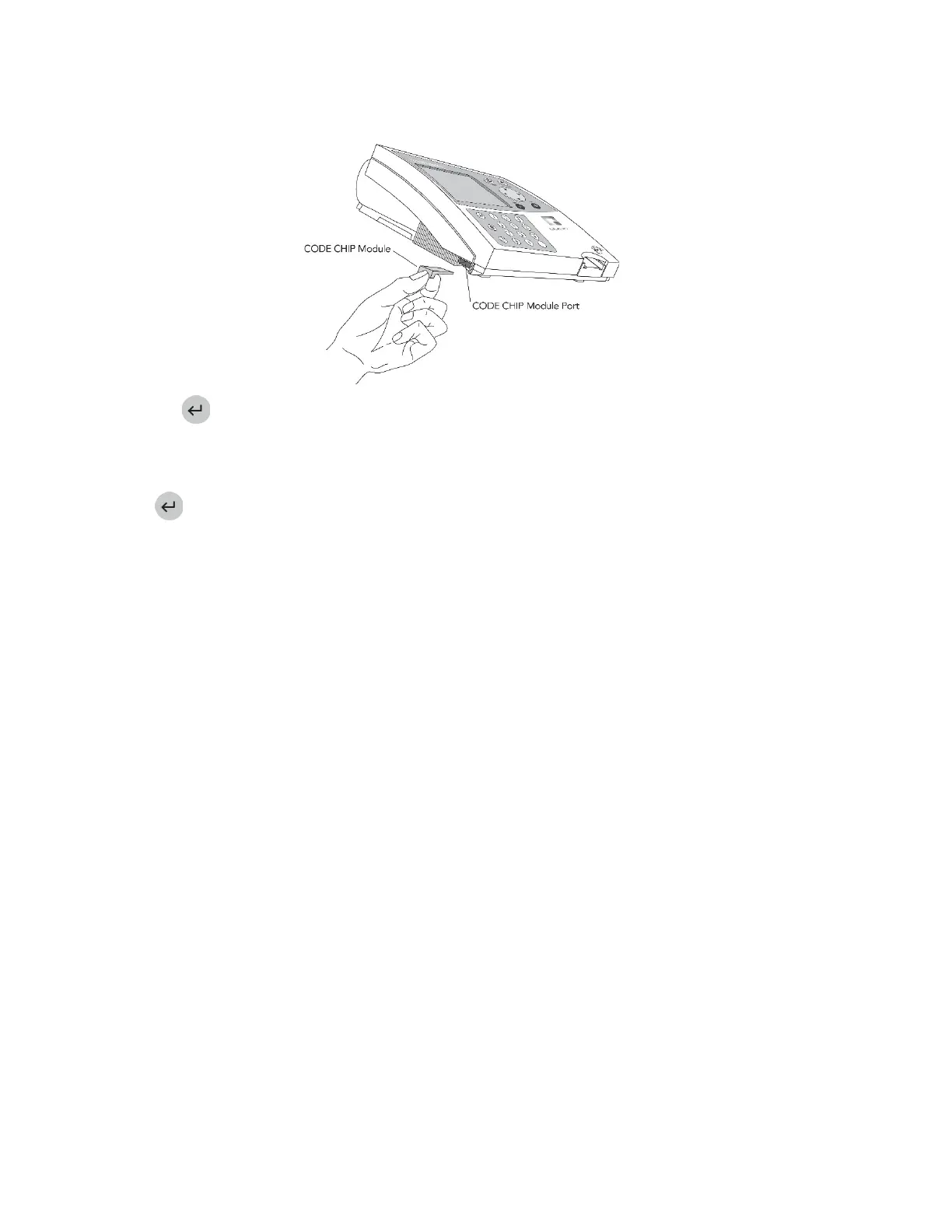
3. SlidetheCODECHIPmoduleintotheCODECHIPmodulePortintheQuidelTriageMeterPro,asshownin
thepicture.
4. Pressthekey.
5. ThemeterwilldisplayaconfirmationmessagethattheinformationwasinstalledintotheQuidelTriage
MeterPro’smemory.
6. Presstoreturntoacknowledgethemessage.
7. RemovetheCODECHIPmodulefromtheCODECHIPmodulePort.
8. PlacetheCODECHIPmodulebackinto
itsoriginalcontainerforstorage.
INSTALLATIONOFSUPERVISORCODECHIPMODULE
TheSupervisorCODECHIPmoduleneedsonlytobeinsertedintotheCODECHIPmodulePorttoactivatethe
supervisorfunctions.ThisisanautomaticfunctionandstandardCODECHIPmoduleinstallationisnot
necessary.



 To Next Page