www.qutools.com quTAG MC Manual 13
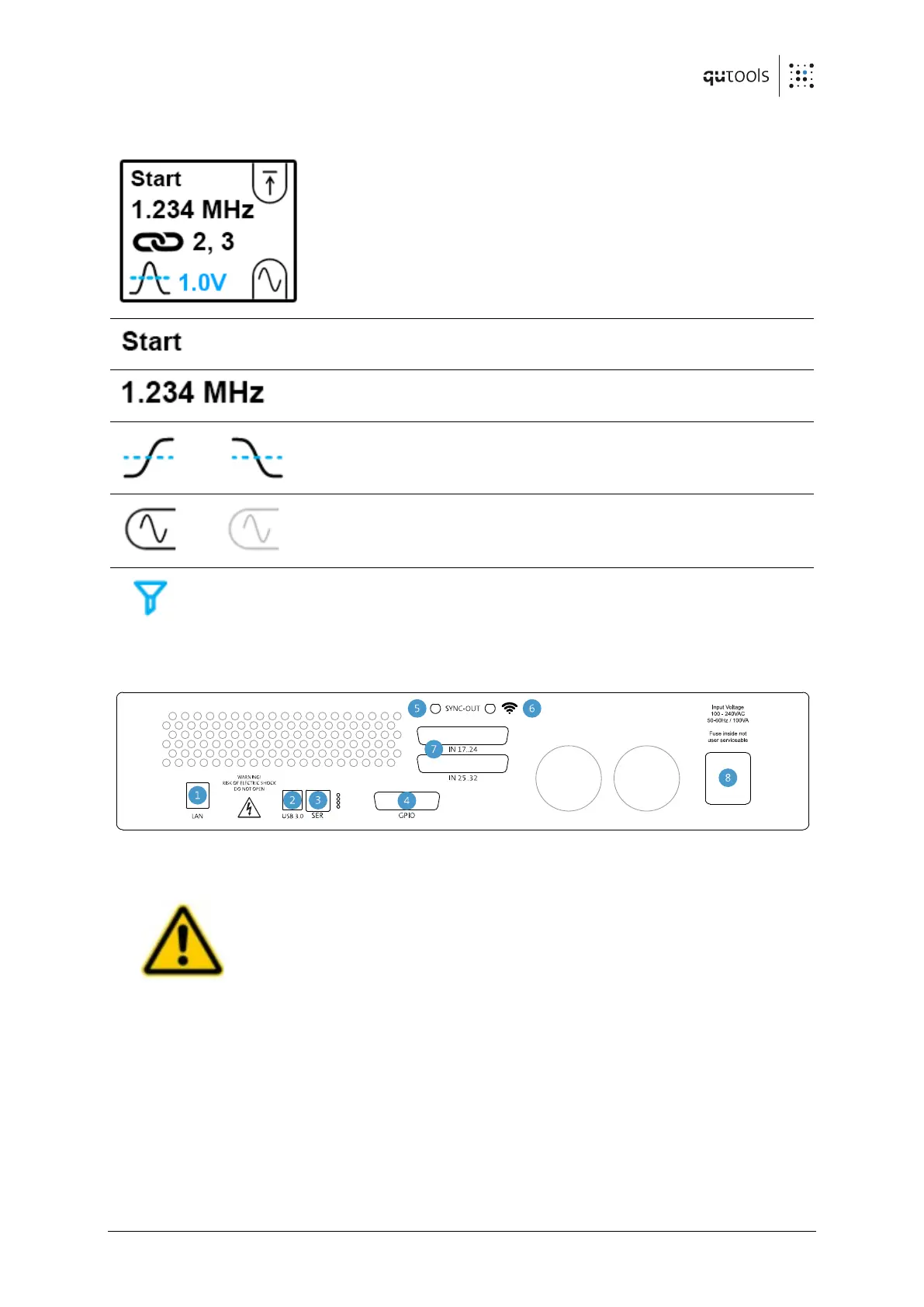
5.2 Displays on the front panel
Single tap on the left display to toggle on and off the
illumination of all displays within the device.
Channel mode (start/stop) and channel number.
Displaying the counts per second.
Threshold with rising / falling edge. The threshold level
is displayed next to it.
External Clock connected / Clock not connected
Filter (see section 7.7 for details) active on that channel
5.3 Rear side
Figure 3: Rear side of the quTAG MC 32 channels
Make sure the cooling fans are not obstructed.
Otherwise, the quTAG may be damaged due to overheating.
GPIO port: marker inputs, channel outputs and general purpose IOs


 To Next Page