32 quTAG MC Manual www.qutools.com
8 Other Software Components
8.1 quTAG custom software ("DLL")
The software packet provides a shared library (DLL or shared object) that allows to access the
quTAG from custom software. The development kit is located in the subdirectory userlib:
All required shared libraries and a proxy lib (Windows only). The libs
must be made available for the program loader when running an
application.
Documentation of the functions in HTML format. It can be opened
by the link userlib\documentation.html .
For further information using the DLL, see the software manual with Python examples.
8.2 Tarec
Tarec (quTag Record & Merge Tool) is a tool for use with synchronized devices (see section 5.6 ).
It connects to all available devices at the same time, records their time tag streams and merges
them into a single timeline. Tarec is able to handle more events per second than Daisy. Please
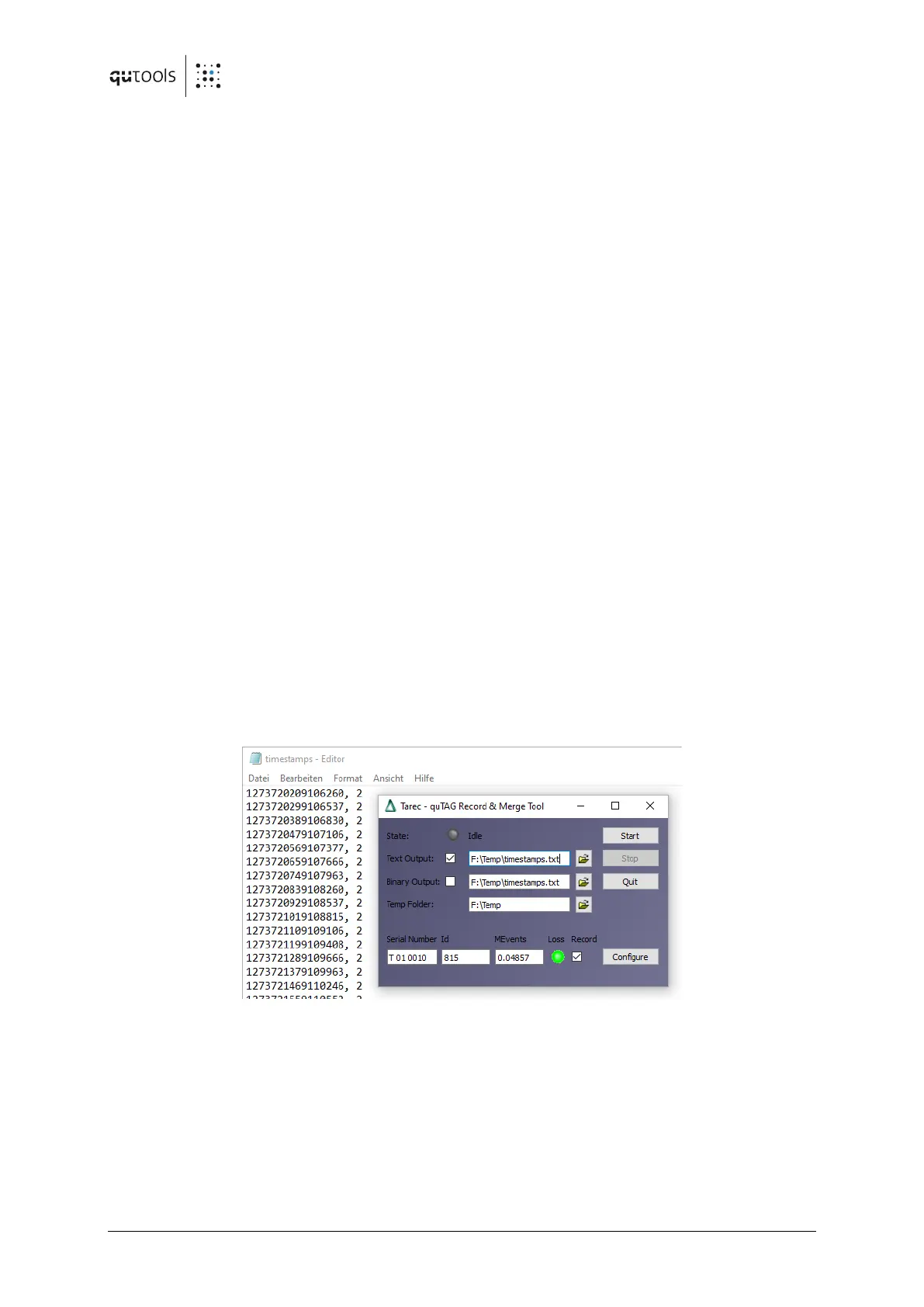
close all instances of Daisy before starting Tarec. The Tarec GUI is shown in the following figure.
Figure 16: Tarec tool recording data and saving timestamps.
The serial number, hardware ID and an approximate number of recorded events are shown on
the bottom for each connected device. The "Config" buttons on each line can be used to configure
the inputs of the devices similar to the "Detector Parameters" tab in daisy introduced in section
7.6 .
Whether a text or a binary output file is created and their filenames can be chosen next to "Text
Output" and "Binary Output". Recording data is controlled using the "Start" and "Stop" buttons.


 To Next Page