
 Need help?
Do you have a question about the qutools quTAG MC and is the answer not in the manual?
Describes the quTAG MC as a versatile time-to-digital converter for various applications.
Outlines the key features of the quTAG device, including timing resolution and connectivity.
Details the methodology for measuring timing jitter using electrical pulses and histogram analysis.
Explains caution and warning symbols used in the manual for hazard identification.
Provides essential safety guidelines for operating and maintaining the equipment.
Specifies the recommended temperature, humidity, and altitude for safe operation.
Covers proper connection to power supply and electrical safety precautions.
Details general maintenance practices and highlights the absence of user-serviceable parts.
Recommends regular safety testing, including insulation testing of the power supply connector.
Provides guidance on how to clean the device safely without damaging sensitive components.
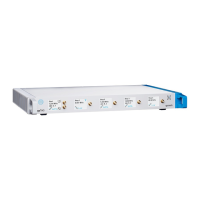
Describes the physical layout and connectors on the front side of the quTAG MC.
Explains the information displayed on the front panel and how to interact with it.
Details the ports and connectors located on the rear side of the quTAG MC.
Describes the function and connection of marker inputs for timestamp sorting.
Explains the functionality of the two programmable output channels for conditional measurements.
Details how to synchronize multiple quTAG devices using the Sync-Out connector.
Guides users through the essential steps for setting up the quTAG MC for the first time.
Provides instructions for installing the quTAG software on Windows and Linux systems.
Explains the procedure for updating the device's firmware to match software versions.
Describes how to assign a unique hardware ID to distinguish between multiple connected devices.
Details how to install or upgrade optional features using an upgrade key.
Explains how to view and save individual channel count rates using the Daisy software.
Describes how to configure and perform coincidence measurements with specified time windows.
Details how to generate and analyze timestamps histograms within the Daisy software.
Explains how to perform HBT measurements and analyze the g(2)(t) function.
Guides users on performing lifetime measurements and fitting experimental data.
Covers settings for trigger level, edge detection, signal conditioning, and calibration.
Describes the different filter types (Mute, Coinc, Sync) available to process input signals.
Information on using the DLL for custom software integration and development.
Explains Tarec for synchronized device data recording and merging into a single timeline.
Describes how to use the CLI for simple tasks like reading count rates or saving histogram data.
Addresses problems related to incompatible USB driver versions and their resolution.
Explains how to resolve warnings about mismatched firmware and software versions.
Discusses systematic time differences between channels and how to compensate them.
Provides solutions for low time resolution issues, often related to thermal calibration.
 General
| Brand | qutools |
|---|---|
| Model | quTAG MC |
| Category | Media Converter |
| Language | English |

 To Next Page