www.qutools.com quTAG MC Manual 27
7.5 Lifetime Measurement
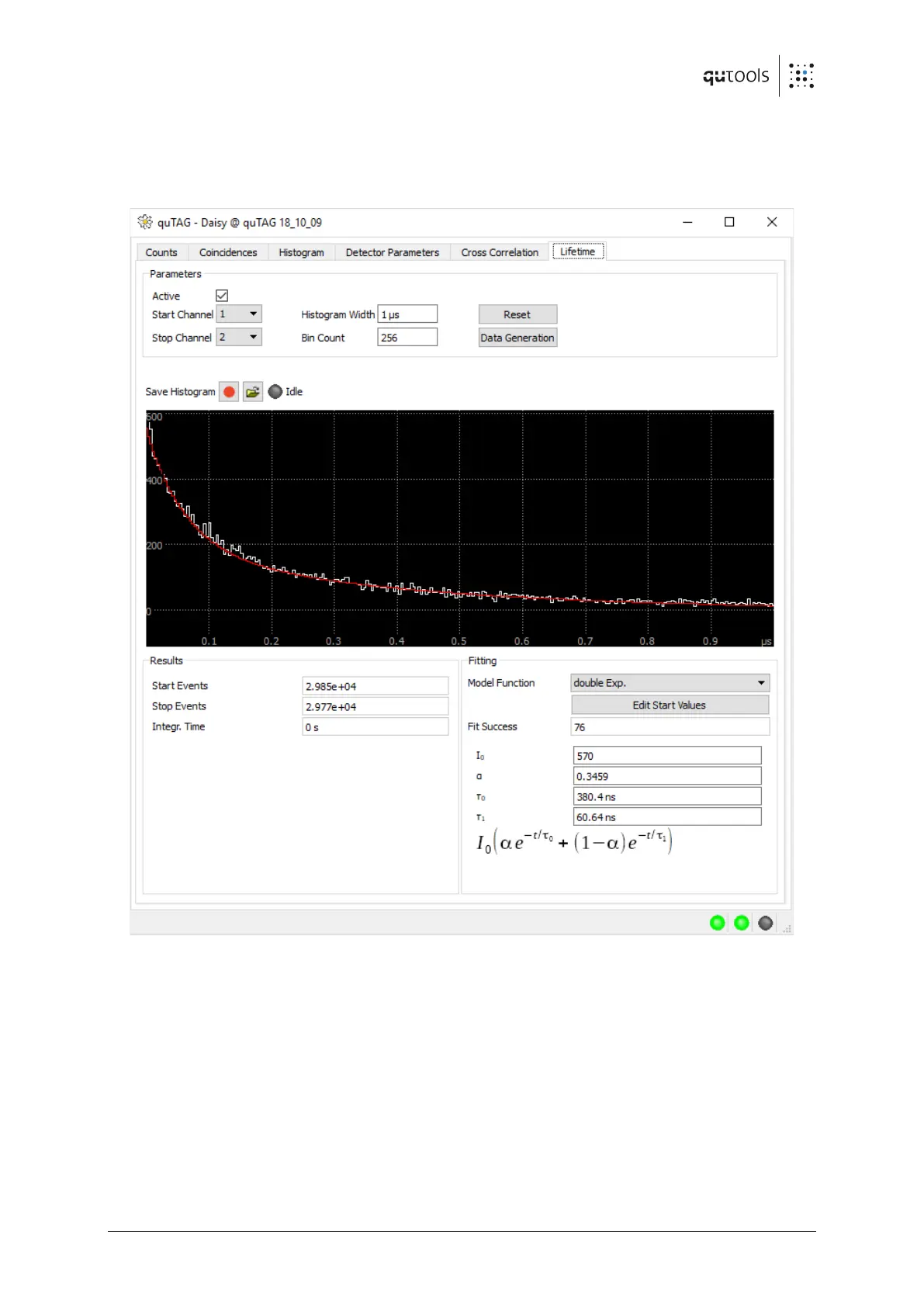
The lifetime measurement and fit feature is accessible in the "Lifetime" tab in the daisy
software. This tab will only be visible if the "Lifetime" option (see chapter 4 ) is activated.
Figure 13: Lifetime measurement and fit tab in daisy software
The measurement is configured in the "Parameters" field. Here the histogram width, a bin count
as well as the two input channels are selected. The lifetime histogram is calculated from the
difference between the stop and the start channel. Select "active" to start collecting the lifetime
data.
The "Results" shows several parameters of the current measurement, showing the event rates
and the measurement time.
In the "Fitting" field a model function for the fit can be chosen. The result of the fit is displayed in
the bottom field. The fit is only valid, if the number next to "Fit Success" is positive. If no fit can
be found, please adjust the starting values using the "Edit Start Values" button.


 To Next Page