24 quTAG MC Manual www.qutools.com
7.3 Histograms
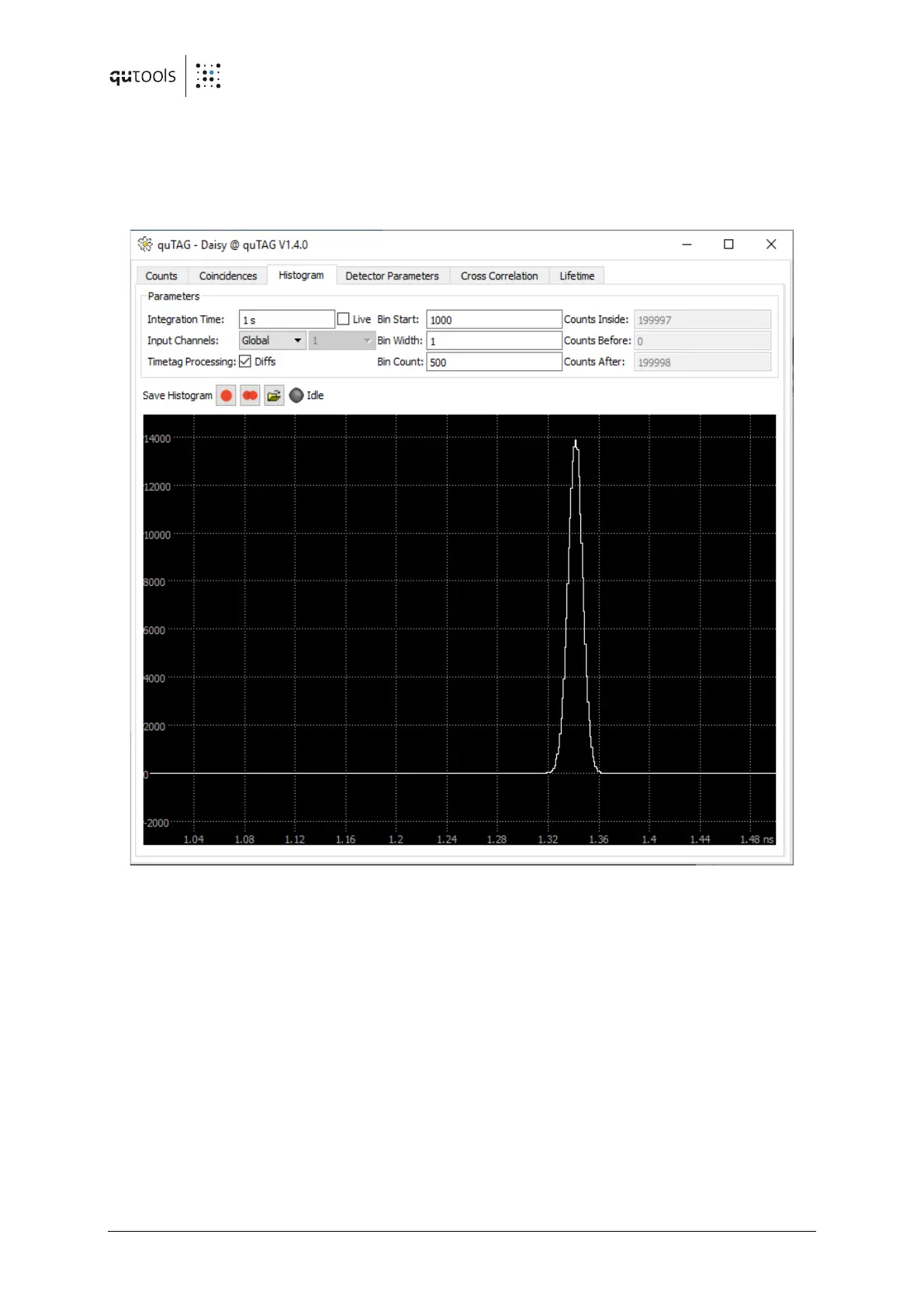
Timestamps histograms accessible in the "Time diffs" tab shown in the following figure. The
histogram is calculated in the PC, therefore only timestamps transferred to the PC contribute to
it. Timestamps filtered out or suppressed by the "single stop" feature don't show up here.
Figure 11: Histogram tab of Daisy
To configure the histogram measurement, the bin width, bin count and the value of the first bin
can be configured under "Histogram Window". Note that negative values are not allowed for
these settings. Which channels contribute to the measurement can be chosen in the "Histogram"
drop-down menu. If "Global" is selected all Timestamps from all channels used are used as start
and stop events. If a histogram from one channel using the start-stop mode is desired, use the
same channel name for both inputs and deselect "diffs".
The integration time of each measurement is set at "Exp. Time". If "Live" is not selected, the
finished histogram is displayed after every measurement (equals the exposure time), otherwise
a "live view" of the running measurement is shown.
If "Diffs" is selected, the differences of consecutive Timestamps are added to the histogram. Use
this setting if the time differences between events on different stop inputs are of interest. If
"Diffs" is not selected the absolute value of individual timestamps are added to the histogram.
Use this setting if the time between events on the start input and a stop input is of interest.


 To Next Page