www.qutools.com quTAG MC Manual 21
7 Daisy Software
The Daisy GUI is started by daisy.exe. It provides several functions which allow the full control of
the device. The user interface consists of several tabs for different tasks. All tabs and all graphs
can be decoupled from the main window by double-clicking it.
Note that some features depend on installed options (see chapter 4 ). If they are not available for
your device, they are typically invisible in the software.
7.1 Counting
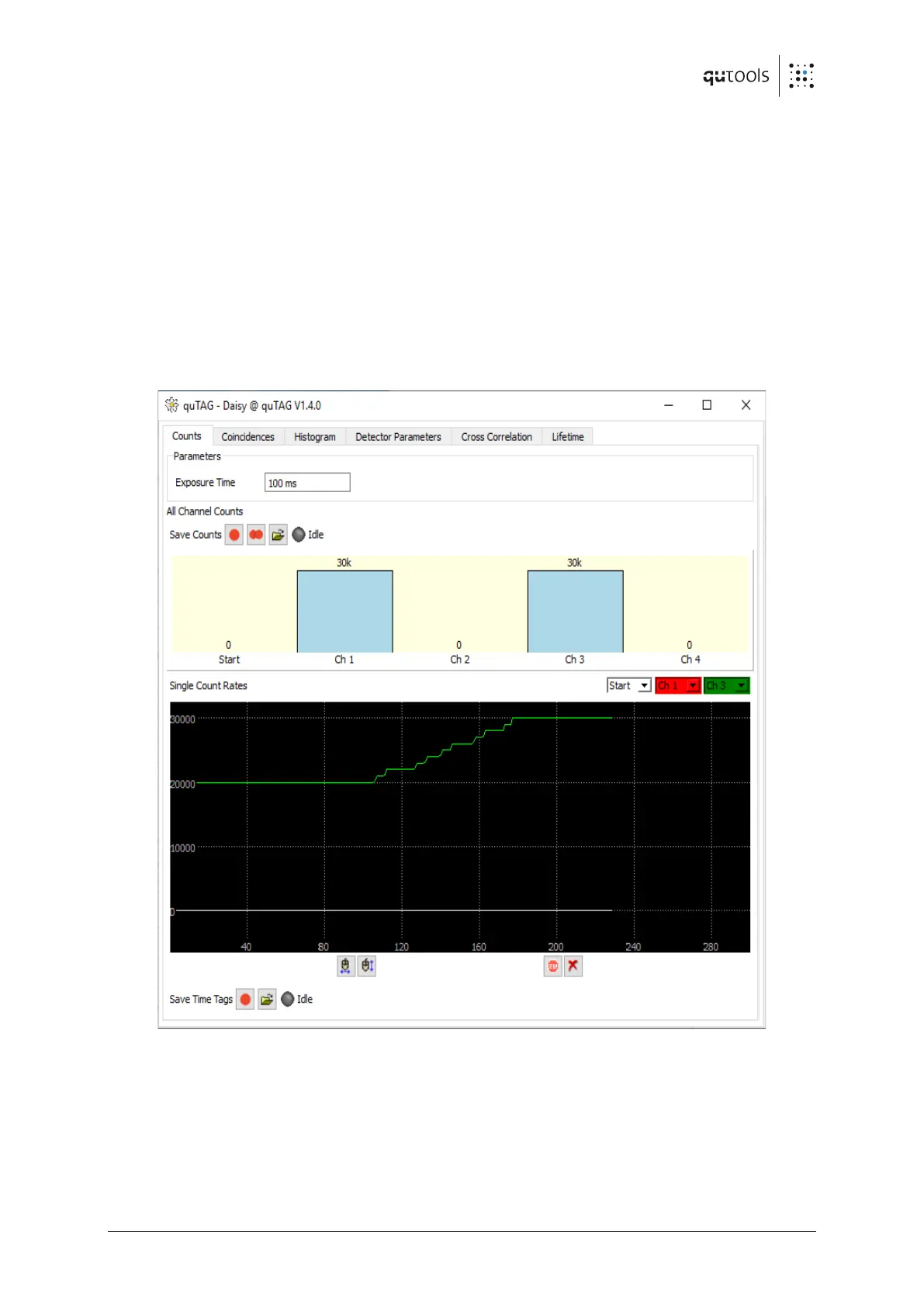
All single counting rates for each channel individually are displayed in the "Counts" Tab shown in
the following figure.
Figure 9: Counters tab of Daisy
The integration (or "exposure") time can be set to any ms value between 1 ms and 2
16
-1 ms ≈
65.5 s.
The count rates can be saved to a text file by pressing on the button next to "Save Counts". The
button with two red dots will save the count rates continuously after every exposure time.


 To Next Page