43
Sessions
Sessions allow you to perform multiple readings in one file. You can then review and save the information
as necessary.
Starting a Session
To start a new session, perform the following actions:
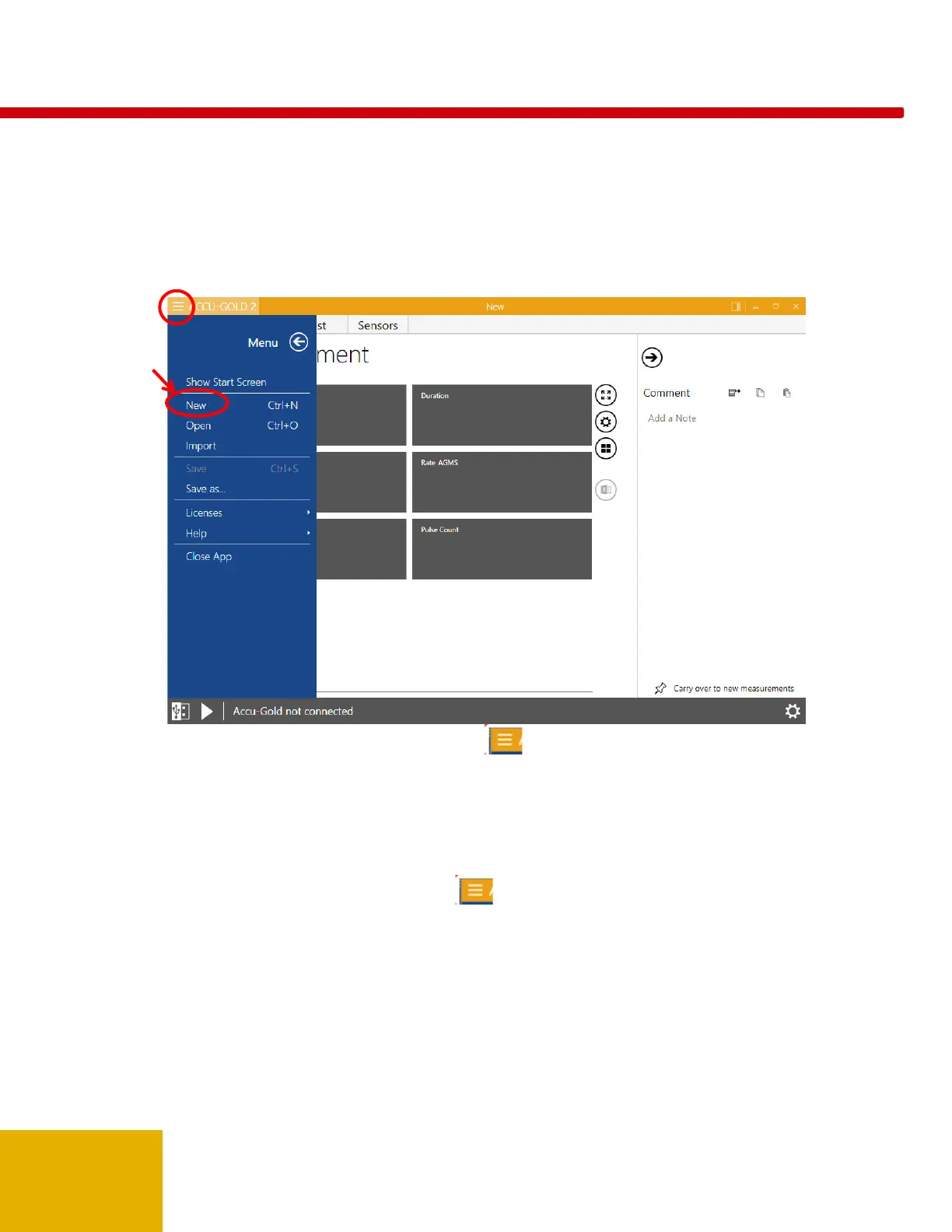
1. On the Accu-Gold main screen, click the icon in the upper left corner and select New.
2. A new, blank session appears.
Click Play and you are now ready to make a new measurement in this session.
Opening a Session
To open an existing session, perform the following actions:
1. On the Accu-Gold main screen, click and select Open. The Open Accu-Gold Session dialog
appears.



 To Next Page
 Loading...