21
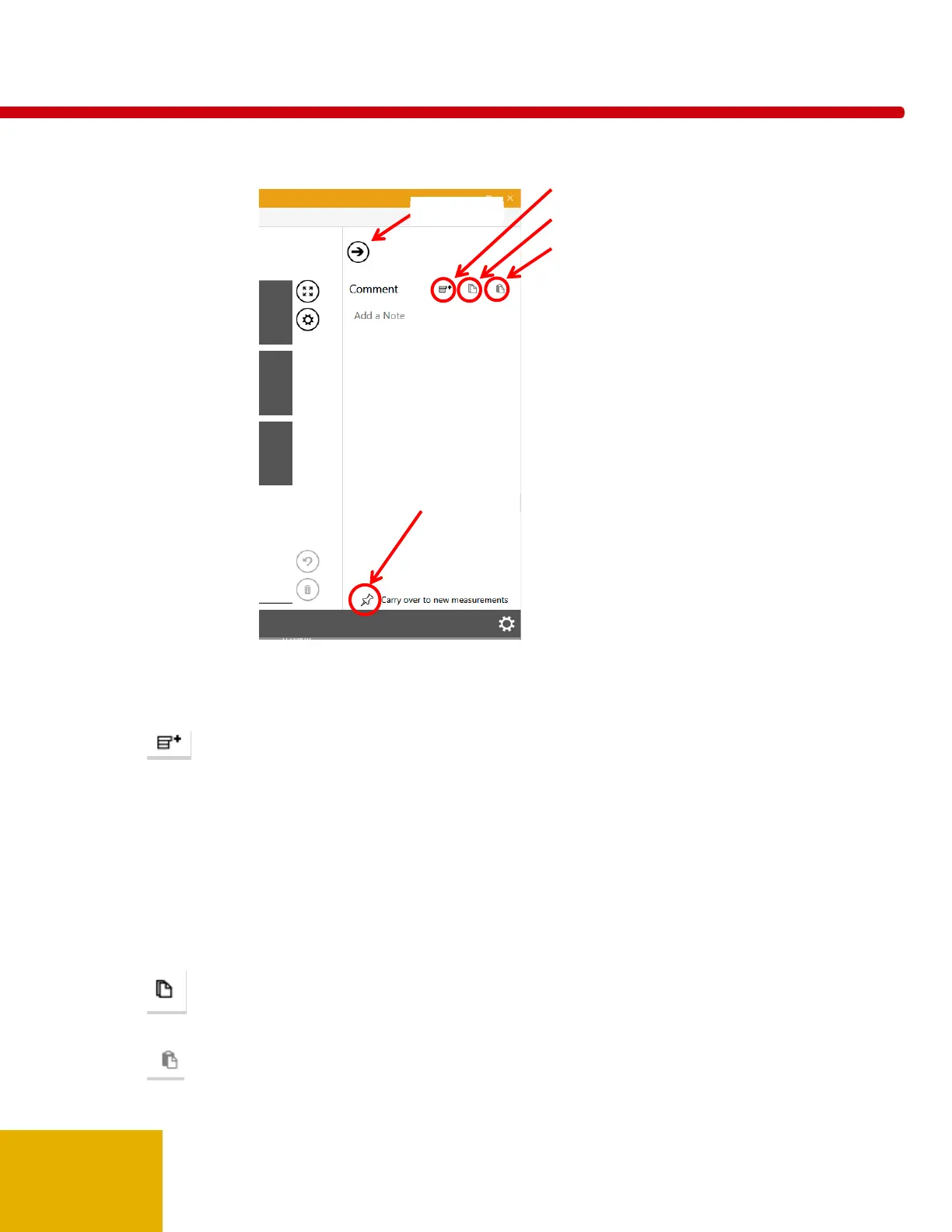
The pane can be used to enter notes or copy and paste details regarding the measurement.
Comments are saved in the session along with any measurements and can optionally be carried over to
the next measurement. The pane can be accessed from all views. You can minimize the pane
by clicking on the top arrow.
Append Snippet – The following can be pasted in the comments area to aid documenting
measurements:
Location:
Generator:
Sensor position:
kVp:
mA/mAs:
Time (s):
SDD (cm):
Filt:
Mode:
Notes:
Copy – Highlight the text to be copied and click on the copy icon. This will copy the Comment text
to the clipboard for use in other applications.
Paste – The contents of the clipboard will be pasted in the comments pane starting at the location of
the cursor.
Append snippet
Copy
Paste
Minimize



 To Next Page
 Loading...