51
Nugget
Using the Wi-Fi Nugget
Using the Wi-Fi adapter to connect to the digitizer is very similar with a few exceptions. Turn on the Nugget
before launching the program. When you choose to “Connect via Wi-Fi”, the program will look for Nuggets
on the network. The identification will be the Nugget’s serial number. It will automatically connect and will
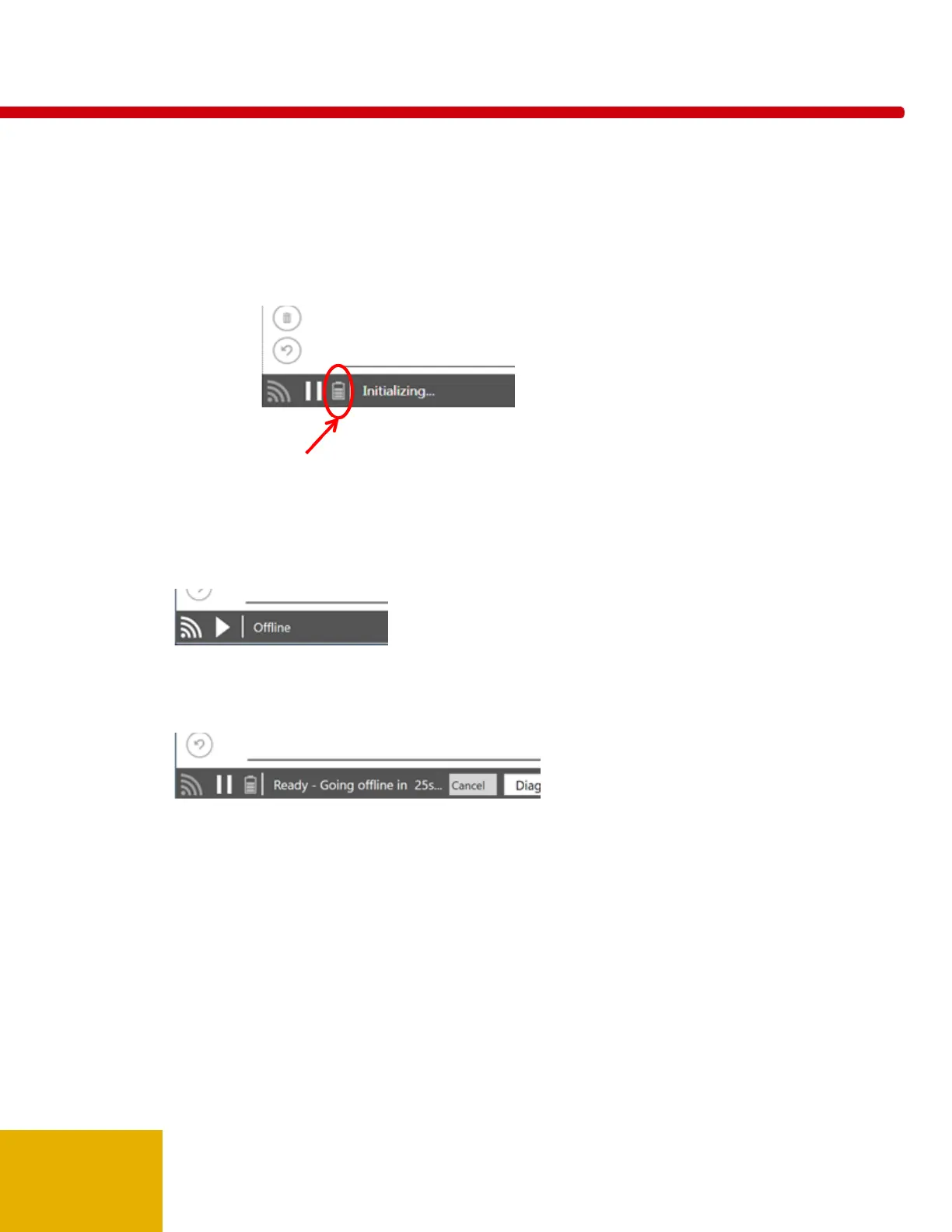
display the battery status of the Nugget. See Appendix C for greater detail.
The program will sleep the Nugget as much as possible to extend battery life. When waking, it might take
a few seconds to become active again.
If the Nugget/Touch WiFi is in “Offline” state, it will power off after approximately 12 minutes.
If the Nugget/Touch WiFi is in “Ready” state, it will go offline (disconnect the wireless connection) in about
3 minutes. It will give you a 30 second warning, however, so that you can stop it from disconnecting if
desired. Click the Play button to reconnect.
Nugget/Touch Waveform
When the software is in the "Ready" state you can access the settings menu in the lower-right corner.



 To Next Page
 Loading...