ESP-SMTe Controller
11
Simple Smart Programming
This section provides instructions to setup and operate the
ESP-SMTe.
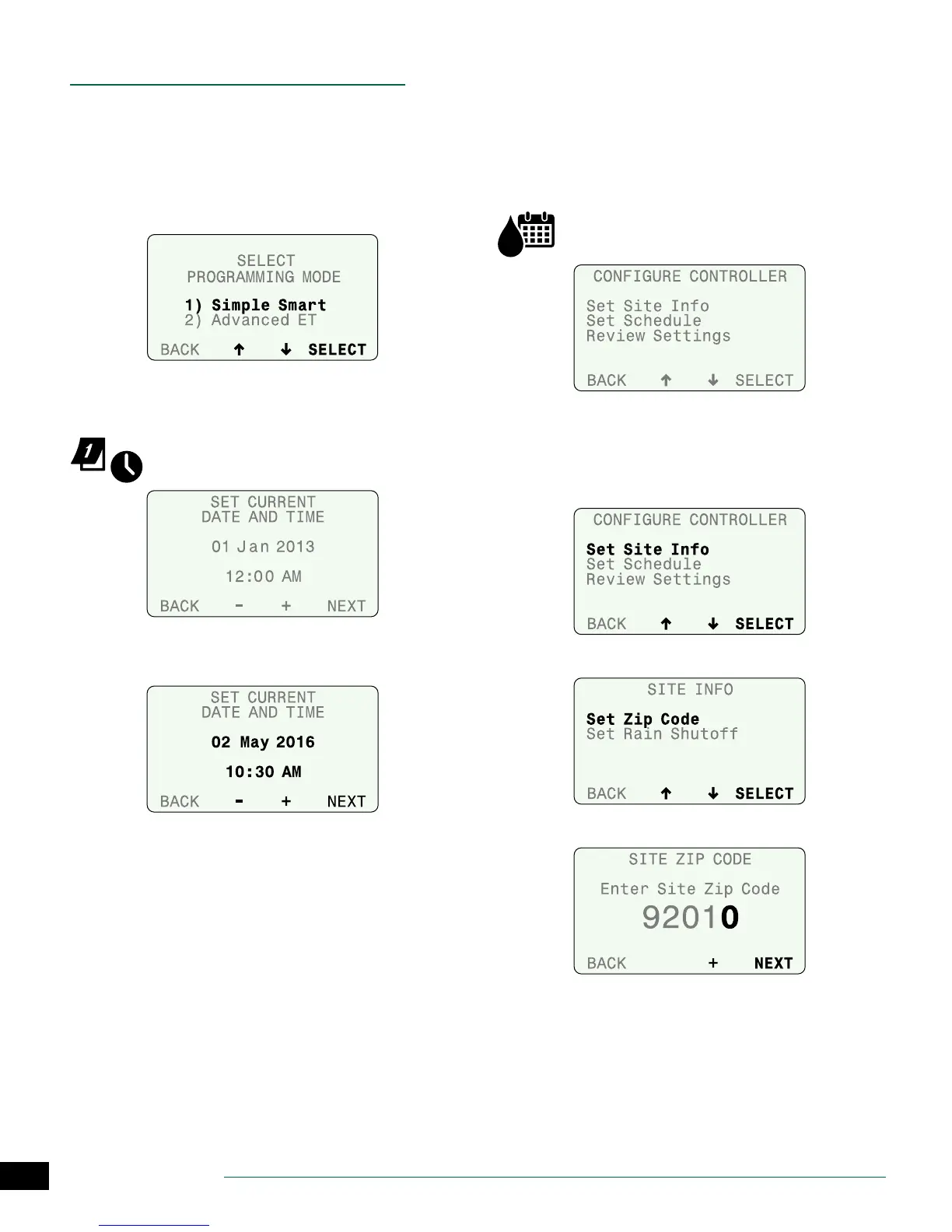
To program in Simple Smart mode, select Simple Smart on
the Select Programming Mode screen. This screen is avail-
able under the Advanced Controller Setup dial position
(see page 15) or after a Factory Default reset.
Set Date and Time
Set the current calendar Date and Time of day.
Turn the dial to Set Date & Time.
A
Set the current month, day and year.
B
Set the current time.
Congure Controller
Enter site location info and basic irrigation schedules.
In Simple Smart mode, congure the controller by entering
the site zip code for your site, selecting the days to water,
and entering the start times that watering will begin.
NOTE: For Advanced ET mode, see page 21.
Turn the dial to Congure Controller.
Set Site Info
Enter the zip code for your site and the Rain Shuto
parameters for rain sensor shuto.
A
Select Set Site Info.
B
Select Set Zip Code.
C
Enter the zip code for your site.


 To Next Page