ESP-SMTe Controller
9
Normal Operation
Controls and Indicators
Key operational features of the ESP-SMTe Controller:
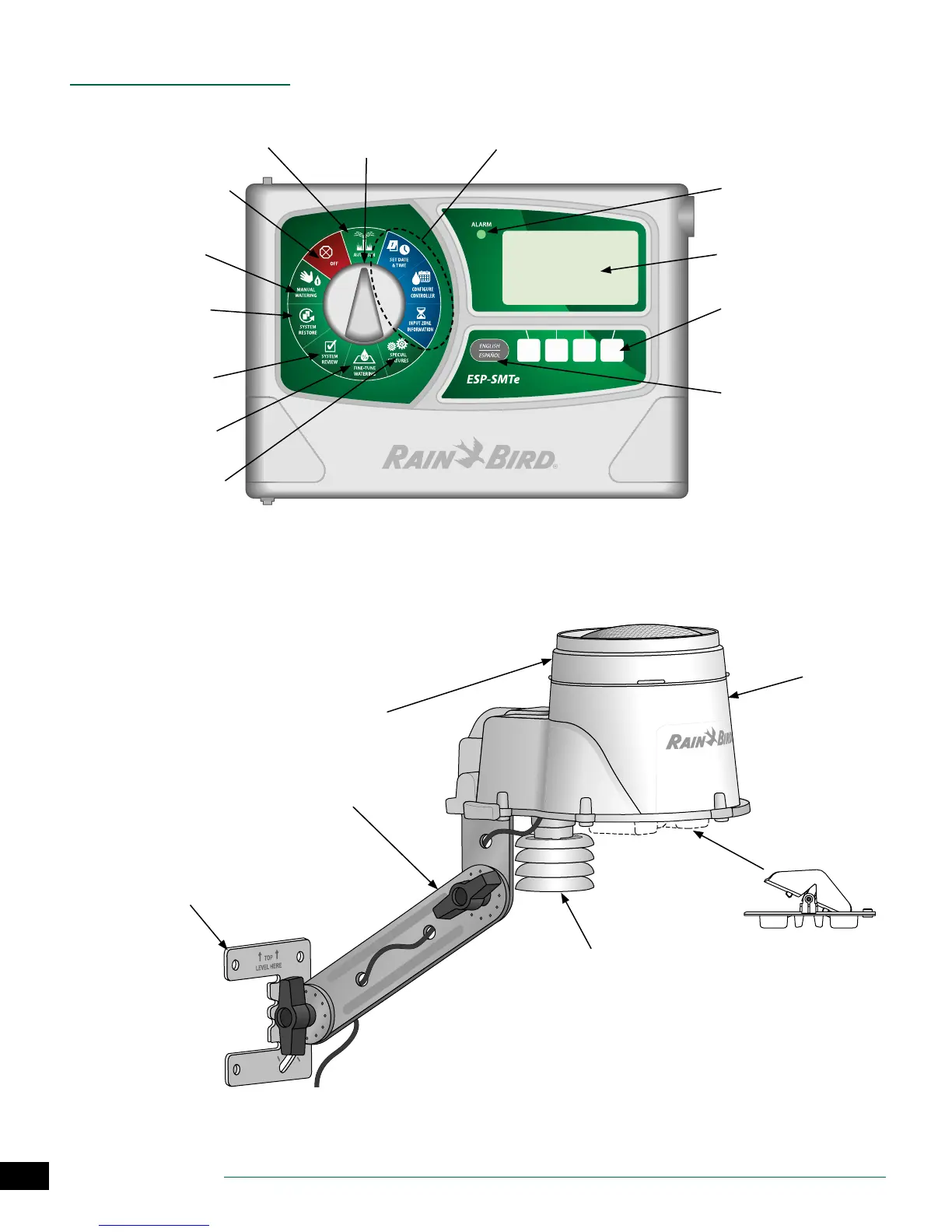
Initial Controller & Zone
Set-Up Dial Positions
Alarm Light: Illuminates
when conditions prevent
watering
Large Back Lit Dot-
Matrix Display
Programming Buttons:
Press and Hold to accelerate
settings
English/Spanish Button:
For easy switching of display
language
Remotely Program-
mable: Using 9V battery
(installed inside front panel)
Programming Dial
ESP-SMTe Controller Front Panel
AUTO RUN: Watering
occurs automatically
AUTO MODE
Monday 02 May 2016
05:00 PM
Irrigation
05 May
OFF: Cancels all irrigation
Manual Watering: Start
watering selected zones
immediately
System Restore: Restore
contractor and factory
default settings
System Review: Review
controller settings and
logs
Fine-Tune Watering:
Adjust run times by zone
Special Features: Block
irrigation on days of spe-
cial events
Removable Debris Screen:
Easily remove and clean when
clogged
Solar Shield With Temperature
Sensor: Measures temperature
and sends to controller
Mounting Base: Install on eave,
roof, side of house or post
Adjustable Mounting Bracket
Sensor
Housing
Removable Tipping
Rain Bucket: Measures
rainfall amounts and
sends to controller
Weather Sensor Features
NOTE: When installing the weather sensor,
keep away from radiating heat, etc.


 To Next Page