ESP-SMTe Controller
18
B
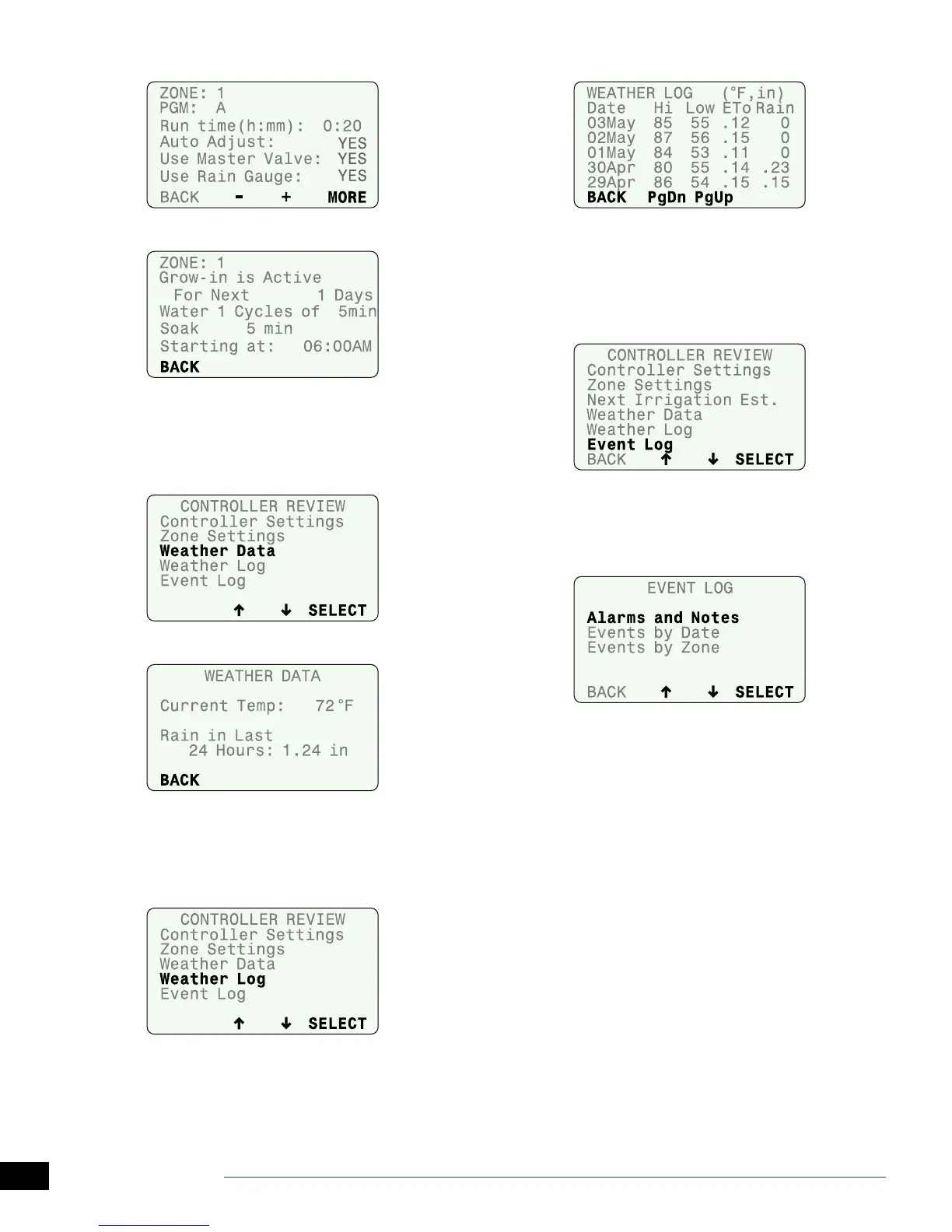
Review zone settings; then press MORE.
C
Review Grow-In Schedule; then press BACK.
Weather Data
Review the current temperature and rainfall over the past
24 hours based on data from the SMTe Weather Sensor.
A
Select Weather Data.
B
Review Weather Data; then press BACK.
Weather Log
Review a daily log of high and low temperatures,
calculated ET values, and rainfall over the past month.
A
Select Weather Log.
B
Review Weather Log; then press BACK.
Event Log
Review notications and error messages concerning
irrigation events by date or by zone. Check these messages
if the controller is not operating as expected.
A
Select Event Log.
B
Events and alarms can be viewed by date or by zone.
NOTE: A table in the Contractor’s Manual on the web-
site (www.rainbird.com/esp-smte) lists all the mes-
sages that can appear in the Event Logs.


 To Next Page