ESP-SMTe Controller
17
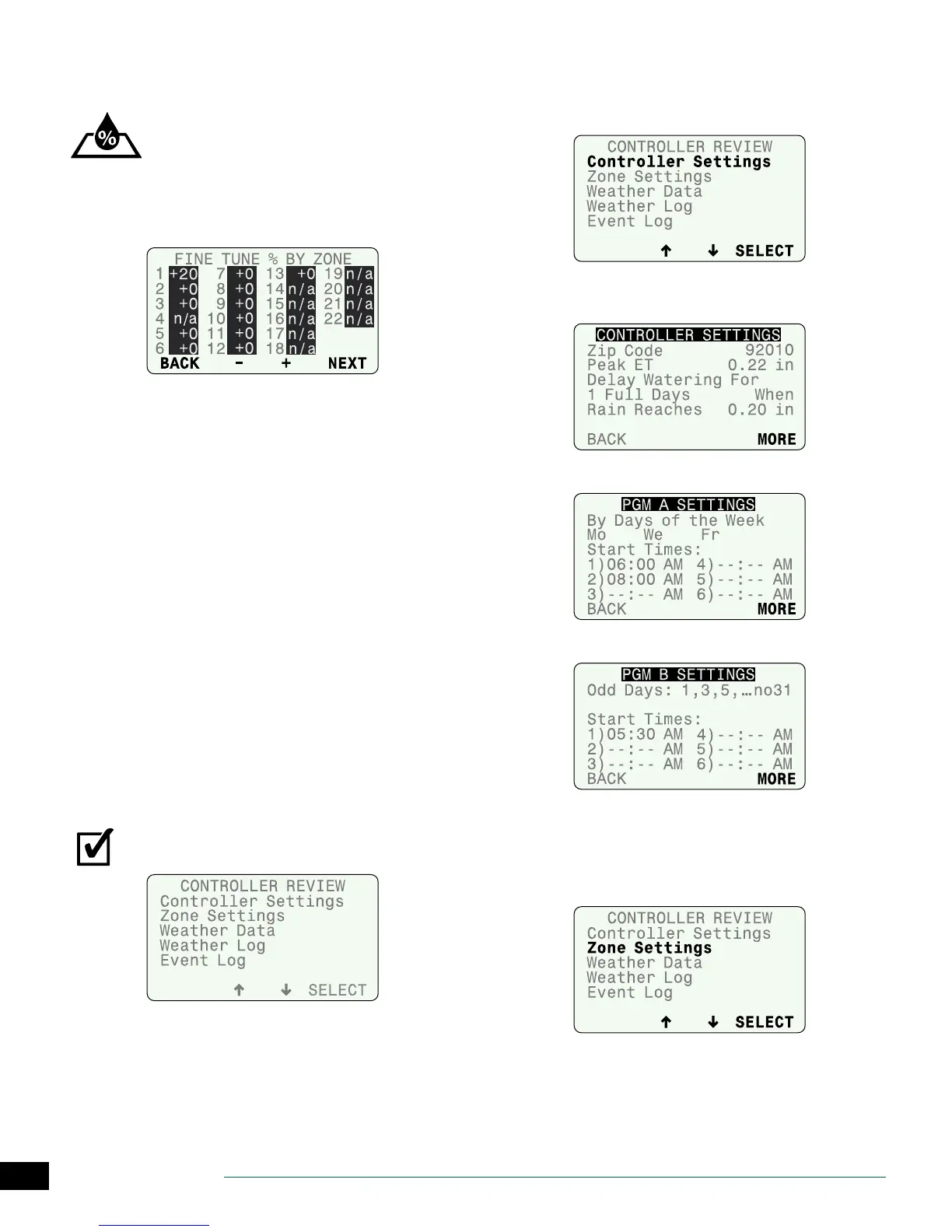
Fine-Tune Watering
Adjust the calculated run time for each zone.
Turn the dial to Fine-Tune Watering.
A
Press BACK or NEXT to select the zone to adjust.
B
Press
–
or
+
to set the adjustment percentage for the
selected zone.
C
After making any adjustments, return the dial to
AUTO RUN.
If minor adjustments are required to calculated run times,
you can increase or decrease run times for ET zones by a
selected percentage. These adjustments will apply until
you set the value back to 0.
The Fine Tune % By Zone value can be adjusted from -60%
to +60%. For example, if a +50% adjustment is set, then a
calculated run time of 10 minutes will become 15 minutes.
NOTE: Fine-Tune Watering adjustments always apply
to all zones in Simple Mode.
NOTE: Fine Tune settings can be adjusted for Newly
Planted zones, but will not take eect until the Newly
Planted mode expires.
System Review
View system settings and weather information.
NOTE: The information under System Review is for
review purposes only. This allows the review of pro-
gramming settings without accidentally making
unwanted changes.
Turn the dial to System Review.
Controller Settings
Review Congure Controller settings.
A
Select Controller Settings.
B
Review location data and delay settings; then press
MORE.
C
Review Program A; then press MORE.
D
Review Program B then press MORE.
Zone Settings
Review Input Zone Information and Advanced Zone Setup
settings.
A
Select Zone Settings.


 To Next Page