TND
™
Tablet User Manual 24
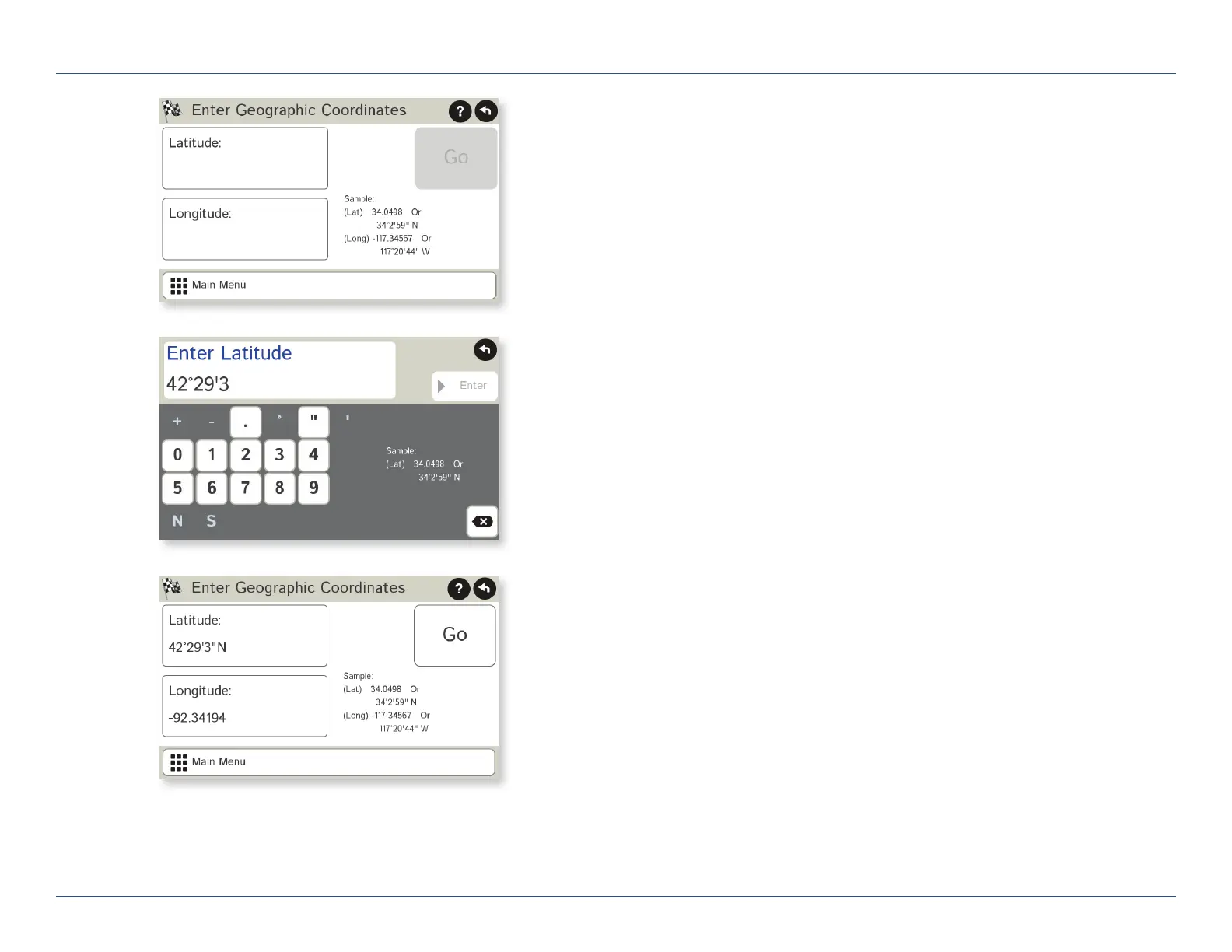
Route to a Latitude/Longitude
1. Tap Choose Destination > New Location > Enter Lat/Long
2. Tap in the Latitude field.
3. Enter the latitude of the location and tap Enter.
4. Tap in the Longitude field.
5. Enter the longitude of the location and tap Enter.
6. Tap Go. The Confirmation Window displays. (See page 37.)
7. Tap Begin New Route to navigate to the location.
Note: There are two ways to enter latitude/longitude: by decimal degrees
or by degrees, minutes, and seconds.
3C. Destinations > Addresses
For Sales Information Please Contact
RoadTrucker Inc
(www.RoadTrucker.com)
8312 Sidbury Rd.
Wilmington, NC 28411
(800) 507-0482 / (910) 686-4281













 To Next Page