TND
™
Tablet User Manual 55
3E. Tools & Features
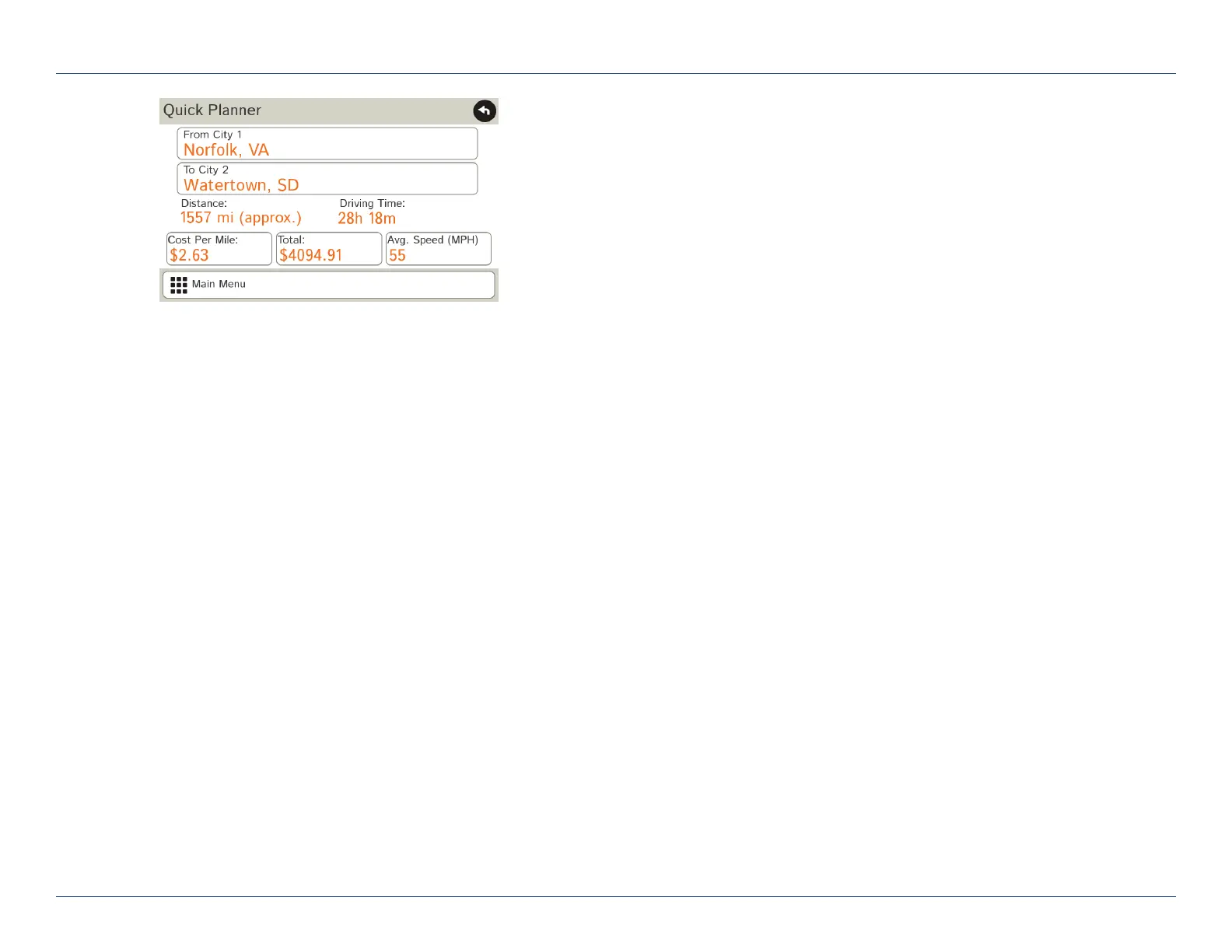
Quick Planner
Use this tool to quickly estimate the mileage and time between any
two cities or towns.
1. Tap Truck Tools.
2. Tap Quick Planner.
The revenue or cost per mile used in the last computation displays.
3. Tap From City 1 and select the city.
4. Tap To City 2 and select the city.
5. The distance displays.
6. Tap Cost per Mile and enter the per mile rate or tap Total and
enter the total amount.
7. Tap the new dollar amount and tap Enter.
8. The dollar amounts readjust automatically.
9. Tap Average Speed (MPH) enter a speed:
• Ta p
--
or + to decrease or increase the speed.
• Tap the calculator to enter a speed.
10. Tap Change.
11. The driving time displays.
For Sales Information Please Contact
RoadTrucker Inc
(www.RoadTrucker.com)
8312 Sidbury Rd.
Wilmington, NC 28411
(800) 507-0482 / (910) 686-4281













 To Next Page