TND
™
Tablet User Manual 52
3E. Tools & Features
Mileage
1. Tap Truck Tools.
2. Tap Timers, Mileage, Trails, Fuel.
3. Tap the Mileage tab to view list of logs for the current year,
ordered by quarter.
4. To view quarterly mileage logs for previous years, tap Year.
Tap on a quarter to view log entries.
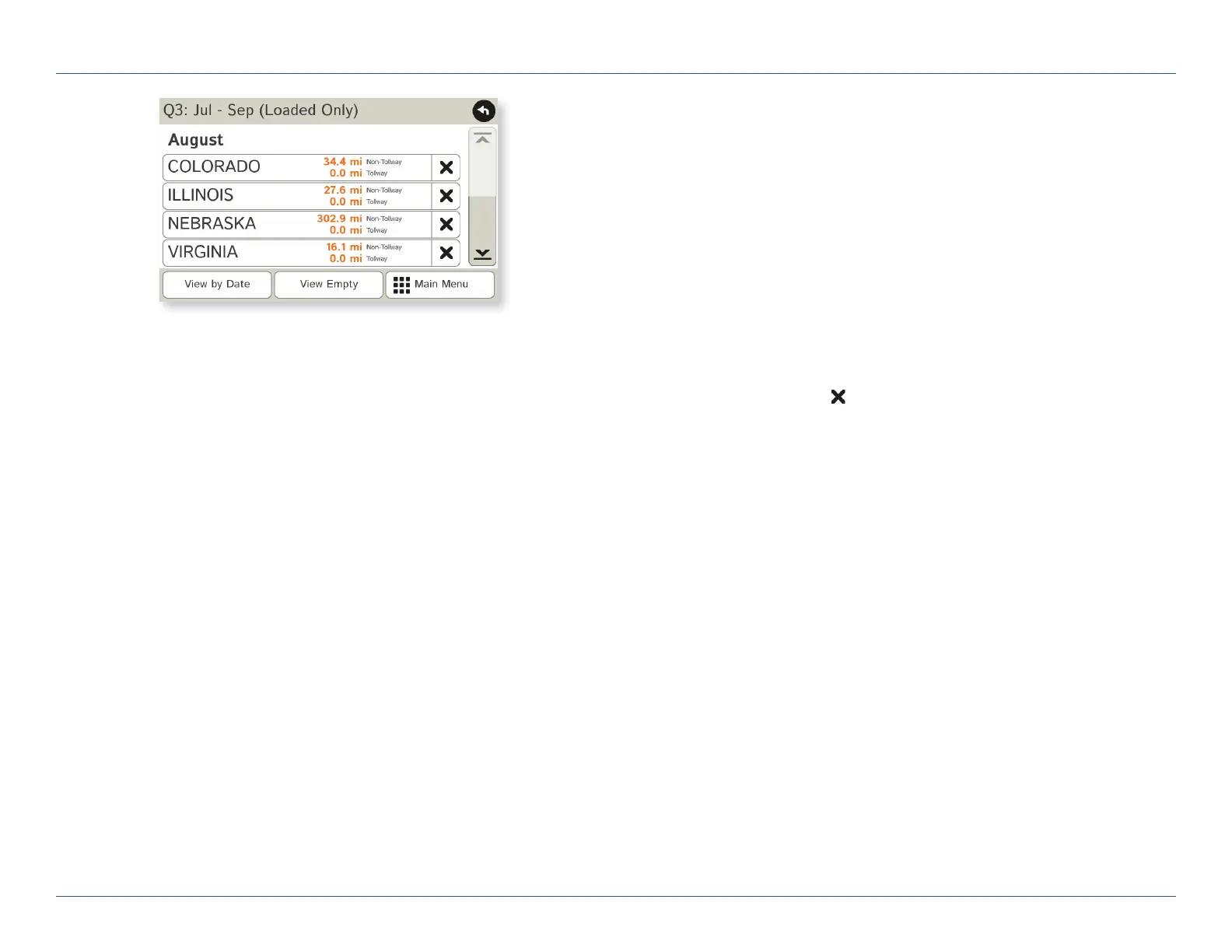
5. Tap on a quarter to view details. Tap View by Date/View by State
and Empty/Loaded for more information.
To delete a log, tap on the
next to the log entry to be deleted.
Tap Yes to delete the log.
Note: Load Option and Driver Status control how logs are recorded.
(See pages 15-16.)
For Sales Information Please Contact
RoadTrucker Inc
(www.RoadTrucker.com)
8312 Sidbury Rd.
Wilmington, NC 28411
(800) 507-0482 / (910) 686-4281













 To Next Page