TND
™
Tablet User Manual 44
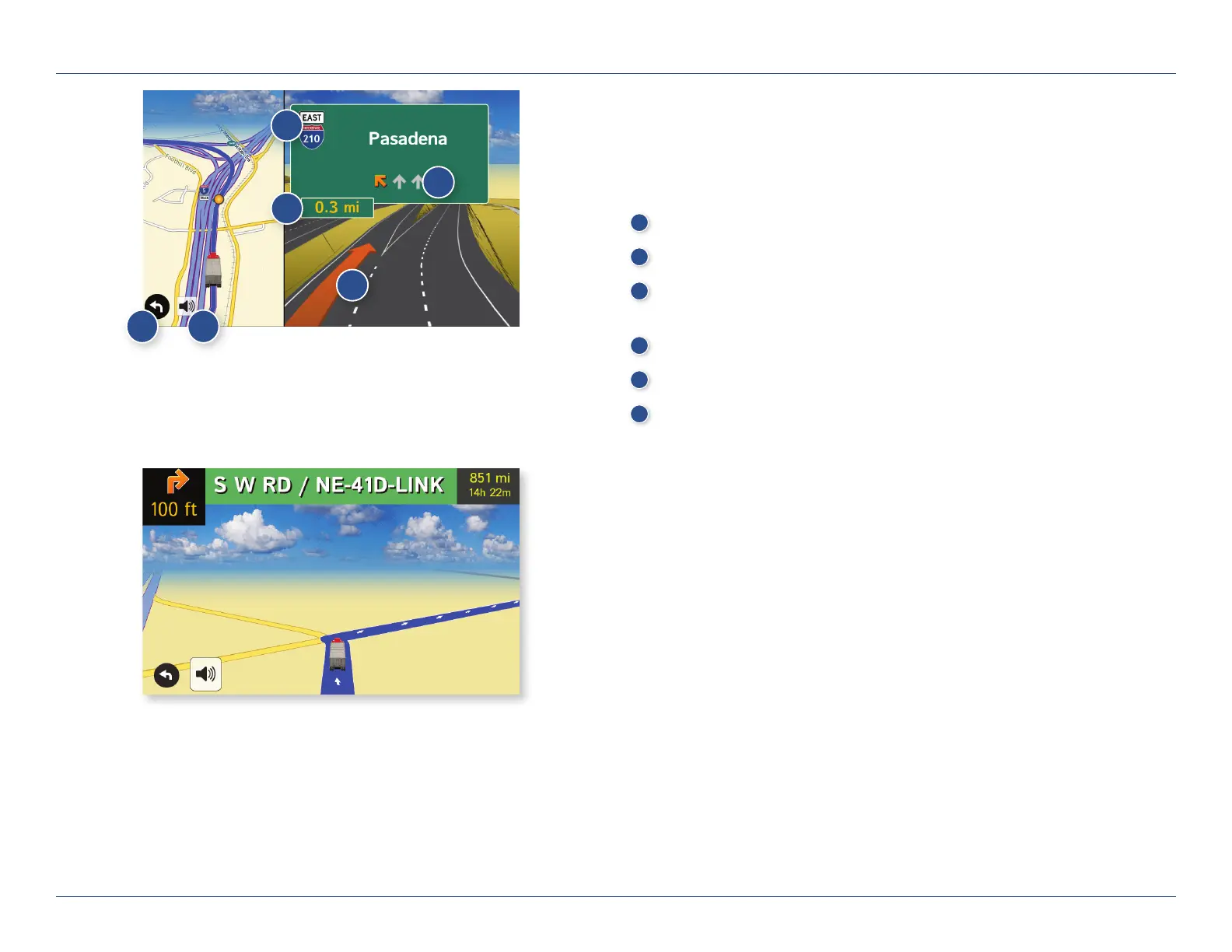
Junction View
When on a route, Junction View displays when you have an upcoming
maneuver. Set distance in Preferences > Route. Once past the maneuver,
Junction View closes and the previous window displays.
1
Signs to follow for the next maneuver.
2
Number and direction of lanes for the next maneuver.
3
Distance to the upcoming maneuver. Distance decreases as you
approach the ramp.
4
Lane assist arrow.
5
Mute the speaker.
6
Return to previous window.
Turn View
Displays for upcoming turns. Set distance in Preferences > Route.
3D. Maps & Routing
1
2
3
4
56
For Sales Information Please Contact
RoadTrucker Inc
(www.RoadTrucker.com)
8312 Sidbury Rd.
Wilmington, NC 28411
(800) 507-0482 / (910) 686-4281













 To Next Page