376 823346-R3
ERVICE
S
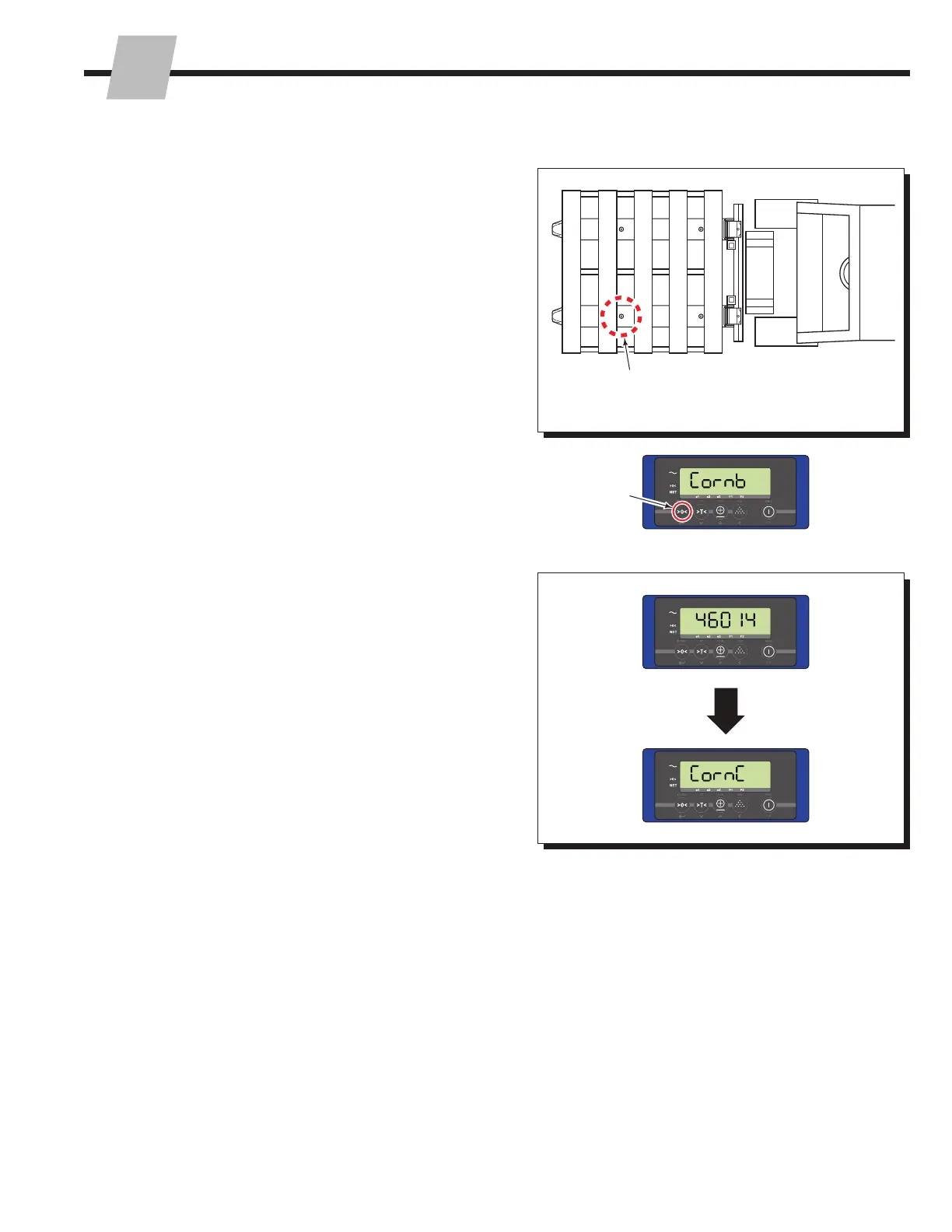
9 Move the same weight to position B.
NOTE: To locate Position B on a Logistics iFork, refer to
the illustration shown under "Logistics iForks – Locate
hidden load cells", page 32.
10 Press the "Zero" button, to accept the weight (load cell
output) value.
9
10
11
3.2-4 Corner Calibration (continued)
11 A new value will show on the display (example 46014).
Then "Corn C" will show on the display.



 To Next Page