CHAPTER 6
40 Raven RS1™ and RS Lite™ Calibration and Operation Manual
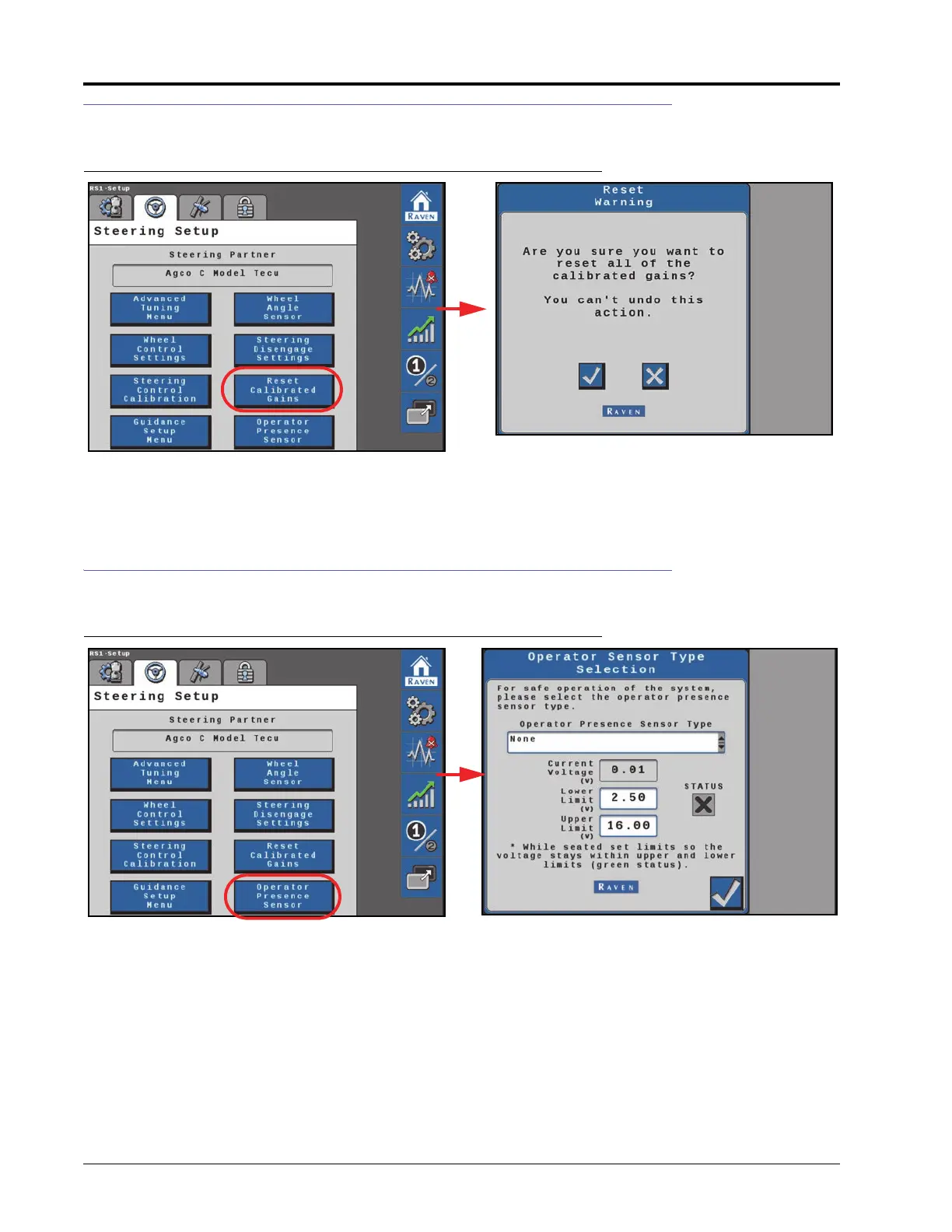
RESETTING CALIBRATED GAINS
FIGURE 14. Reset Calibrated Gains Page
Select the check button to reset the machine steering settings back to factory default, or select the X button keep
the current steering settings.
OPERATOR PRESENCE SENSOR
FIGURE 15. Operator Sensor Type Selection Page
Operator Presence Sensor Type. Use the drop down list to select the type of switch used to detect the presence
of the operator while the system is engaged.
•None
•Single Pole
•Double Pole
•CAN Switch
• Touch Screen (Activity Monitor)








 To Next Page